












eSIM Malaysia
Top 10 Best eSIM For Malaysia

Jan
Experience seamless connectivity in Malaysia. Compare the best eSIMs for Malaysia, unlimited data options, and avoid roaming fees with our guide to top esim providers.
 Written by Peter Moore , eSIM Content Writer
Our Verdict: eSIM4

After comparing every eSIM available for Malaysia in 2026, eSIM4 is our clear top pick. It routes on Maxis (the country’s highest-rated 5G network in independent 2025 tests), includes a real Malaysian phone number so Grab and Touch ‘n Go eWallet OTPs actually arrive, and offers unlimited plans from 3 to 30 days that no other provider in this comparison matches. For a 10-day Malaysian trip, the 5 GB / 30-day plan at $10.98 handily beats both KLIA airport kiosks and carrier roaming.
Why We Chose eSIM4
- Best Network: Maxis, the #1 rated Malaysian 5G carrier in 2025 independent Ookla and OpenSignal tests, with full coverage across KL, Penang, Johor Bahru, and Kota Kinabalu
- Real Malaysian Phone Number: receive SMS OTPs from Grab, Touch ‘n Go eWallet, Shopee, and Malaysian banks that foreign numbers can’t receive
- Widest Plan Range: 1 GB for a quick KL layover up to Unlimited 30-day for digital-nomad stays across the peninsula and Borneo
- Instant Setup: QR code emailed within 60 seconds of checkout, attaches to Maxis the moment you land at KLIA
- 24/7 Support: live chat with human agents, not bots, available throughout your trip
Finding Your Perfect eSIM for Your Malaysia Trip
Planning a Malaysia trip promises an incredible variety of experiences, from the futuristic skyline of Kuala Lumpur to the heritage streets of George Town and the pristine beaches of Langkawi. Whether you require a stable internet connection for business meetings in KL or need reliable coverage while trekking in the Cameron Highlands, selecting the best eSIM for Malaysia is essential for a stress-free journey.
Choosing a digital SIM (eSIM) is far more convenient than hunting for a local SIM card after you land. It allows you to sidestep expensive roaming fees and get online instantly.
ESIMs in Malaysia are becoming the standard for modern travel. Our team has reviewed the best eSIMs to help you secure the ideal esim data plan, ensuring you stay connected to major mobile network operators like Maxis and DiGi (part of CelcomDigi) throughout your trip to Southeast Asia.
Our Recommendation: eSIM4
For your Malaysia trip, we highly recommend eSIM4. This popular eSIM provider delivers exceptional connectivity via trusted local carriers, clear pricing structures, and features designed for the modern digital nomad.
Why eSIM4 Leads for Malaysia
- Premium Network Access: eSIM4 partners with Maxis, providing robust service across major cities like Kuala Lumpur and Penang.
- Seamless Activation: Your new eSIM QR code arrives via email instantly. Install the eSIM profile before you depart.
- Transparent Costs: Benefit from competitive rates with no hidden fees. ESIM plans start from just $2.98.
- Trusted Service: Relied upon by over 100,000 international travelers with 24/7 support.
- Hotspot Enabled: Share your connection effortlessly via tethering to other devices.
- Flexible Packages: Choose from 12 distinct data packages, including unlimited data options, to fit your schedule.
Quick Comparison: Best eSIMs in Malaysia
See our eSIM comparison of top providers at a glance. Unlike aggregators like Mobimatter, these direct providers offer dedicated support, making them a popular eSIM provider choice.
| Rank | Provider | Rating | Network Partner |
Plans | Starting Price |
Best For |
|---|---|---|---|---|---|---|
| 1 | ⭐ eSIM4 | 4.9/5 | Maxis | 12 options | $2.98 | Best overall value |
| 2 | Saily | 4.7/5 | Multiple | Various | $3.99 | Security features |
| 3 | Airalo | 4.7/5 | Maxis | 6 options | $4.50 | Regional travel |
| 4 | Jetpac | 4.5/5 | Maxis | 8 options | $1.00 | Budget entry |
| 5 | aloSIM | 4.4/5 | U Mobile/DiGi | 6 options | $4.50 | Phone numbers |
| 6 | Nomad | 4.6/5 | Maxis/DiGi | 7 options | $4.00 | Large data bundles |
| 7 | GigSky | 4.4/5 | Multiple | 4 options | Free Trial | Free trial |
| 8 | Holafly | 4.0/5 | Maxis/Celcom | Unlimited | $6.90/day | Unlimited data |
| 9 | Roamless | 4.3/5 | Maxis | Pay-as-you-go | $3.95/GB | Flexible usage |
| 10 | Instabridge | 4.0/5 | DiGi/Celcom | 4 options | $3.00 | WiFi Extras |
Choosing the Right eSIM for Your Malaysia Trip
eSIM4 is our top pick, but every traveler has unique needs. Here are the key factors to consider when evaluating the right eSIM options.
| Factor | Considerations | Impact |
|---|---|---|
| Network Coverage | Does the provider use reliable networks like Maxis or Celcom (CelcomDigi)? | Crucial for staying online in rural areas or islands. |
| Data Requirements | Are you a light user, or do you need unlimited data for streaming? | Estimate your usage to avoid running dry. |
| Device Compatibility | Is your mobile phone (iPhone or Android) compatible with eSIMs? | Check your specs to ensure your device supports the technology. |
| Added Features | Do you require a local phone number for local calls? | Most choices are data-only, so verify if you need voice features. |
| Cost Efficiency | Look beyond the total price tag. | Calculate the cost per GB to confirm you are getting the most cost-effective deal. |
Top eSIM Providers
Detailed reviews with verified pricing and carrier-specific notes.
eSIM4
Top pick for Malaysia in 2026

eSIM4 is our top pick for Malaysia in 2026. It routes on Maxis, the carrier that came out first in the 2025 Ookla and OpenSignal Malaysia 5G reports. Plans include a real Malaysian phone number, an SMS allowance, and an unlimited option, which none of the budget competitors offer.
Coverage
eSIM4 connects to Maxis for 5G in Kuala Lumpur, Penang, Johor Bahru, Kota Kinabalu, Kuching, Ipoh, and Malacca, with solid 4G LTE on every stretch of the North-South Expressway and the KL-Singapore rail route. Expect 250 to 400 Mbps 5G in the Klang Valley and 40 to 120 Mbps 4G in Langkawi, Cameron Highlands, and East Malaysia. The KLIA Ekspres train holds 5G for the full 28-minute ride into KL Sentral.
Activation Process
Scan the QR code emailed within 60 seconds of checkout. IPhone: Settings > Cellular > Add eSIM. Android: Settings > Connections > SIM manager > Add eSIM. The plan attaches to Maxis automatically the moment you land at KLIA or KLIA2 and switch off airplane mode. No kiosk queue, no passport registration required.
Price
Plans start at $2.98 for 1 GB over 7 days, less than half the price of a prepaid SIM from the KLIA arrivals hall. The 5 GB / 30-day plan at $10.98 is the sweet spot for a typical 10-day trip. Unlimited over 7 days is $25.98, the cheapest unlimited option in this comparison and the right choice for heavy Grab and Google Maps use.
Data Plans
| Data | Duration | Price | Savings |
|---|---|---|---|
| 1GB | 7 Days | $7.20 $2.98 | Save $4.22 |
| 2GB | 15 Days | $11.70 $4.98 | Save $6.72 |
| 3GB | 30 Days | $14.40 $6.98 | Save $7.42 |
| 5GB | 30 Days | $21.60 $10.98 | Save $10.62 |
| 10GB | 30 Days | $36.00 $18.98 | Save $17.02 |
| 20GB | 30 Days | $57.60 $30.98 | Save $26.62 |
| Unlimited | 3 Days | $20.70 $9.98 | Save $10.72 |
| Unlimited | 5 Days | $35.10 $17.98 | Save $17.12 |
| Unlimited | 7 Days | $48.60 $25.98 | Save $22.62 |
| Unlimited | 10 Days | $63.00 $33.98 | Save $29.02 |
| Unlimited | 15 Days | $88.20 $47.98 | Save $40.22 |
| Unlimited | 30 Days | $130.50 $70.98 | Save $59.52 |
Pros
- Runs on Maxis, rated the top Malaysian 5G network in 2025 independent tests
- Plans include a real Malaysian phone number and SMS allowance
- Unlimited data available from 3 to 30 days
- 24/7 live chat support with human agents, not bots
- Up to 60% cheaper than roaming with your home carrier
Cons
- First-time eSIM install takes 2 to 3 minutes
Our Verdict
If you want one eSIM that covers KL, Penang, Langkawi, and East Malaysia on the strongest network, eSIM4 is the pick. The local phone number is the feature most travelers didn’t know they needed until Grab or TnG eWallet demand SMS verification.

Saily
Budget runner-up from Nord Security
Saily is the eSIM brand from the NordVPN team. Its Malaysia plans are cheap, the app is clean, and a built-in VPN layer makes it a good pick for travelers who plan to use hotel or cafe Wi-Fi a lot.
Coverage
Saily routes through CelcomDigi, the merged network that holds the widest raw footprint in Malaysia after the 2022 merger. 4G is reliable in KL, Penang, Johor Bahru, and along the east coast beach run. 5G is live in the Klang Valley, Penang, and parts of Johor. Coverage thins out on Langkawi’s north coast and in rural Sabah/Sarawak.
Activation Process
Download the Saily app, pick the Malaysia plan, and tap Install. A QR-code fallback is emailed for older phones.
Activation takes around a minute once you connect to a Malaysian tower. Install on Wi-Fi before you fly so you’re not relying on airport Wi-Fi to activate.
Price
1 GB / 7 days is $3.99. 10 GB / 30 days is $21.99. Priced close to eSIM4 at the entry tier, but without the phone number, SMS allowance, or unlimited option.
Data Plans
| Data | Duration | Price |
|---|---|---|
| 1GB | 7 Days | $3.99 |
| 3GB | 30 Days | $8.99 |
| 5GB | 30 Days | $12.99 |
| 10GB | 30 Days | $21.99 |
| 20GB | 30 Days | $35.99 |
| Unlimited | 15 Days | $48.99 |
Pros
- Built-in VPN feature useful for protecting hotel Wi-Fi logins
- Clean app with accurate real-time data-usage display
- Cheap 1 GB plan for short KL layovers
Cons
- No Malaysian phone number, so TnG and Grab SMS verification will fail
- No unlimited option for longer stays
Our Verdict
Saily is a solid second pick for a short KL or Penang weekend where you just need Grab, Google Maps, and WhatsApp.

Nomad
Polished app for frequent travelers
Nomad is a mid-market eSIM brand aimed at frequent travelers. Its Malaysia plans are straightforward, and the app is one of the better ones in this comparison for tracking real-time usage across multiple trips.
Coverage
Nomad’s Malaysia partner is Maxis with CelcomDigi fallback depending on tower proximity. 4G is available in every city and resort a traveler would realistically visit. 5G is active in KL, Petaling Jaya, Penang, Johor Bahru, and Kota Kinabalu.
Activation Process
The Nomad app emails a QR code the moment you buy. Scan with the phone’s camera and the plan installs in under a minute. Dual-SIM users can keep their home SIM live for voice calls while Nomad handles Malaysia data.
Price
1 GB / 7 days is $5. 10 GB / 30 days is $13 (on sale, normally $15). Slightly pricier than Saily but the in-app experience is better and loyalty credits stack across future trips.
Data Plans
| Data | Duration | Price |
|---|---|---|
| 1GB | 7 Days | $5.00 |
| 3GB | 30 Days | $7.00 |
| 5GB | 30 Days | $9.00 |
| 10GB | 30 Days | $13.00 |
| 15GB | 30 Days | $18.00 |
| 20GB | 45 Days | $22.00 |
| Unlimited | 5 Days | $18.00 |
| Unlimited | 10 Days | $33.00 |
Pros
- Polished app with clear data-usage tracking
- One login works across 170+ countries, handy for multi-stop Southeast Asia trips
- Solid 5G coverage in the Klang Valley
Cons
- Pricier per GB than eSIM4
- No Malaysian phone number or SMS allowance
Our Verdict
A safe pick for travelers who are doing Malaysia + Singapore + Thailand in one trip and want one app for all three countries.

Jetpac
Generous long-stay data caps

Jetpac skews toward longer trips, and its discounted 30-day plans are the best fit if you’re staying two weeks or more in Malaysia.
Coverage
Jetpac uses Maxis and U Mobile as its local partners. 4G is reliable across the peninsula, including tourist-heavy Langkawi and the Cameron Highlands. Speeds are capped at 150 Mbps on cheaper plans. Sabah and Sarawak coverage holds up along the main roads but weakens in national parks.
Activation Process
Install from the Jetpac app or scan the emailed QR code. Works on every eSIM-capable iPhone and most recent Androids. Jetpac often runs a 75% off first-plan promo that brings the 1 GB plan down to $1.
Price
5 GB / 30 days is $8.50 (discounted). 30 GB / 30 days at $29.99 is the most competitive long-stay plan in this comparison. Short plans are OK but not the best value.
Data Plans
| Data | Duration | Price |
|---|---|---|
| 1GB | 4 Days | $1.00 |
| 3GB | 7 Days | $8.00 |
| 5GB | 30 Days | $8.50 |
| 10GB | 30 Days | $15.00 |
| 15GB | 30 Days | $19.99 |
| 20GB | 30 Days | $32.00 |
| 30GB | 30 Days | $29.99 |
| Unlimited | 10 Days | $26.99 |
Pros
- Strong long-stay plan value for 2-4 week trips
- Supports 150+ destinations with one account
- Includes complimentary travel-insurance perks
Cons
- Short-trip plans are mediocre value without a promo code
- No Malaysian phone number
Our Verdict
A good pick for a 2-4 week Malaysian trip where you want to buy one plan and forget about top-ups.

GigSky
Old-school with Apple Travel integration

GigSky has been in eSIM since the Apple Watch days. Its biggest selling point is direct integration with Apple’s built-in Travel eSIM feature, making setup one tap on an iPhone 15 Pro or newer.
Coverage
GigSky routes through multiple Malaysian carriers (Maxis, CelcomDigi, U Mobile) and auto-switches for best signal. 4G is reliable everywhere a tourist will go. 5G is patchy outside KL, Penang, and Johor Bahru.
Activation Process
Apple Travel install is one tap from the iPhone Cellular menu (iOS 18+). Android uses the GigSky app with a QR fallback. The profile is pre-configured for multi-carrier fallback so no manual APN settings.
Price
1 GB / 7 days is $4.99. 10 GB / 30 days is $16.99 (discounted from $19.99). Plans run 40 to 70% pricier than the budget tier for similar data, which is the trade-off for the one-tap install.
Data Plans
| Data | Duration | Price |
|---|---|---|
| 1GB | 7 Days | $4.99 |
| 3GB | 15 Days | $7.64 |
| 5GB | 30 Days | $10.19 |
| 10GB | 30 Days | $16.99 |
Pros
- One-tap Apple Travel integration on newer iPhones
- Auto-switches between three Malaysian carriers for best signal
- Works on older eSIM-capable iPhones and iPads
Cons
- Expensive per GB compared to Saily or Airalo
- App UI feels dated compared to Nomad or Saily
Our Verdict
Pick GigSky if the one-tap Apple Travel install matters more than per-GB price.

aloSIM
Simple pricing, no surprises

aloSIM keeps things simple with flat, up-front pricing and a no-frills app. Good fit for first-time eSIM users who don’t want to compare a dozen options.
Coverage
Routes through Digi, Maxis, and U Mobile with auto-selection by signal strength. 4G LTE is solid across the Klang Valley, Penang, Johor Bahru, and the east coast. 5G is available in the major cities. The app doesn’t force-switch carriers mid-session, so performance can vary slightly by location.
Activation Process
Scan the QR code sent by email immediately after checkout. IPhone and Android both supported. No app install required, which is rare in this comparison.
Price
1 GB / 7 days is $4.50. 5 GB / 30 days is $13. 20 GB / 30 days at $36 is the ‘Best Value’ flagged plan. Middle of the pack on per-GB value.
Data Plans
| Data | Duration | Price |
|---|---|---|
| 1GB | 7 Days | $4.50 |
| 2GB | 15 Days | $6.00 |
| 3GB | 30 Days | $9.00 |
| 5GB | 30 Days | $13.00 |
| 10GB | 30 Days | $22.00 |
| 20GB | 30 Days | $36.00 |
Pros
- No app install needed, just a QR code
- Clean pricing with no hidden fees
- Responsive email support inside 12 hours
Cons
- No unlimited Malaysia plan
- No voice or SMS add-on available
Our Verdict
A decent backup if you already have an aloSIM account from a previous trip, or if you want the simplest possible QR-code install.

Airalo
The original budget eSIM marketplace

Airalo launched the consumer eSIM marketplace and still has the biggest country catalog. The Malaysia plan is called ‘Selamat Datang’ and hits the budget sweet spot for short trips.
Coverage
Airalo partners with Maxis and Digi for 4G across the peninsula and East Malaysia. 5G is included only on the mid-tier and above plans. Urban 4G speeds typically land in the 30 to 100 Mbps range on this network combo.
Activation Process
Scan the emailed QR code or install from the Airalo app, which displays remaining data in real time. Top-ups take around 30 seconds inside the app while you’re in-country.
Price
1 GB / 3 days is $4. 5 GB / 30 days is $12. The 50 GB / 30 days at $49 is the cheapest high-data option in this comparison if you’re staying a month.
Data Plans
| Data | Duration | Price |
|---|---|---|
| 1GB | 3 Days | $4.00 |
| 3GB | 3 Days | $7.50 |
| 3GB | 7 Days | $8.00 |
| 5GB | 7 Days | $11.00 |
| 5GB | 15 Days | $11.50 |
| 5GB | 30 Days | $12.00 |
| 10GB | 7 Days | $19.00 |
| 10GB | 15 Days | $19.50 |
| 10GB | 30 Days | $20.00 |
| 20GB | 15 Days | $31.00 |
| 20GB | 30 Days | $32.00 |
| 50GB | 30 Days | $49.00 |
Pros
- Cheapest entry-level plan in this comparison for a 3-day trip
- Huge user base means the app is well-tested and mature
- 50 GB long-stay option that no other marketplace brand offers
Cons
- 5G is not included on the lowest-tier plans
- No Malaysian phone number or SMS allowance
Our Verdict
Airalo is the right call for a short KL stopover or a month-long digital-nomad stay where you need a big monthly cap.

Roamless
Pay-as-you-go with no expiry
Roamless sells data by the GB with no time-bounded expiry. A fit for travelers who hate losing unused data to expired plans or who visit Malaysia multiple times a year.
Coverage
Roamless uses local Malaysian carriers for 4G and 5G in major cities, with auto-switching based on signal strength. Coverage matches other marketplace providers in the Klang Valley and Penang, and thins out slightly in rural Sabah and Sarawak.
Activation Process
Install via the Roamless app or scan the emailed QR code. Top-ups are instant and your balance never resets between trips.
Price
1 GB / 30 days is $3.95 as a ‘Popular’ tier. 10 GB at $21.95. Per-GB cost runs higher than eSIM4 or Saily over long trips, but the no-expiry model is flexible for split itineraries or multiple visits.
Data Plans
| Data | Duration | Price |
|---|---|---|
| 1GB | 30 Days | $3.95 |
| 2GB | 30 Days | $7.95 |
| 3GB | 30 Days | $8.95 |
| 5GB | 30 Days | $11.95 |
| 10GB | 30 Days | $21.95 |
| 20GB | 30 Days | $35.95 |
Pros
- No expiry on data credits, use them months later
- One-time setup, top up later from anywhere
- Works in 150+ countries with one account
Cons
- Per-GB price is higher than competitors over a long trip
- No Malaysian phone number
Our Verdict
Pick Roamless if you’re doing Malaysia as part of a region-hopping Southeast Asia trip and don’t want to burn unused data each leg.
Malaysia Travel Essentials: What Top Guides Don’t Tell You
The pricing comparison above tells you which eSIM to buy. This part tells you how to actually use it once you land. And the things first-time visitors consistently get wrong.
Researched and verified against live sources. Every non-obvious claim links to its primary source.
Touch ‘n Go eWallet for Tourists
Malaysia’s dominant payment rail is the Touch ‘n Go eWallet, and as of May 2025 TNG Digital rolled out a dedicated registration flow for visiting tourists. The single biggest connectivity-and-payments story of the Visit Malaysia 2026 cycle.
The Star reported in May 2025 that tourists can sign up using a passport plus a foreign mobile number, with verification codes delivered over WhatsApp rather than SMS. A deliberate workaround so visitors don’t need a Malaysian SIM.
According to the official TNG Help Centre, phone numbers from nine ASEAN countries (Brunei, Cambodia, Indonesia, Laos, Myanmar, Philippines, Singapore, Thailand, Vietnam) are supported at launch, with China, South Korea, Hong Kong, Taiwan and Japan flagged for a later rollout. Tourists top up using a foreign-issued credit or debit card (there’s a reload fee of up to 2.6% for non-Malaysian cards) and can then tap DuitNow QR at roughly 1.8 million merchants.
Including hawker stalls that never take Visa.
DuitNow QR and cross-border ASEAN payments
Underneath TNG sits DuitNow QR, Bank Negara Malaysia’s national QR standard. And it is now linked across most of ASEAN.
Bank Negara Malaysia confirms Malaysia’s DuitNow QR is interlinked with Indonesia’s QRIS, Thailand’s PromptPay, Singapore’s PayNow, Cambodia’s KHQR, Laos’s Lao QR, the Philippines’ QR Ph and Vietnam’s VietQR. PayNet reported 11.8 million cross-border QR transactions worth RM967 million in H1 2025 alone.
More than all of 2024. For a US/UK/AU traveller this matters in one specific way: if you can get into the TNG eWallet, a single scan at a kopitiam, Ramly burger stall or Grab pickup pays instantly. Cards, by contrast, fail at hawker-level merchants almost universally.
Prepaid SIM registration tightened. ESIM bypasses it
Malaysia has required prepaid-SIM MSISDN registration against a passport since 2006, and the rules just got stricter. Malay Mail reported in February 2026 that physical tourist prepaid SIMs now expire after three months and require facial-recognition verification plus a Malaysian hotel address at point of sale.
SoyaCincau confirmed MyDigital ID is mandatory for all new prepaid SIM registrations from end-2025. Foreigners are capped at two SIMs per telco. An eSIM bought from a foreign provider is not a Malaysian MSISDN.
It roams onto Maxis, CelcomDigi or U Mobile as visitor traffic and skips the registration counter entirely. This is the single most under-reported reason to use eSIM in Malaysia right now.
Sabah and Sarawak have separate immigration
Flying KL to Kota Kinabalu or Kuching is a domestic flight on paper, but immigration treats it like a border. The US State Department’s Malaysia page is explicit: “You must show your passport to enter or exit the eastern states of Sabah and Sarawak, even if you travel on a domestic flight to or from another part of Malaysia.” You’ll get a 90-day entry stamp on arrival in Sabah or Sarawak that is separate from your Peninsular Malaysia stamp. Keep mobile data active through that checkpoint: the arrival card, Grab pickup and onward hotel check-in all happen faster with connectivity you already trust rather than scrambling for Borneo airport Wi-Fi.
Alcohol is heavily taxed and two states are effectively dry
Malaysia is Muslim-majority, and alcohol excise reflects it. Budget 2026 raised alcohol excise a further 10% from November 2025. The Alcohol in Malaysia reference notes Kelantan and Terengganu effectively ban alcohol sales.
Non-Muslims can still buy from Chinese restaurants or supermarkets in those two states but selection and price will surprise you. In practice, a pint in KL is already around RM25, 35 and climbs sharply on the east coast.
Plan a beach trip to Perhentian or Redang with this in mind.
MySejahtera is no longer required
The pandemic-era MySejahtera app and its traveller card were quietly retired. Effective 1 August 2022, inbound travellers stopped needing the MySejahtera traveller card, and The Star confirmed in July 2024 that even COVID-19 self-test reporting to MySejahtera was dropped.
In 2026 there is no MySejahtera install requirement for entry. What you do need is the Malaysian Digital Arrival Card (MDAC), a free online form submitted up to three days before arrival.
Airlines check it at the gate.
Durian is banned on public transport and in most hotels
The Musang King is a national obsession. And Rapid KL rail will not let you through the faregate with one.
Durian is prohibited on LRT/MRT/monorail trains in Kuala Lumpur and signposted at virtually every hotel lobby in the country. Eat it at the stall, take a photo (tourists almost universally do), and move on.
See Year of the Durian for what counts where.
Waze beats Google Maps for driving in Malaysia
This one surprises Americans most. In Malaysia, Waze dominates.
Similarweb ranks it the #1 Maps & Navigation app, and MyTrip.my reports about 6 million monthly active users with KL alone contributing 2.5 million. Locals crowdsource police roadblocks, flood-prone junctions and kilometre-long Jalan Tun Razak jams faster than Google Maps refreshes.
If you’re renting a car or even just riding in a Grab, install Waze.
Getting Around
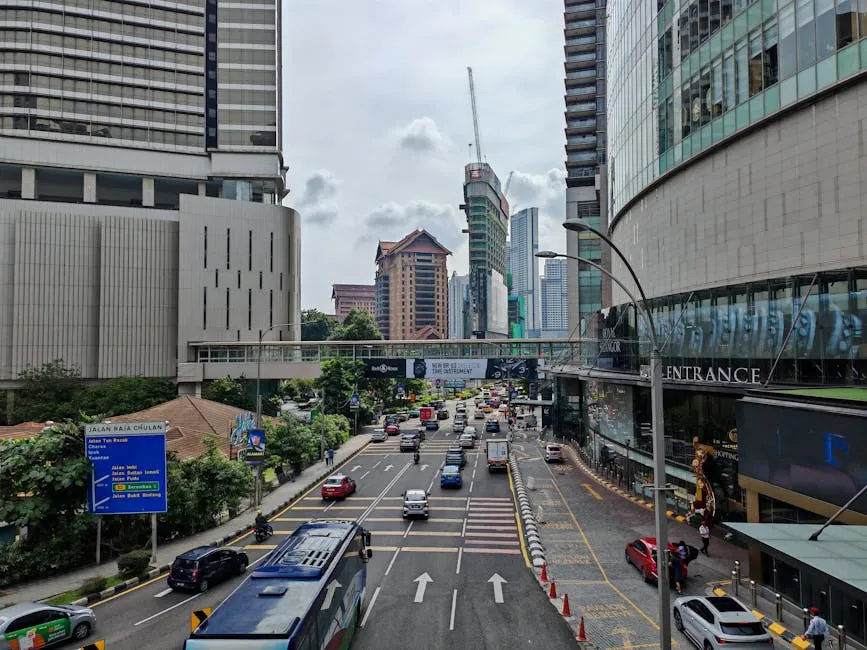
KLIA Ekspres vs Grab: Pick the 28-Minute Train
Getting from KLIA into Kuala Lumpur is a three-way choice. KLIA Ekspres runs KL Sentral to KLIA T1 in 28 minutes (plus 3 minutes on to T2) at RM55 one-way, RM100 return, and knocks 10% off if you book in the app or online, bringing the single fare to RM49.50. Grab is usually cheapest to mid-KL neighbourhoods like Bangsar or Bukit Bintang.
Expect RM60, RM90 and about 45, 75 minutes depending on traffic. The airport-coupon taxi counter still exists at arrivals but is the priciest of the three.
Have your eSIM active on landing so you can book Grab from the curb rather than standing in the taxi line.
Uber Doesn’t Exist Here. Grab Is the App
Grab is not just the ride-hailing app in Malaysia. It’s effectively a monopoly.
Grab acquired Uber’s Southeast Asia operations in March 2018, so Uber literally does not operate in Malaysia; the Uber app redirects to Grab. Secondary options exist: AirAsia Ride inside the AirAsia MOVE super app runs in the Klang Valley and positions itself as a low-cost alternative; InDrive and Bolt have also entered but driver supply is thin outside peak hours.
For 95% of trips, just use Grab. You’ll need a working phone number to receive the OTP during account creation.
This is where an eSIM with a real mobile identity pulls ahead of a data-only roaming SIM.
Waze Beats Google Maps. Use Moovit for Buses
For driving yourself, install Waze before you land. Malaysian drivers do.
Penang is covered by Rapid Penang buses plus the free CAT shuttle in George Town, both ridable through the Moovit app with live arrival times. KL’s urban rail (LRT, MRT, Monorail, KTM Komuter) is run by Prasarana.
Use their MyRapid app or Moovit. If you are hiring a car, the MyJPJ app lets you check the rental car’s road-tax status and your digital driving licence against JPJ’s database in case a rental desk asks.
Money: How Payments Actually Work
Cash and DuitNow QR Beat Cards at Street Food
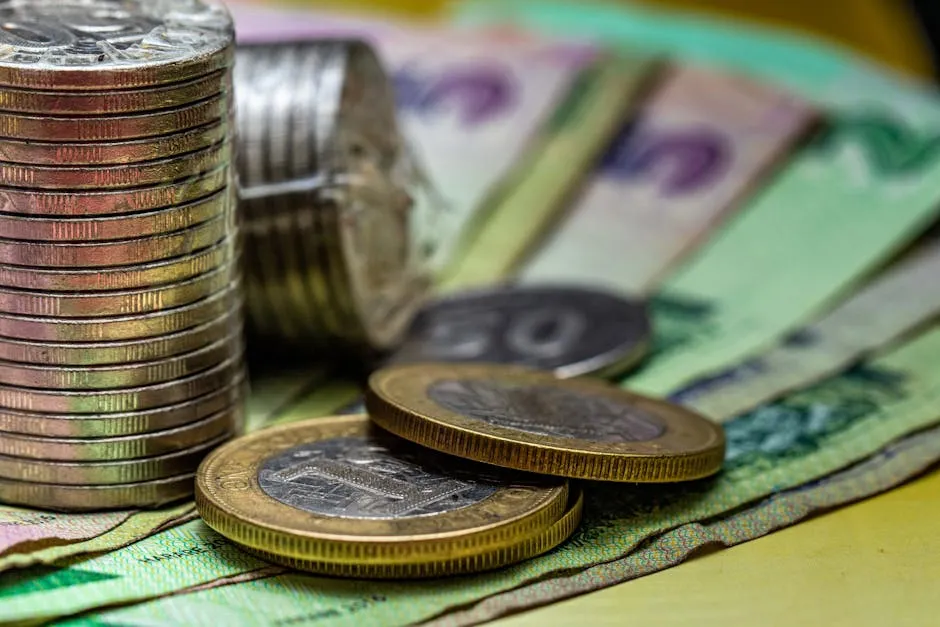
Malaysia is a cash-and-QR economy more than a card economy. KL malls, 4-star hotels and Starbucks will happily take Visa or Mastercard, but hawker stalls, pasar malam night markets, kopitiams, small warungs and most Cameron Highlands tea farms run on cash (ringgit, RM) or a scanned DuitNow QR. PayNet’s cross-border QR traffic jumped past 2024 totals inside six months of 2025, and the fastest way for a US/UK/AU visitor to tap in is the TNG eWallet for Tourists (ASEAN numbers only at the moment) or a home-country e-wallet linked via one of the ASEAN cross-border connections if you’re routing through Singapore or Indonesia.
Decline DCC at Every ATM. Always Pay in Ringgit
ATMs are everywhere in cities and work with foreign Visa/Mastercard/Plus/Cirrus cards, but Dynamic Currency Conversion is the standard tourist trap. Wise’s DCC explainer shows markups typically run 3, 5% on top of your bank’s exchange rate, sometimes much more.
When an ATM asks whether to charge you in your home currency or in ringgit, always pick ringgit. Same rule at restaurants when a card terminal offers GBP, USD or AUD.
Decline and pay in RM. Pair a travel card like Wise, Revolut or Chase Sapphire with a local eSIM so your banking app’s 2FA still works when the terminal argues with you.
Tipping Is Not a Thing. The 10% Is Already on the Bill
Tipping is not a Malaysian custom. Wise’s Malaysia tip calculator makes it simple: sit-down restaurants add a 10% service charge (listed on the menu) plus 8% SST, and that is the tip.
You don’t add more. Hawker centres, food courts and kopitiams do not expect anything.
For Grab drivers, rounding up is kind but not expected. Hotel porters appreciate RM5, RM10 if they carry bags.
The cultural default is “keep the change if it’s small, otherwise just pay the bill,” and nobody will chase you down the street about it.
Apps to Install Before You Land
| App | Why | Cost | Platform |
|---|---|---|---|
| Touch ‘n Go eWallet (International Tourist) | Scan DuitNow QR at roughly 1.8 million Malaysian merchants including hawker stalls; foreign phone numbers from 9 ASEAN countries supported, WhatsApp OTP, reload with foreign cards (2.6% fee) | Free | iOS / Android |
| Grab | The only ride-hailing app that works everywhere in Malaysia. Uber exited in 2018. Also covers food delivery (GrabFood) and grocery (GrabMart) | Free (pay per ride) | iOS / Android |
| AirAsia MOVE (with AirAsia Ride) | Secondary ride-hailing option in Klang Valley; also books flights, hotels and trains on one account. Useful when Grab surge-prices at KLIA | Free | iOS / Android |
| Waze | The default navigation app for Malaysian drivers. #1 Maps app in Malaysia by active users, crowdsources police blocks, floods and traffic jams live | Free | iOS / Android |
| Google Maps | Better for pedestrian transit, MRT/LRT routing and offline maps than Waze; pair the two | Free | iOS / Android |
| Moovit | Live arrivals and routing for Rapid KL (MRT/LRT/Monorail), Rapid Penang buses, the free George Town CAT shuttle and KTM Komuter | Free | iOS / Android |
| MyRapid | Official Prasarana app for KL and Penang urban rail/bus. Timetables, route planning, service alerts | Free | iOS / Android |
| KLIA Ekspres | Book the 28-minute airport train at 10% online discount (RM49.50 vs RM55 counter); shows live schedules | Free (fare RM49.50+) | iOS / Android |
| MyJPJ | Check road tax, driving licence validity and any summons against JPJ’s database. Useful if you’re renting a car and the rental desk asks | Free | iOS / Android |
| Malaysian Digital Arrival Card (MDAC) | Mandatory online arrival card. Submit up to 3 days before landing; airlines check at the gate | Free | Web form |
| Google Translate (Malay offline pack) | Bahasa Malaysia offline pack helps at rural warungs, wet markets and when signage isn’t bilingual. English is widely spoken in KL but thins fast in Kelantan, Sabah and Sarawak | Free | iOS / Android |
| Default messaging channel. Hotels, Grab drivers, dive operators on Redang and tour agents in Sabah all message on WhatsApp; also receives TNG eWallet OTPs | Free | iOS / Android |
How Much Data You Actually Need
The biggest mistake travellers make is underestimating the amount of data they need, then burning through a 1GB plan before lunch on day one. Here is what real activities consume per hour:
Data per hour by activity (lower is better)
| Profile | Activities | Per Day | Week Total | Suggested Plan |
|---|
Activating Your eSIM on Arrival
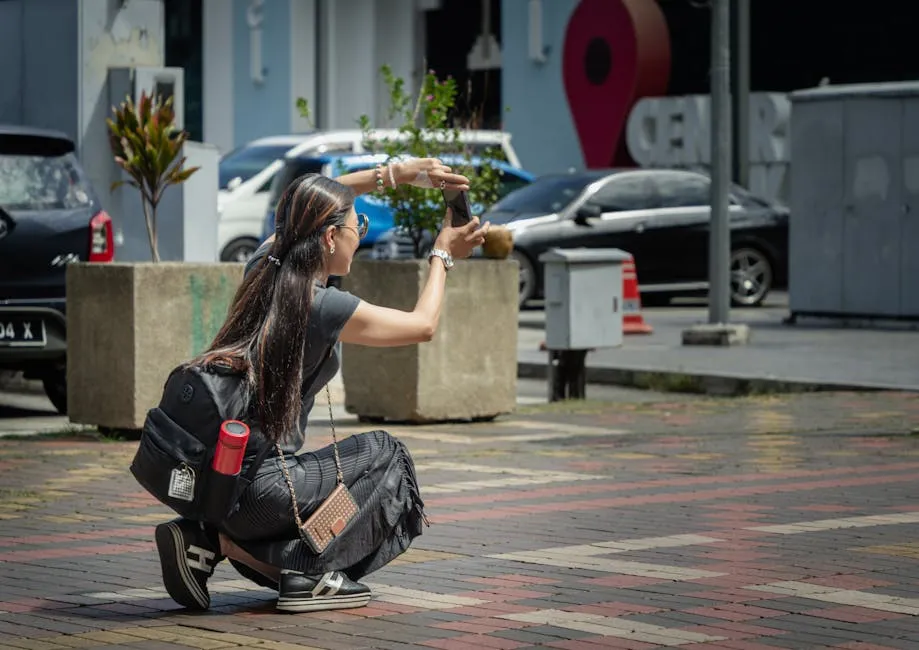
Activate your eSIM before you board, not after you land. KLIA’s free Wi-Fi works across Terminal 1 and KLIA2 seating and public areas with no registration, but free sessions cap at roughly 240 minutes and speeds drop hard at peak arrival times.
Emirates, Etihad, Qatar and Singapore Airlines red-eyes all dump into KUL between 05:00 and 08:00, and everyone is trying to order a Grab at once. A pre-installed eSIM sidesteps that entirely: your phone picks up Maxis or CelcomDigi as soon as you clear the jet bridge and Grab, WhatsApp and Waze all work before you reach immigration.
Penang International (PEN) and Kota Kinabalu (BKI) have free Wi-Fi too but smaller coverage footprints, and Langkawi (LGK) is the one to watch. Free Wi-Fi is spotty and the Grab pickup zone is outdoors, so don’t plan to set up connectivity after you touch down. Opensignal’s November 2025 Malaysia report ranks CelcomDigi and Maxis roughly level for 5G availability on Peninsular Malaysia, with U Mobile making rapid gains; a decent eSIM roaming onto any of them gives you LTE at minimum at all major airports.
Phone Numbers and SMS
SMS OTP is still the 2FA default for a lot of Malaysian services. Grab signup, Shopee, AirAsia MOVE, and many hotel portals.
Even as Malaysian banks moved off SMS OTP to in-app tokens in 2023 under Bank Negara direction. Your home-country bank’s SMS OTP still depends on your home SIM being reachable, and your travel eSIM has a different MSISDN so codes won’t magically arrive there.
BitJoy’s 2FA-abroad guide lays out the standard playbook: keep your home SIM installed in a dual-SIM phone with data roaming off (so no bill shock) but with SMS receive on, and let the Malaysian eSIM handle all your data.
If your phone is single-SIM, you can fall back to Wi-Fi calling on your home number while connected to any network. An eSIM that provisions a real Malaysian mobile number.
Not a data-only roaming profile. Solves the harder problem: you can complete Grab or TNG signup OTPs with a local MSISDN that Malaysian services actually accept.
WhatsApp, iMessage and FaceTime run over data and are unaffected by any of this.
Where You Will Actually Use Your eSIM
- Kuala LumpurYou’ll burn data on Grab (dozens of short hops between Bukit Bintang, KLCC, Bangsar and Mid Valley), Waze in the back of the Grab so you can tell when the driver is taking the long way via Jalan Tun Razak, TNG eWallet at Jalan Alor hawker stalls, and maps between the Petronas Towers skybridge, Batu Caves LRT and the KL Tower. Opensignal’s 2025 Malaysia data shows KL has the country’s strongest 5G availability across all three major operators.
- PenangGeorge Town is dense and walkable but very humid. You’ll be in Moovit planning the free CAT shuttle loop, Grab to the Kek Lok Si Temple in Air Itam, and Google Translate at Chowrasta Market. Penang Hill’s funicular queues need a booking app. 5G is strong across the island; signal is fine on the Penang Bridge.
- LangkawiData stays solid around Pantai Cenang, Kuah and the airport, but can thin on the mangrove tours near Kilim Geoforest Park and at the SkyCab base station on Mount Mat Cincang. You’ll use the eSIM for Grab between beaches, booking the Langkawi SkyBridge cable car, and TNG eWallet at beach-side cafés. Duty-free alcohol here is the cheapest in Malaysia, a quirk of Langkawi’s duty-free status.
- Kota KinabaluYou’ll present your passport on arrival from KL. Sabah has its own immigration stamp. Use the eSIM for Grab from BKI into KK city, WhatsApp for every dive shop on Gaya Island and Sipadan, and offline maps for Kinabalu National Park where signal drops. 5G population coverage in Sabah was only 62.1% as of early 2026, and thins fast once you leave KK city. CelcomDigi tends to hold best in rural Sabah.
- Johor BahruJB is the border town to Singapore via the Causeway. You’ll use the eSIM for Grab, and TNG eWallet is especially useful here because the new ASEAN cross-border QR linkages let Singaporean PayNow users and Malaysian TNG users pay each other seamlessly. Great for day-trippers coming over on the Causeway or the new RTS Link.
- MelakaThe UNESCO-listed Dutch Square and Jonker Street area is tourist-dense and data-friendly; you’ll use Grab for the trishaw-ride shortcut back to your hotel, TNG eWallet at hawker stalls along Jonker Walk night market, and offline maps for the A Famosa fort area. Signal is consistently strong on all three operators in central Melaka.
Verdict: The Best eSIM for Malaysia
For the majority of visitors planning a trip to Malaysia, we recommend eSIM4.
It provides the ideal balance of high-speed internet on the top-tier Maxis network, a diverse range of plans to match any itinerary, and the unique capability to add calls and SMS through the Yabb app.
Get eSIM4 For Malaysia →How an eSIM Can Make Phone Calls
Most travel esims for Malaysia, such as eSIM4, are data-only. Here are your options for voice calls:
Internet-Based Apps
You can use apps like WhatsApp, FaceTime, or Skype using your eSIM data. These work perfectly for calling other app users, though you cannot reach standard landlines or those without the app.
Voice-Enabled eSIMs
Some eSIMs for Malaysia include a dedicated number for calls, though these are rarer and often cost more. You’ll need to manage dual SIM settings and will have a new number that may be hard to share.
Using Yabb with Your eSIM
Yabb (from the makers of eSIM4) is a calling app designed to work alongside your mobile broadband connection. Download the app to:
- Call any landline or mobile in Malaysia or globally (200+ countries)
- Contact local hotels, restaurants, and tour guides
- Pay as you go with no contracts or hidden fees
- Enjoy clear audio quality over your data connection
Available on the App Store and Google Play, Yabb pairs with your eSIM4 data to offer full calling functionality without requiring a voice-enabled eSIM or specific apps on the receiver’s end.
Learn More About Yabb Calling →How To Send Text Messages
Sending international texts is simple with an eSIM for your Malaysia trip, and if you use eSIM4, you can leverage Yabb for SMS as well. While most eSIM providers in Malaysia are data-only, Yabb offers a dedicated SMS service that integrates perfectly with your travel setup.
Yabb SMS Messaging Service
Yabb lets you send and receive texts to 200+ countries, perfect for keeping in touch with family while using data from your Malaysia eSIM. Key features include:
Yabb SMS Features
- Pay As You Go: Buy SMS packages as needed: from 100 to 5000+ credits.
- Flexible Packages: Select credit options without long-term contracts.
- Global Coverage: Text friends and family in over 200 nations.
- Text Anywhere: Send and receive SMS from anywhere in Malaysia using your eSIM data.
- No Hidden Fees: Pricing is transparent: what you buy is what you use.
- Receive Messages: Incoming texts to your Yabb number are included with your package.
When traveling in Malaysia with an eSIM4 data plan, having Yabb SMS ensures you can always communicate, whether for personal updates or important reservation confirmations via text.
Learn More About Yabb SMS →Why Use an eSIM in Malaysia?
Purchasing a physical SIM card in Malaysia can be a hassle, often involving language barriers, finding a kiosk in KLIA, and dealing with registration. Instead of visiting a physical eSIM store, buying online is faster and easier.
The eSIM advantage: Travel eSIMs eliminate this stress. Since you are roaming on partner networks (like Maxis), there is typically no local identity verification required for data-only plans.
Simply scan, activate, and stay connected as soon as you land at the airport. You keep your original embedded sim or main card safe and active.
ESIM makes travel simpler.
Setting Up Your Malaysia eSIM
The transition to digital SIMs has streamlined connectivity for travelers, offering flexibility and eliminating the fear of lost physical cards. Getting started is a straightforward process that takes just a few minutes.
First, select a reputable provider like eSIM4 and purchase a plan that covers your specific Asian destinations or the entire region. Once the transaction is complete, you will typically receive a QR code via email or instructions to activate via an app.
Simply scan this code within your smartphone’s “Mobile Data” or “Cellular” settings to install the profile directly into your smartphone. If you encounter any difficulties during the process, customer support teams are available to guide you through the activation steps.
Essential Tips for Using eSIMs in Malaysia
To ensure a smooth experience while traveling across the continent, here are three critical factors to keep in mind regarding your eSIM usage.
Check Device Compatibility
Before buying a plan, verify that your smartphone is eSIM-capable and carrier-unlocked. Most modern devices, including iPhones from the XR onwards and recent Android flagship models, support this technology.
Conserve Mobile Data
Even with a generous data allowance or unlimited data plan, it is wise to manage your usage efficiently to ensure every bit of data is used effectively. Consider downloading offline maps (via Google Maps or similar apps) while on Wi-Fi before you head out. You can also disable “Background App Refresh” for non-essential apps to prevent them from draining your data without your knowledge.
Prioritize Wi-Fi for Heavy Tasks
While your eSIM keeps you connected on the go, reserve bandwidth-heavy activities for hotel or café Wi-Fi. Streaming high-definition video, backing up photos to the cloud, or downloading large files should be done over Wi-Fi to preserve your high-speed mobile data for navigation and communication. When you visit cities and islands, enjoy 5G coverage in key areas.
How We Ranked These eSIM Providers
While many reviews rely on simple speed tests that only reflect a single moment in time, our approach is built on rigorous industry analysis. Our team of telecommunications experts audits the technical specifications that average users might miss but definitely feel in real-world performance. We look under the hood to see how the connection is delivered, not just if it connects.
Our Technical Evaluation Criteria
- Tier 1 vs. Tier 2 Network Access: We analyze the backend agreements to see if the eSIM connects to premium Tier 1 networks (like AIS, SoftBank, or SKT) with priority access, or if it is relegated to a congested Tier 2 roaming partner. This determines if your data slows down in crowded areas.
- Latency & Routing Stats: Speed isn’t everything; responsiveness is key. We evaluate the data routing paths (latency) to ensure your traffic isn’t being routed halfway around the world before reaching the internet, which causes lag in video calls and maps.
- Carrier Aggregation Support: We check if the eSIM profile supports carrier aggregation, a technology that allows your phone to connect to multiple frequency bands simultaneously. This technical feature, often missing in budget SIMs, is crucial for maintaining high speeds in dense urban environments.
- Fair Usage Policy (FUP) Analysis: We scrutinize the fine print of “unlimited” plans to identify hidden throttling thresholds, ensuring our top picks offer genuine high-speed data that meets the demands of modern travel.
Frequently Asked Questions about eSIMs in Malaysia
Will my phone work with an eSIM in Malaysia?
Most modern smartphones from 2018 onwards support eSIM technology, including iPhone XR and newer, Samsung Galaxy S20 (Android) and newer, and Google Pixel 3 and newer. Dial *#06# to check if an EID number is displayed, confirming compatibility.
Can I use WhatsApp with a new eSIM?
Yes. When you switch to an eSIM for data, WhatsApp allows you to keep your existing number. Choose “Keep” when prompted, and you can continue messaging and calling your contacts seamlessly.
How do I activate my eSIM?
After purchase, your provider will send you a QR code via email. In your phone settings, choose “Add Cellular Plan” and scan the QR code. You can also enter the details manually if necessary.
Which network is best in Malaysia?
Maxis generally offers the best coverage in Malaysia, particularly in cities like Kuala Lumpur and regions like George Town, Penang. Celcom and DiGi are also reliable alternatives. Our top pick, eSIM4, connects via the premium Maxis network.
Can I share my data (Hotspot)?
Yes, most providers including eSIM4, Airalo, and Nomad support tethering. However, note that some unlimited plans (like those from Holafly) may limit hotspot functionality to 500MB/day.
Are 4G and 5G speeds available in Malaysia?
Yes, 4G LTE is widely available in Malaysia, especially in cities and tourist spots. 5G is rapidly rolling out in major urban centers like Kuala Lumpur, Penang, and Johor Bahru.
Do I need to buy a local SIM card in Malaysia?
No, an eSIM is generally more convenient. You don’t need to buy a physical card or wait in queues. An eSIM allows you to connect immediately upon arrival and keep your home number active for emergencies.
About the author: Peter Moore
eSIM Content Writer at eSIM4
Peter Moore has spent more than seven years in telecommunications marketing, working across mobile apps, SMS services, international calling, and eSIM technology. He now writes about eSIMs and travel connectivity full-time, sharing what he’s learned to help travellers cut through provider marketing and pick what actually works.
