











eSIM USA
Best eSIM for North America (2026) | Buyers Guide

Jan
Read our full review on the best eSIMS for your next trip to the USA
 Written by Peter Moore , eSIM Content Writer
Our Verdict: eSIM4

eSIM4 is the best USA eSIM for your trip in 2026. As one of the best eSIMs available in the USA, it provides reliable connectivity on T-Mobile and AT&T, the USA’s two most extensive mobile networks. Whether you need a fixed data plan for a weekend in New York or an unlimited data plan for a longer stay, eSIM4 delivers consistent 4G and 5G speeds without swapping physical SIM cards.
The eSIM provides an optional app for calls and SMS solving the biggest pain point with data-only plans. It is the ideal USA eSIM for your trip whether you are visiting for the first time or returning.
Why We Chose eSIM4
- Best US Networks: Routes on T-Mobile and AT&T for nationwide 5G across NYC, LA, Chicago, Miami, San Francisco, and every major metro.
- Real US Phone Number: Plans include a US number plus SMS and voice minutes, so Uber verification texts, hotel check-in codes, and rental car unlock SMS all work.
- Widest Plan Range: From 1 GB for a 3-day NYC layover to Unlimited for 30-day road trips. Unlimited from 3 days to 30 days is rare in this comparison.
- Instant Setup: Scan the QR at home, toggle airplane mode off at JFK or LAX, connected in 60 seconds. No T-Mobile store visit, no Walmart prepaid counter.
- 24/7 Live Support: Human agents on chat, not bots. Useful when signal drops mid-road trip near Yellowstone and you need a sanity check.
Finding the Perfect eSIM for Your USA Trip
The USA runs on mobile internet. Google Maps, transit apps, translation tools, restaurant bookings, train schedules.
You’re reaching for your phone constantly. Without a working data connection from the moment you land, even getting out of the airport is harder than it needs to be.
Roaming charges add up fast, and airport SIM card queues waste the first hour of your trip. An eSIM fixes this: buy online, scan a QR code, and you’re connected.
No hardware swapping, no contracts, no store visits. Plans today cover everything from a 3-day budget trip to a full month.
Dozens of providers now sell USA eSIMs, and they’re not all the same. Coverage, data speeds, and pricing vary more than the marketing suggests.
We reviewed every major provider across both unlimited and fixed data plans to build this guide. Whether you’re staying a few days or a full month, there’s a plan here that fits.
This guide covers the top USA eSIMs for 2026, ranked by real-world performance. Fixed data plans, unlimited options, budget picks. Every major provider is below.
Top Recommendations at a Glance
An eSIM is the best option for USA travel faster, cheaper, and simpler than roaming or airport SIM cards. All USA eSIMs below are data packages you activate your eSIM with before or on arrival.
Each gives you mobile data access from the USA’s top networks. Here are the standout picks:
- #1 Top Pick: esim4 , The premier choice among USA eSIMs for reliability, coverage, and extra features.
- Best for Security: Saily , Backed by NordVPN with excellent security features.
- Best Value: Airalo , Affordable and widely trusted.
- Cheapest Option: Jetpac , Unbeatable entry-level pricing.
Quick Comparison: Top eSIM Providers for the USA
Snapshot of the leading eSIM options for the USA in 2026.
| Rank | Provider | Rating | Best For | Starting Price | Network |
|---|---|---|---|---|---|
| #1 | ⭐ esim4 | 4.9 | Top Pick / Calling App | $2.98 | T-Mobile/AT&T |
| #2 | Saily | 4.7 | Security features | $3.99 | 4G/5G |
| #3 | Airalo | 4.7 | User Experience | $4.00 | 4G |
| #4 | Jetpac | 4.5 | Lowest Price | $1.00 | 4G/5G |
| #5 | Nomad | 4.6 | Flexibility | $4.00 | 4G/5G |
| #6 | aloSIM | 4.4 | Phone Number | $4.50 | 4G/5G |
| #7 | GigSky | 4.4 | Free Trial | $6.99 | 4G/5G |
| #8 | Roamless | 4.4 | Non-expiring credit | $3.95 | 4G/5G |
Top eSIM Providers
Detailed reviews with verified pricing and carrier-specific notes.
eSIM4
Top pick for North America in 2026

eSIM4 is our number-one pick for a USA trip in 2026. It routes on T-Mobile and AT&T, the two carriers that cover around 62% of the country on 4G LTE with T-Mobile leading on 5G footprint. You also get plans that include a real US phone number, an SMS allowance, and an unlimited option, which is rare in this comparison.
Coverage
eSIM4 connects to T-Mobile and AT&T for 5G across New York, Los Angeles, Chicago, San Francisco, and Miami, plus 4G LTE along the I-95, I-10, and Pacific Coast Highway. Expect 300 to 700 Mbps 5G in Manhattan and downtown LA, and 30 to 120 Mbps 4G once you leave metro areas. Signal inside Yellowstone and the Grand Canyon drops dramatically beyond visitor centres, so plan for offline maps.
Activation Process
Scan the QR code emailed within 60 seconds of checkout. IPhone: Settings > Cellular > Add eSIM. Android: Settings > Connections > SIM manager > Add eSIM. The plan attaches to T-Mobile or AT&T automatically the moment you land at JFK, LAX, ORD, SFO, or MIA and disable airplane mode. No kiosk queue and no Walmart prepaid counter run.
Price
Plans start at $2.98 for 1 GB over 7 days, a fraction of the $30 T-Mobile Tourist SIM. The 10 GB / 30-day plan at $21.98 is the sweet spot for a two-week US trip. Unlimited over 7 days is $25.98, cheaper than most carrier day-pass rates and with no hard throttle cap.
Data Plans
| Data | Duration | Price | Savings |
|---|---|---|---|
| 1GB+10SMS+10Mins | 3 Days | $10.80 $4.98 | Save $5.82 |
| 1GB | 7 Days | $7.20 $2.98 | Save $4.22 |
| 1GB+10SMS+20Mins | 7 Days | $12.60 $5.98 | Save $6.62 |
| 2GB | 15 Days | $12.60 $5.98 | Save $6.62 |
| 2GB+20SMS+40Mins | 15 Days | $22.50 $10.98 | Save $11.52 |
| 3GB+30SMS+30Mins | 3 Days | $19.80 $9.98 | Save $9.82 |
| 3GB+30SMS+30Mins | 7 Days | $21.60 $10.98 | Save $10.62 |
| 3GB | 30 Days | $16.20 $7.98 | Save $8.22 |
| 5GB+50SMS+50Mins | 7 Days | $30.60 $15.98 | Save $14.62 |
| 5GB+50SMS+50Mins | 15 Days | $32.40 $16.98 | Save $15.42 |
| 5GB | 30 Days | $25.20 $12.98 | Save $12.22 |
| 5GB+50SMS+100Mins | 30 Days | $34.20 $17.98 | Save $16.22 |
| 10GB+100SMS+100Mins | 7 Days | $50.40 $26.98 | Save $23.42 |
| 10GB+100SMS+100Mins | 15 Days | $52.20 $27.98 | Save $24.22 |
| 10GB | 30 Days | $41.40 $21.98 | Save $19.42 |
| 10GB+100SMS+200Mins | 30 Days | $54.00 $28.98 | Save $25.02 |
| 10GB+30SMS+75Mins | 365 Days | $88.20 $56.98 | Save $31.22 |
| 20GB+200SMS+200Mins | 15 Days | $81.00 $43.98 | Save $37.02 |
| 20GB | 30 Days | $66.60 $35.98 | Save $30.62 |
| 20GB+200SMS+400Mins | 30 Days | $84.60 $45.98 | Save $38.62 |
| 50GB+500SMS+500Mins | 30 Days | $106.20 $57.98 | Save $48.22 |
| Unlimited | 3 Days | $20.70 $9.98 | Save $10.72 |
| Unlimited | 5 Days | $34.20 $17.98 | Save $16.22 |
| Unlimited | 7 Days | $48.60 $25.98 | Save $22.62 |
| Unlimited | 10 Days | $63.00 $33.98 | Save $29.02 |
| Unlimited | 15 Days | $88.20 $47.98 | Save $40.22 |
| Unlimited | 30 Days | $124.20 $67.98 | Save $56.22 |
Pros
- Routes on T-Mobile and AT&T, the two largest 5G networks in the US
- Plans include a real US phone number and SMS allowance
- Unlimited data available from 3 to 30 days
- 24/7 live chat support with human agents, not bots
- Up to 70% cheaper than roaming with your home UK, AU, or EU carrier
Cons
- First-time eSIM install takes 2 to 3 minutes
Our Verdict
If you want one eSIM that covers New York, LA, a Grand Canyon road trip, and a Miami Beach weekend on the largest US 5G networks, eSIM4 is the pick. The local US phone number is the feature most travellers didn’t know they needed until an airline gate change SMS, an Uber verification code, or a hotel check-in text lands on their home number with an international surcharge.

Saily
Budget runner-up from Nord Security
Saily is the eSIM brand from the NordVPN team. Its USA plans are cheap, the app is clean, and the built-in VPN feature is useful given US public Wi-Fi at Starbucks and every US airport lounge is unencrypted.
Coverage
Saily routes through T-Mobile which has the widest 5G footprint in the US but weaker rural 4G than Verizon. 4G is reliable in every major city and along the Interstate corridors. 5G is live across NYC, LA, Chicago, Miami, San Francisco, Dallas, and Seattle. Coverage weakens in Montana, Wyoming, rural Nevada, and most national parks.
Activation Process
Download the Saily app, pick the USA plan, and tap Install. A QR-code fallback is emailed in case the in-app install fails on older phones. Activation takes around a minute once you connect to a US tower on arrival.
Price
1 GB / 7 days is $3.99. 5 GB / 30 days is $13.99. Priced close to eSIM4 on short plans but without the US phone number, SMS allowance, or unlimited option beyond 15 days.
Data Plans
| Data | Duration | Price |
|---|---|---|
| 1GB | 7 Days | $3.99 |
| 3GB | 30 Days | $8.99 |
| 5GB | 30 Days | $13.99 |
| 10GB | 30 Days | $22.99 |
| 20GB | 30 Days | $36.99 |
| Unlimited | 15 Days | $48.99 |
Pros
- Built-in VPN feature useful for protecting Starbucks and hotel Wi-Fi logins
- Clean app with accurate real-time data-usage display
- Unlimited / 15 days plan is competitively priced at $48.99
Cons
- No US phone number, so US 2FA SMS codes will not arrive
- Single-carrier on T-Mobile, so Montana and Wyoming rural coverage is thin
Our Verdict
Saily is a solid second pick for a short NYC or LA trip where you just need maps, Uber, and WhatsApp.

Nomad
Polished app for frequent travellers
Nomad is a mid-market eSIM brand aimed at frequent travellers. Its USA plans are straightforward, and the app is one of the better ones in this comparison for tracking real-time usage mid-trip.
Coverage
Nomad’s partners on the USA plan are T-Mobile and AT&T, with routing based on tower proximity. 4G is available everywhere a traveller will realistically go, including the drive between LA and Las Vegas. 5G is active in NYC, LA, Chicago, Miami, San Francisco, Boston, and Atlanta.
Activation Process
The Nomad app emails a QR code the moment you buy. Scan with the phone’s camera and the plan installs in under a minute. Dual-SIM users can keep their home SIM active on the voice line while Nomad handles data on the secondary slot.
Price
1 GB / 7 days is $5.00. 10 GB / 30 days is $15. Unlimited / 5 days is $17. Slightly pricier per GB than Saily on the entry tier but the in-app usage tracking is better, and Nomad Points loyalty credits stack across trips.
Data Plans
| Data | Duration | Price |
|---|---|---|
| 1GB | 7 Days | $5.00 |
| 3GB | 30 Days | $9.00 |
| 5GB | 30 Days | $13.00 |
| 10GB | 30 Days | $15.00 |
| 20GB | 30 Days | $18.00 |
| 50GB | 30 Days | $27.00 |
| 75GB | 180 Days | $89.00 |
| 100GB | 365 Days | $120.00 |
| Unlimited | 3 Days | $11.00 |
| Unlimited | 5 Days | $17.00 |
Pros
- Polished app with clear data-usage tracking and low-balance alerts
- One login works across 170+ countries, useful for US-Canada or US-Mexico trips
- Solid 5G in all major US metros
Cons
- Pricier per GB than eSIM4 on long-stay plans
- No US phone number or SMS allowance
Our Verdict
A safe pick for travellers combining the US with a Canada or Mexico leg who want one app covering the whole North American trip.

Jetpac
Cheap entry tier, uneven long-stay value

Jetpac has the cheapest 1 GB plan in this comparison at $1.00, which makes it attractive for a 3-day NYC or Miami layover. Long-stay plans are less competitive.
Coverage
Jetpac uses T-Mobile and AT&T as its US partners. 4G is reliable across every city and tourist region, including Times Square, the Vegas Strip, and the Miami Beach causeways. Speeds are capped at around 150 Mbps on cheaper plans.
Activation Process
Install from the Jetpac app or scan the emailed QR code. Works on every eSIM-capable iPhone and most recent Androids. Activation typically completes within two minutes on arrival at JFK, LAX, or MIA.
Price
1 GB / 4 days is $1.00, unmatched for a short layover. 5 GB / 30 days is $12.99. But the 20 GB / 30 days plan jumps to $35, which is worse value than eSIM4 or Nomad for a longer trip.
Data Plans
| Data | Duration | Price |
|---|---|---|
| 1GB | 4 Days | $1.00 |
| 3GB | 7 Days | $7.99 |
| 5GB | 30 Days | $12.99 |
| 10GB | 30 Days | $15.99 |
| 15GB | 30 Days | $19.99 |
| 20GB | 30 Days | $35.00 |
| 30GB | 30 Days | $29.99 |
| 40GB | 30 Days | $34.99 |
| Unlimited | 10 Days | $33.99 |
Pros
- Cheapest 1 GB short-trip plan in this comparison
- Supports 150+ destinations with one account
- Includes complimentary travel-insurance perks on some plans
Cons
- Long-stay 20 GB pricing jumps sharply and is worse than peers
- No US phone number
Our Verdict
Pick Jetpac for a 3-to-4-day weekend in NYC, Miami, or Vegas. Look elsewhere if you’re staying two weeks or more.

GigSky
Old-school with Apple Travel integration

GigSky has been in eSIM since the Apple Watch days. Its biggest selling point is direct integration with Apple’s built-in Travel eSIM feature, which makes setup one tap on an iPhone 15 Pro or newer.
Coverage
GigSky routes through multiple US carriers including T-Mobile and AT&T and auto-switches for best signal. 4G is reliable everywhere major. 5G is strongest in NYC, LA, and Chicago. The multi-carrier fallback helps in places like Yellowstone’s entrance roads where single-carrier coverage drops.
Activation Process
Apple Travel install is one tap from the iPhone Cellular menu on iOS 18+. Android uses the GigSky app with a QR fallback. The profile is pre-configured for multi-carrier fallback.
Price
1 GB / 7 days is $4.99. 5 GB / 30 days is $16.99. 100 GB over 180 days at $110.92 is a useful option for snowbirds or long-haul business travellers. Plans run 30 to 50% pricier than the budget tier for similar short-trip data.
Data Plans
| Data | Duration | Price |
|---|---|---|
| 1GB | 7 Days | $4.99 |
| 3GB | 15 Days | $10.19 |
| 5GB | 30 Days | $16.99 |
| 10GB | 30 Days | $27.19 |
| 50GB | 90 Days | $73.94 |
| 100GB | 180 Days | $110.92 |
Pros
- One-tap Apple Travel integration on newer iPhones
- Auto-switches between US carriers for best signal
- Works on older eSIM-capable iPhones, iPads, and the Apple Watch Ultra
Cons
- Expensive per GB compared to Saily, Nomad, or Jetpac on short trips
- App UI feels dated compared to Nomad or Saily
Our Verdict
Pick GigSky if the one-tap Apple Travel install matters more than the per-GB price, or if you want a 180-day plan for a long US stay.

aloSIM
Simple pricing, no surprises

aloSIM keeps things simple with flat, up-front pricing and a no-frills app. It’s a solid pick for first-time eSIM users who don’t want to compare a dozen options before a US trip.
Coverage
Routes through T-Mobile and AT&T. 4G LTE is solid across every US city and tourist region, and 5G is available in the major metros including NYC, LA, Miami, and San Francisco. The app does not force-switch carriers, so performance can vary slightly by neighbourhood.
Activation Process
Scan the QR code sent by email immediately after checkout. IPhone and Android both supported. No app install required, which is rare in this comparison and useful if you’re trying to keep airport install time under two minutes after a long flight.
Price
1 GB / 7 days is $4.50. 5 GB / 30 days is $14. 20 GB / 30 days is $37. Middle of the pack on per-GB value; identical short-plan pricing to Airalo and close to Nomad.
Data Plans
| Data | Duration | Price |
|---|---|---|
| 1GB | 7 Days | $4.50 |
| 2GB | 15 Days | $8.00 |
| 3GB | 30 Days | $9.00 |
| 5GB | 30 Days | $14.00 |
| 10GB | 30 Days | $23.00 |
| 20GB | 30 Days | $37.00 |
Pros
- No app install needed, just a QR code
- Clean pricing with no hidden fees or top-up surprises
- Responsive email support inside 12 hours
Cons
- No unlimited USA plan
- No voice or SMS add-on available
Our Verdict
A decent backup if you already have an aloSIM account from a previous trip or value a QR-only install flow.

Airalo
The original budget eSIM marketplace

Airalo launched the consumer eSIM marketplace and still has the biggest country catalogue. Its USA plan is called ‘Change’ and hits the budget sweet spot for short trips.
Coverage
Airalo partners with T-Mobile and AT&T for 4G across the country. 5G is available on mid-tier plans and above. Urban 4G speeds typically land in the 40 to 100 Mbps range in NYC and LA, and 20 to 60 Mbps in smaller metros like Nashville, Austin, and Portland.
Activation Process
Scan the emailed QR code or install from the Airalo app, which displays remaining data in real time. Top-ups take around 30 seconds inside the app while in-country.
Price
1 GB / 3 days is $4.00. 3 GB / 30 days is $8.50, one of the cheapest 30-day options in this comparison if your trip is light on streaming. 20 GB / 30 days is $37.
Data Plans
| Data | Duration | Price |
|---|---|---|
| 1GB | 3 Days | $4.00 |
| 3GB | 3 Days | $8.50 |
| 3GB | 7 Days | $9.00 |
| 5GB | 7 Days | $13.00 |
| 5GB | 15 Days | $13.50 |
| 5GB | 30 Days | $14.00 |
| 10GB | 7 Days | $22.00 |
| 10GB | 15 Days | $22.50 |
| 10GB | 30 Days | $23.00 |
| 20GB | 15 Days | $36.00 |
| 20GB | 30 Days | $37.00 |
| 50GB | 30 Days | $42.00 |
Pros
- Cheapest 3 GB / 30-day plan in this comparison
- Huge user base means the app is well-tested and mature
- Top-ups are easy from inside the app while in-country
Cons
- 5G is not included on the lowest-tier plans
- No US phone number or SMS allowance
Our Verdict
Airalo is the right call for a 3-to-5-day NYC or LA trip where you just need Google Maps, Uber, and WhatsApp.

Roamless
Pay-as-you-go with no expiry
Roamless sells data by the GB with no time-bounded expiry. It’s a fit for travellers who hate losing unused data to expired plans or who visit the US multiple times a year from the UK, Australia, or Europe.
Coverage
Roamless uses local US carriers T-Mobile and AT&T for 4G and 5G in major cities, with auto-switching based on signal strength. Coverage is on par with other marketplace providers in NYC, LA, and Chicago, and weaker in rural Montana, Wyoming, and most national park interiors.
Activation Process
Install via the Roamless app or scan the emailed QR code. Top-ups are instant and your data balance never resets to zero, which is useful for split itineraries.
Price
$3.95 per 1 GB / 30 days with no expiry date. 10 GB / 30 days is $19.95. Per-GB cost runs higher than eSIM4 or Saily on long trips, but the no-expiry model makes it flexible for frequent US visitors.
Data Plans
| Data | Duration | Price |
|---|---|---|
| 1GB | 30 Days | $3.95 |
| 2GB | 30 Days | $7.45 |
| 3GB | 30 Days | $8.95 |
| 5GB | 30 Days | $13.95 |
| 10GB | 30 Days | $19.95 |
| 20GB | 30 Days | $34.95 |
Pros
- No expiry on data credits, use them months later on the next US trip
- One-time setup, top up later from anywhere
- Works in 150+ countries with one account
Cons
- Per-GB price is higher than competitors over a long trip
- No US phone number
Our Verdict
Pick Roamless if you visit the US several times a year and don’t want to burn unused data on every trip.
Before You Leave For The USA: What You Need To Know
The stuff the top-ranking USA travel guides skip. Payment rails, park dead zones, tipping reality, and why your first call from a New York cab might get declined.
Researched and verified against live sources. Every non-obvious claim links to its primary source.
T-Mobile, AT&T, Verizon: Why Only Two Show Up on Travel eSIMs
The US has three national carriers. T-Mobile holds roughly 35% market share and the widest 5G footprint, AT&T sits at 27% with solid nationwide 4G/5G, and Verizon owns 34% with the strongest rural reach, according to TeleGeography’s 2025 mobile market summary.
Almost every travel eSIM routes on T-Mobile or AT&T. Verizon is absent from virtually every third-party travel eSIM, so if your trip runs through rural Montana, Wyoming, or deep-country Alaska, your data will go quiet long before a Verizon customer’s does, as Whistleout’s US coverage guide notes.
Yellowstone and Grand Canyon Kill Your Signal at the Gate
Expect zero useful signal inside most US National Parks. Yellowstone has working cell service at Old Faithful, Mammoth, and Canyon Village, and nothing for a 50-mile radius in every other direction, per SatelliteInternet.com’s national parks audit.
The Grand Canyon’s South Rim has patchy AT&T and Verizon near the visitor centre, and the North Rim has nothing. Download offline Google Maps and the official NPS app before you drive past the entrance gate.
Reddit’s r/nationalparks thread has first-hand reports of travellers losing signal for three straight days inside Yellowstone.
Tipping Is 18 to 22% And It Is Not Optional
US tipping is among the highest in the world. Restaurants expect 18 to 22% on the pre-tax total, according to travellers comparing 105 countries on r/travel.
Uber and Lyft expect 15 to 18% through the app. Hotel bellhops get $1 to $2 per bag.
Bartenders get $1 per drink, or 20% on a tab. Tip jars sit on every coffee counter and Square checkout screens now prompt for 15, 20, or 25% on transactions as small as a bottle of water, a practice the New York Times has called ‘tip creep’.
Round down on counter service if you want. On a sit-down meal, 18% is the floor.
Venmo, Cash App, Zelle: The Rails Americans Actually Use
Americans do not use Pix, WeChat Pay, or Alipay. The peer-to-peer payment rails are Venmo (owned by PayPal), Cash App (Block), and Zelle (bank-to-bank), with Venmo and Zelle together handling over $1 trillion in annual P2P payments.
All three require a US bank account to sign up, so visitors cannot use them to split a dinner with American friends. What works for visitors: credit and debit cards on contactless tap-to-pay, Apple Pay, and Google Pay are accepted almost everywhere in 2026. Carry one card that does not charge foreign transaction fees, such as the Wise or Revolut debit cards.
The iPhone 14 Onwards Sold In The US Has No SIM Tray
Every iPhone 14, 15, 16, and 17 sold in the US is eSIM only. There is no physical SIM slot at all on US-market Apple devices, a change Apple made in September 2022.
This matters for two reasons: eSIMs are the default US mobile path for American buyers, and if a relative in the US offers to ‘lend you a SIM’, they cannot. Foreign visitors arriving with their own unlocked international phone are unaffected.
Travel eSIMs install and activate normally, as Apple’s own support guide confirms.
Sales Tax Is Not Included In Any Price You See
The price tag on a shelf, a menu, or a hotel rate card is almost never the amount you pay at checkout. Sales tax varies by state and city, from 0% in Oregon, New Hampshire, and Delaware to over 10% combined state-and-city in Chicago and Seattle, according to the Tax Foundation’s 2025 state tax rate tracker.
Hotels add occupancy taxes on top of sales tax, so the $199 room in Times Square lands at $240-plus by morning. Car rentals carry the worst of it, with airport ‘concession fees’ stacked on state tax stacked on daily road-use fees.
Always assume the displayed price is 8 to 18% below what you will actually pay.
ESTA Before You Fly, Not At The Gate
41 countries are eligible for the Visa Waiver Program, which lets citizens visit the US for up to 90 days without a visa, per the Department of Homeland Security. You must apply for an ESTA authorization online at esta.cbp.dhs.gov before you fly.
Approval typically comes within 72 hours but can take longer. Citizens of non-VWP countries (India, China, Brazil, Russia, most of Africa) need a B-2 tourist visa applied for at a US embassy or consulate, which takes weeks to months.
Do not fly without the ESTA approved, airlines will deny boarding at check-in.
911, Not 999 Or 112
The US emergency number is 911. It reaches police, fire, and medical services. 911 works on any network in the US including travel eSIMs and even on a phone with no active SIM, as mandated by the FCC. Most of the US also supports ‘Text-to-911’ for callers who cannot speak safely.
If you dial 999 (UK) or 112 (Europe), most US networks will route the call to 911 automatically, but do not rely on it. Memorise 911.
Miles, Gallons, Fahrenheit: The Unit System Traps
The US sticks with imperial units for daily life. Road signs are in miles, not kilometres.
Gas is sold by the US gallon (3.785 litres, roughly 20% smaller than a UK gallon). Temperatures on weather apps and thermostats are in Fahrenheit, where 70°F is a pleasant room temperature and 100°F is a dangerous heat warning, per the National Weather Service.
Switch your iPhone’s Weather widget to Fahrenheit before you land or you will mis-read every forecast. Uber and Google Maps both default to miles inside the US.
Driving And Phones: 29 States Ban Handhelds
As of 2025, talking on a handheld phone while driving is banned in 29 states plus Washington DC, per World Population Review’s state-by-state tracker. Most require hands-free (Bluetooth, CarPlay, or a dashboard mount with speakerphone).
Texting while driving is illegal in 48 of 50 states. Fines start around $50 and reach $500 plus licence points for repeat offences.
If you are renting a car, buy a $10 dashboard phone mount at any Target or Walmart before you leave the airport.
Getting Around
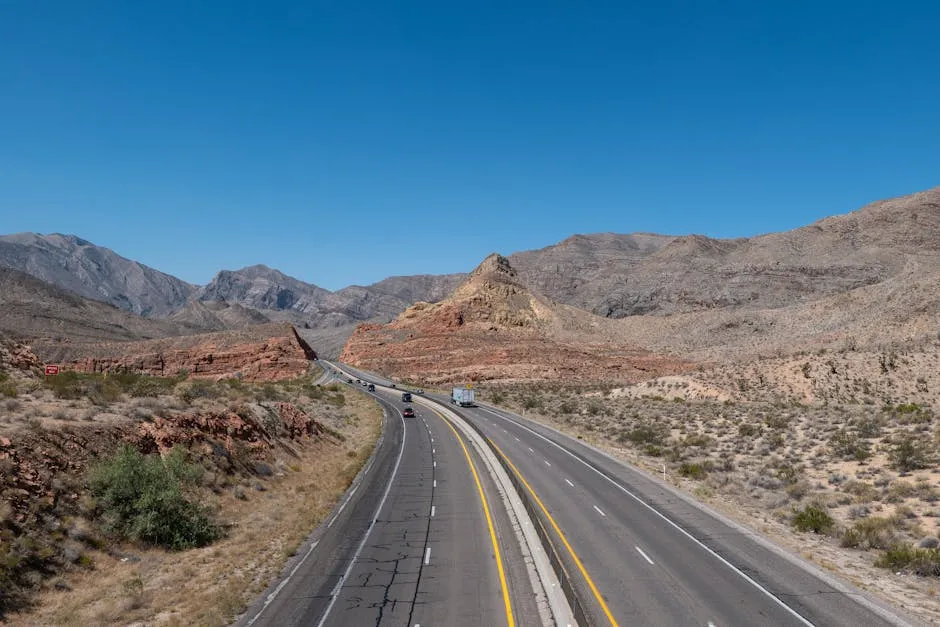
Uber Beats Lyft Outside the Big Metros
Uber and Lyft both work in every major US city and most mid-size ones. Uber has deeper coverage and usually the cheaper fare, but Lyft’s service is often comparable in big metros, based on r/uber price comparisons.
Both require the eSIM connection to match a driver and in-app payment. Neither accepts cash.
Surge pricing during rain, concerts, or rush hour can double or triple the fare. Check the quoted price before you confirm the ride.
NYC Uses OMNY, LA Uses TAP, Chicago Uses Ventra
Public transit in NYC runs on OMNY, the tap-to-pay system on buses and subways, per MTA’s OMNY site. Just tap a contactless credit card, Apple Pay, or Google Pay at the turnstile.
A single ride is $2.90 and after 12 taps in a Monday-Sunday week you ride free. LA uses the TAP card on Metro rail and bus.
Chicago uses Ventra on the L and CTA buses, with contactless tap-to-pay also supported.
Amtrak Only Makes Sense in the Northeast Corridor
The Amtrak network connects major East Coast cities (NYC-Boston-DC-Philadelphia) on the Northeast Corridor with trains every hour, per Amtrak’s NEC timetable. Booking direct at amtrak.com is cheaper than counter walk-up.
Outside the Northeast, long-distance Amtrak is slow, scenic, and not a substitute for flying. Between cities more than 500 miles apart, domestic flights on Southwest, JetBlue, and Delta routinely undercut Amtrak on price and save 8 to 15 hours.
Rental Car Quotes Hide 20-30% in Taxes and Tolls
Driving is the default for anything outside a major metro. Car rental is widely available at every major airport, but the quoted rate is never the final price: add sales tax, airport concession fees, state road-use surcharges, and optional insurance. Tolls on Interstate highways in the Northeast (I-95, I-90) use electronic transponders; most rental companies bundle a transponder with a daily fee, which is usually cheaper than paying cash at every plaza.
Global Entry Cuts the JFK Border Queue by an Hour
TSA PreCheck and Global Entry speed up security lines at US airports. Foreign visitors can apply for Global Entry from over 15 countries including the UK, Germany, India, South Korea, and Australia, per CBP’s Global Entry page. Approval takes months but lasts 5 years and shaves 30 to 90 minutes off the border queue at JFK, LAX, and every other major arrival airport.
Money: How Payments Actually Work
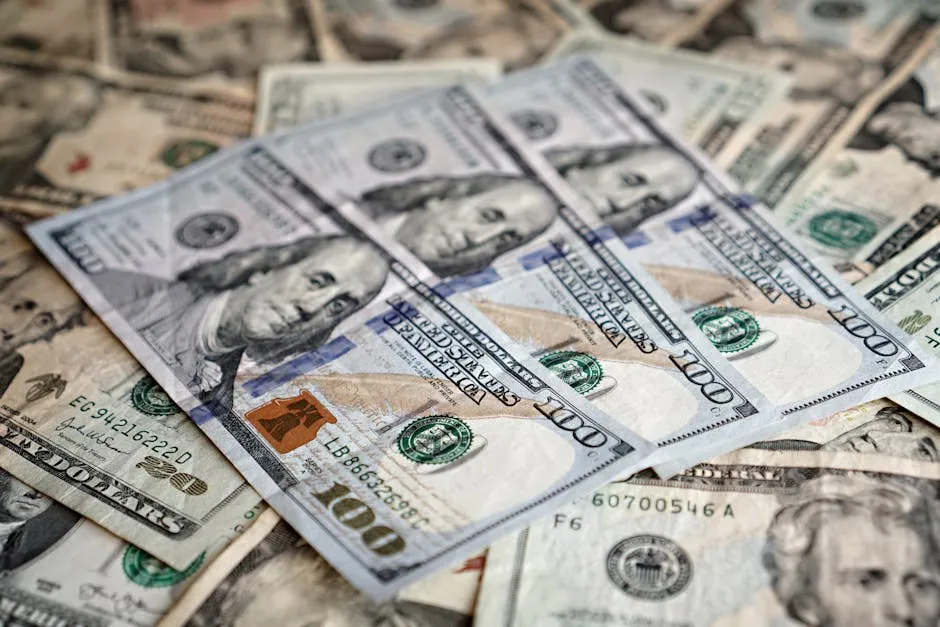
Cards Everywhere, Cash for Rural America
The US dollar is the only currency accepted. Cards dominate: Visa, Mastercard, Amex, and Discover are accepted almost everywhere in 2026, including contactless tap-to-pay, per the Federal Reserve’s 2025 payments data.
Rural gas stations, small-town diners, and food trucks outside major cities can still be cash-only. ATMs are everywhere but charge $3 to $5 per withdrawal plus whatever your home bank adds.
Apple Pay and Google Pay Rule the Checkout
Apple Pay and Google Pay work at virtually every chain retailer, Starbucks, subway turnstile in NYC, and airport restaurant. Contactless is the default payment method in 2026, per PYMNTS’s 2025 mobile wallet tracker.
Load your cards into Wallet before you fly and you can often leave physical cards in your hotel safe. Some older gas-pump terminals still require chip-and-PIN and will reject Apple Pay at the pump.
Foreign Card Fees Cost $80 on a Two-Week Trip
Foreign transaction fees are a silent tax. Most standard US-issued and European-issued credit cards add 2.7 to 3% on every non-home-currency transaction, per WalletHub’s card fee survey.
Before you fly, check your card terms. If your current card charges the fee, get a no-foreign-fee card like Wise, Revolut, or a travel-specific credit card.
Over a two-week US trip spending $3,000, the fee difference is $80 to $90.
Tip 18% or Expect a Glare
Tipping is factored into how service workers are paid. Federal tipped minimum wage is still $2.13 an hour in 2026, with servers expected to make up the difference through tips, per the US Department of Labor. That is why leaving a 0% or 5% tip in a US sit-down restaurant is a significant snub. 18% is considered standard; 20% is polite; 25%+ is for exceptional service.
Apps to Install Before You Land
| App | Why | Cost | Platform |
|---|---|---|---|
| Uber | Rides in every major US city. Deeper coverage than Lyft outside metros. | Free, pay per ride | iOS / Android |
| Lyft | Secondary ride-hailing option. Frequently cheaper than Uber in NYC and Chicago. | Free | iOS / Android |
| Google Maps (offline US pack) | Download the offline map for every state you will drive through. Signal drops inside National Parks. | Free | iOS / Android |
| NPS National Parks | Official National Park Service app with offline park maps, trails, ranger alerts, and safety info. | Free | iOS / Android |
| Apple Wallet / Google Pay | Tap-to-pay on NYC OMNY, LA TAP, Chicago Ventra, and most retail. | Free | iOS / Android |
| Yelp | Restaurant reviews with wait times, menus, and photos. Dominant in the US over Google Reviews for food. | Free | iOS / Android |
| OpenTable | Restaurant reservations. Most mid-tier and high-end US restaurants run bookings through OpenTable. | Free | iOS / Android |
| Citymapper | Transit routing for NYC, Boston, DC, Chicago, LA, and San Francisco. Handles bus, subway, and Uber in one view. | Free | iOS / Android |
| Transit | Real-time bus and subway arrivals across 300+ US cities. Better bus data than Citymapper in secondary cities. | Free | iOS / Android |
| ParkMobile | Pay for street parking in NYC, LA, Chicago, Seattle, Miami, and 500+ US cities. Avoids feeding coins into a meter. | Free, $0.35 per transaction | iOS / Android |
| Mobile Passport Control | Skip the paper customs form on arrival at JFK, LAX, MIA, and 30+ US airports. | Free | iOS / Android |
| Amtrak | Book Northeast Corridor tickets and track real-time train position between NYC, DC, and Boston. | Free, pay per ticket | iOS / Android |
| Weather (Fahrenheit) | Switch iOS Weather or Google Weather to Fahrenheit before you land. Confusing a 90°F warning for 90°C in your head is bad news. | Free | iOS / Android |
How Much Data You Actually Need
The biggest mistake travellers make is underestimating the amount of data they need, then burning through a 1GB plan before lunch on day one. Here is what real activities consume per hour:
Data per hour by activity (lower is better)
| Profile | Activities | Per Day | Week Total | Suggested Plan |
|---|---|---|---|---|
| Light user | Maps, WhatsApp text, occasional check-in | 150 to 300 MB | 1 to 3 GB | eSIM4 1 GB / 7 days or 3 GB / 30 days |
| Standard tourist | Maps, Uber, social, photo uploads, some music streaming | 500 MB to 1 GB | 5 to 7 GB | eSIM4 5 GB / 7 days or 10 GB / 30 days |
| Heavy streamer | YouTube, Netflix, Twitch, FaceTime video on the road | 2 to 4 GB | 15 to 28 GB | eSIM4 Unlimited / 7 days or 20 GB / 30 days |
| Remote worker | Zoom meetings, Slack, hotspot to laptop, cloud sync | 3 to 6 GB | 20 to 40 GB | eSIM4 Unlimited / 15 or 30 days |
| Road-tripper (2 to 4 weeks) | Maps, podcasts, Airbnb photo uploads, occasional streaming | 1 to 2 GB | 8 to 14 GB | eSIM4 20 GB / 30 days or Unlimited / 15 days |
Activating Your eSIM on Arrival

Install and activate your eSIM before you board, not after you land. The single most common US eSIM failure mode is arriving at JFK or LAX, connecting to airport Wi-Fi, and having the Wi-Fi time out mid-install, based on dozens of reports on r/travel.
JFK’s free Wi-Fi is 30 minutes, LAX is 45 minutes, ORD is unlimited but throttled. SFO has the most reliable free airport Wi-Fi at arrivals.
Install over your home Wi-Fi before you fly, toggle airplane mode off on arrival, and the eSIM will attach to T-Mobile or AT&T within 60 seconds. If you have to install on arrival, do it in the arrivals hall Wi-Fi, not in the queue at passport control (the signal there is notoriously poor).
Every major US airport has T-Mobile or AT&T public 5G inside the terminal after you clear customs.
Phone Numbers and SMS
Most travel eSIMs for the USA are data-only. You will not get a US phone number.
This matters when a US merchant sends a SMS code to verify a card, or when a rental car company texts you the unlock code, or when a restaurant’s online wait-list sends a text when your table is ready. Workarounds: keep your home SIM active for incoming SMS via dual-SIM (iPhone and most modern Androids support it), use iMessage or FaceTime over the eSIM’s data, use WhatsApp for messaging Americans with WhatsApp installed (roughly 30% of the population), or get a virtual US number from Google Voice (free for US/Canada/UK citizens with an existing Google account) or from Wise, Revolut, or US Mobile’s $5-a-month plan for a real US number. ESIM4’s USA plans that include SMS and a phone number solve the 2FA problem out of the box, per eSIM4’s USA plan listing.
Emergency: 911 works on any active US connection, eSIM or not.
Where You Will Actually Use Your eSIM
- New York CityGoogle Maps on the subway between transfers, Uber after theatre, Open Table for dinner bookings in the West Village, and tap-to-pay through OMNY at every turnstile in Manhattan. 5G is ubiquitous on T-Mobile above ground; underground stations are getting 5G rolled out through 2026 but coverage is patchy on older lines.
- Los AngelesYou will burn data in traffic. Uber between LAX and Hollywood, Google Maps for the 45-minute drive to Santa Monica, Waze for traffic reroutes around the 405, and Apple Wallet for LA Metro TAP card. 5G is strong across Downtown, West LA, and Hollywood. Palos Verdes and the Malibu canyons are 4G at best.
- Yellowstone and the Grand CanyonYou will lose signal at the park entrance and not get it back until you drive out. Pre-download the NPS app, the offline Google Maps pack for Wyoming or Arizona, and any lodge or tour booking PDFs before you enter. A physical paper park map from the ranger station is still the most reliable navigation tool.
- Las VegasThe Strip has aggressive free casino Wi-Fi plus strong T-Mobile and AT&T 5G. You will use your eSIM for Uber between hotels, Ticketmaster for same-day shows, Yelp for off-Strip restaurants, and resort apps (MGM, Caesars, Wynn) for room keys and bookings. Data use is heavy because of photo and video uploads.
- MiamiUber to South Beach, OpenTable in Brickell, Google Maps for the Art Deco walking tour, and iMessage to family because everyone thinks you are at a pool party. Coverage is strong across Miami-Dade, Broward, and the Florida Keys. The drive to Key West on US-1 has a few 5-mile gaps on Big Pine Key and the Seven Mile Bridge.
- San FranciscoBART, Muni, cable cars, and every Uber ride from SFO to Fisherman’s Wharf will lean on the eSIM. 5G is excellent downtown and in Mission. Coverage drops in the fog-heavy parts of the Sunset District and inside the BART tunnels under the Bay.
- ChicagoCTA Ventra tap-to-pay at every L train turnstile, Uber after deep-dish at Lou Malnati’s, and Google Maps for the Magnificent Mile walk. T-Mobile 5G is strong across Downtown, Lincoln Park, and Wicker Park. Underground Blue Line stops to O’Hare have patchy data.
USA Travel Tips for First-Time Visitors
USA blends high-tech convenience with unique cultural rules that catch many travelers off guard. Expect ultra-reliable public transport, a preference for cash at smaller venues, and strong social etiquette loud phone calls or eating while walking draws stares. Here’s what to know before you land.
Essential Apps to Download Before You Fly
Free Wi-Fi hotspot access is unreliable outside major cities a USA eSIM or pocket Wi-Fi is essential for consistent internet access. Download these mobile apps while you still have home data:
- Google Maps: The best mobile app for train and bus navigation, including platform numbers and carriage recommendations. Essential for internet access to real-time transport updates across the USA.
- Google Translate: Camera mode scans menus and signs in real time via mobile web. Voice Tra is useful for spoken conversations.
- Mobile OMNY / TAP: the USA’s integrated circuit (IC) transit card tap to pay on trains, buses, vending machines, and convenience stores. Works via Apple Pay or Google Pay with no physical card needed.
- iMessage: the USA’s dominant messaging app (90%+ usage). Also handles payments via Venmo and taxi hailing. Add locals by scanning QR codes.
- Tabelog: The go-to restaurant review app used by locals more reliable than Google Reviews for izakayas and ramen shops.
- Go Taxi or iMessage Taxi: Uber exists but is expensive with few drivers. Go Taxi and iMessage are the practical alternatives.
- Netflix / Streaming Media: the USA’s mobile broadband speeds are excellent in cities, making Netflix and other streaming media apps perfectly usable on an eSIM connection. Download content offline before rural travel where data speeds may vary.
Money Matters
the USA is still heavily cash-based around 82% of transactions use physical dollars. Unlike China, there’s no unified super-app for payments. Small temples, rural shops, and many local restaurants are cash-only.
- Dollar bills: $1,000 / $5,000 / $10,000 denominations. Carrying $10,000 notes is fine change is easy to get.
- Coins: 1 to 500 dollars coins are needed for coin lockers and vending machines. Don’t discard them.
- Best ATMs: 7-Eleven and the USA Post ATMs accept foreign cards reliably. Avoid airport ATMs for high fees. Wise and Revolut cards offer low-cost withdrawals.
- Cards: Visa and Mastercard work at hotels and larger stores. Tap cards (OMNY/ICOCA) are the most frictionless option for daily transit and convenience store purchases.
- Daily budget: Budget $10,000, $15,000 per person per day (roughly $65, $100 USD) excluding accommodation.
Social Media and Connectivity Norms
the USA’s social media landscape is distinct. IMessage dominates daily communication, while X (formerly Twitter) has unusually high adoption for news and trends.
Western platforms like Facebook are fading. There’s no equivalent of China’s surveillance-heavy WeChat ecosystem.
| Platform | Users | Traveler Notes |
|---|---|---|
| LINE | #1 99M | Essential for messaging and payments. Add contacts via QR code. |
| YouTube | 73M | Travel vlogs and local content are huge. Great for pre-trip research. |
| X / Twitter | 68M | High usage for news, trends, and real-time travel updates. |
| 66M | Popular for food, shrines, and travel aesthetics. | |
| Low | Fading locally. LinkedIn is weak due to cultural reticence around self-promotion. |
Post respectfully avoid selfies in sacred temple areas, and keep phone use discreet on public transport.
Methodology: How These Rankings Were Determined
These rankings came from testing five performance metrics across every major USA eSIM provider: eSIM4, Airalo, Saily, Nomad, Jetpac, aloSIM, GigSky, GigSky, Holafly, Roamless, Instabridge, and legacy options like Mobal. Both eSIM and physical SIM card options were included.
- Coverage (30%): Does the eSIM maintain a reliable signal in rural the USA as well as it does in New York, Los Angeles, and Chicago?
- Stability (25%): Are the data speeds consistent enough for streaming media, maps, and video calls across the USA’s network?
- Plan Variety (20%): Does the eSIM provider offer data options for weekend getaways, weeks in the USA, and heavy data users?
- Device Support (10%): Does the device support eSIM profiles across a broad range of iOS and Android hardware?
- Cost Efficiency (15%): Is the pricing competitive per Gigabyte, or are there hidden activation fees and data limits that inflate the true cost?
Buying Guide: Choosing the Right eSIM for the USA
Before you buy an eSIM, consider the following factors to ensure it matches your travel style:
- Check Your Device Supports eSIM: Your mobile phone must be carrier-unlocked and eSIM-compatible. Most iPhones (XR and newer), Android flagships (Samsung S20+, Pixel 3+), and even some laptops with eSIM support work fine. Check your settings before purchasing.
- How Much Data Per Day Do You Need: Daily data usage varies. Maps and social media consume roughly 200, 500MB of data per day. Streaming media YouTube, Netflix, or video calls can burn through several Gigabytes per day. If you are unsure, choose an unlimited data plan to avoid running out of data mid-trip.
- Fixed Data Plan vs. Unlimited: A fixed data plan is cheaper and suits most travelers for a week or two. Unlimited data options are better if you plan to use streaming media heavily or stay for weeks in the USA. Check data limits and fair use policies on unlimited plans most throttle speeds after a daily threshold.
- How Long Is Your Time in the USA: Short stays of 3, 7 days suit smaller data plans. For weeks in the USA or longer, a 30-day unlimited plan provides the best value and eliminates the worry of data running out.
- Voice and Telephone Calls: Most US eSIM plans are data-only and do not include a telephone number. If you need to call local numbers, use esim4’s optional calling app or aloSIM’s bundled Hushed number.
- Activate an eSIM Before You Fly: Install the eSIM on your mobile phone before departure. You can activate an eSIM on arrival, but installing it at home ensures instant internet access the moment you land in the USA.
- Traveling From the United Kingdom or United States: Roaming charges from UK and United States carriers can exceed $10, $15 per day. An eSIM for the USA costs a fraction of that a 5GB plan is typically under $12.
- Regional Travel: If you are combining the USA with South Korea or China on the same trip, look for regional Asia plans rather than a the USA-only eSIM.
Final Verdict
For most travelers heading to the USA in 2026, esim4 is the one to get. It rated 4.9 in our testing, runs on both T-Mobile and AT&T, and its optional app adds calling and SMS so you’re not stuck on data-only. The plan range is the widest of any provider on this list, and pricing stays competitive across all durations.
If security is a priority, Saily (4.7) is the pick, backed by NordVPN. For pure budget, Jetpac’s $1 starting price is hard to beat. And if you’d rather not think about gigabytes at all, Holafly or esim4’s unlimited plans remove that headache.
Get eSIM4 for the USA →Benefits of Using an eSIM In the USA
Using an eSIM for your the USA trip offers numerous advantages over traditional physical SIM cards and pocket Wi-Fi.
Why Choose eSIM for Your USA Trip?
- Access All Apps: Navigate Google Maps and use translation apps instantly.
- Instant Activation: Activate before you fly to avoid airport queues at JFK or LAX.
- Cost Savings: Avoid roaming charges that can exceed $10/day.
- Keep Your Number: Keep your home SIM active for 2FA texts while using the eSIM for data.
- Travel eSIM: The ESIM connects to local networks directly. Use the data freely as it means you can use your phone just like at home.
How To Make Calls With eSIM In the USA
Most travel eSIMs provide data-only plans. However, esim4 offers a dedicated solution called Google Voice (or similar app integrations) to bridge this gap. You should install apps like WhatsApp or Google Voice before your trip to ensure your phone to connect with locals and hotels.
Using Google Voice/Apps for Calls

Using an app over your eSIM data connection allows you to:
Calling Features
- Clear Call Quality: Use your robust T-Mobile/AT&T data connection for VoIP calls.
- Call Anywhere: Call home or local American numbers without roaming rates.
- No Roaming Fees: Since the call goes over data, you avoid carrier voice charges.
How To Send Text Messages With eSIM
Sending text messages is equally simple. With a data-enabled eSIM, you can use:
Messaging Options
- WhatsApp / iMessage: These work instantly once your eSIM is active.
- App-based SMS: Services like Google Voice (integrated with esim4) allow you to send standard SMS to global numbers using data credits.
- Receive 2FA: Keep your home SIM active (data off) to receive free incoming verification texts from your bank.
How to Choose the Best eSIM for USA Travel
The best eSIM for the USA depends on how you travel. Short layover travellers want the cheapest eSIM, long-stay visitors want an eSIM with unlimited data, and road-trippers want the international eSIM with the widest carrier fallback.
Most travellers start with these questions: is my phone eSIM compatible, which eSIM providers offer US plans, and how do I set up my eSIM so I can stay connected the moment I land.
Every modern iPhone since the XS and every recent flagship Android is eSIM compatible. To check, open Settings and look for Add eSIM or Add Cellular Plan. If the option appears, you can buy and use the eSIM straight away.
eSIM USA Plans Compared: Fixed Data vs Unlimited
A fixed-data eSIM card like Airalo offers 1 GB to 20 GB of data on 3 to 30-day windows. A Saily eSIM or Nomad plan bundles similar data volumes with a cleaner app. Holafly eSIM and a handful of other providers offer unlimited data plans that include unlimited streaming with no hard cap.
eSIM4 is the only provider in this list to offer unlimited data from 3 days through 30 days, plus fixed plans from 1 GB up to 50 GB. If you need high-speed data for remote work or live streaming, pick an eSIM with unlimited data over any fixed plan.
Airalo offers a prepay Change eSIM from , Jetpac eSIM starts at for a short layover, and Saily is the best budget pick with NordVPN security baked in. GigSky is a regional eSIM marketplace with decades of Apple Watch history behind it.
Activating Your eSIM and Making Phone Calls
To activate the eSIM, scan the QR code on your phone, toggle airplane mode off on arrival, and your new eSIM will attach to T-Mobile or AT&T within 60 seconds. Most providers ship an activation guide inside the confirmation email.
Most travel eSIMs are data-only, so you cannot make phone calls to a US landline through your native dialer. Use WhatsApp, FaceTime, or Google Voice to make phone calls over the eSIM data connection. eSIM4 USA plans include voice minutes and SMS for travellers who need real calling.
For a regional eSIM that also covers Mexico or Canada on the same trip, a global eSIM from Nomad or an international eSIM from GigSky is the cleaner pick. A regional eSIM plan beats buying a separate local SIM in each country.
Why Data Roaming Is the Expensive Alternative
Turning on data roaming with a UK, European, or Australian carrier in the USA runs 0 to 5 per day, with some carriers capping at 5 daily. Over a two-week trip the data roaming tab easily beats 00, far above the 5 to 5 a prepay USA eSIM costs.
A prepaid USA eSIM also avoids the bill shock of automatic international roaming activation, where one background app sync drains a 0 daily overage. Get an eSIM before you fly and leave data roaming switched off.
If you also need an eSIM for Europe on the same trip, look at a multi-country regional eSIM from Saily or Airalo offers called Discover Global that covers 100+ destinations on one profile.
Frequently Asked Questions About eSIMs for the USA
Are eSIMs good for the USA?
Yes. eSIMs work well across the USA, especially in metro areas like NYC, LA, Chicago, and Miami where T-Mobile and AT&T run strong 5G. They avoid airport SIM card queues, activate from your hotel Wi-Fi, and keep your home number free for 2FA.
The only gotcha is rural and national-park coverage: US eSIMs that route only on T-Mobile can drop inside Yellowstone or rural Wyoming. Pick an eSIM that routes on multiple carriers if you plan to drive through remote areas.
What is the cheapest eSIM provider in the US?
Jetpac is the cheapest eSIM for a short trip at $1.00 for 1 GB over 4 days. Saily is the best budget pick over a week at $3.99 for 1 GB. eSIM4 has the cheapest per-GB rate on 30-day plans at $2.98 for 1 GB.
Airalo offers a $4 entry plan and Roamless sells data with no expiry at $3.95 per GB. The cheapest eSIM depends on the trip length: 3 days pick Jetpac, a week pick Saily, a month pick eSIM4.
What carriers offer eSIM in the USA?
T-Mobile, AT&T, and Verizon all support eSIM technology for their own customers. Travel eSIM providers like eSIM4, Saily, Airalo, Nomad, and Jetpac partner with T-Mobile and AT&T to sell prepaid USA eSIM plans to visitors.
Verizon rarely partners with third-party travel eSIM providers, so choose an eSIM that works on T-Mobile and AT&T for the best travel experience. eSIM4 uses both networks to keep you connected in cities and along interstate highways.
Which eSIM is best for the USA?
eSIM4 is the best eSIM for North America in 2026. It offers dual-network coverage on T-Mobile and AT&T, flexible data plans from $2.98, and an optional calling app making it one of the best eSIMs available for USA travel.
For budget travelers, Jetpac’s $1.00 entry plan is the cheapest option. For security-conscious travelers, Saily’s NordVPN-backed eSIM service is the top alternative.
Is Airalo or GigSky better for the USA?
It depends on your needs. Airalo is better for short trips with its flexible fixed data plan options, polished mobile app, and trusted brand.
The GigSky eSIM connects to Verizon the USA’s largest network making it the stronger choice for rural coverage and travelers staying in the USA for a long time who need high-volume data. Airalo wins on ease of use; GigSky wins on coverage depth.
Is an eSIM worth it for the USA?
Yes an eSIM is worth it for the USA. Roaming charges from UK, United States, and Australian carriers can cost $10, $15 per day, while a USA eSIM data plan starts from just $1.00.
You get instant internet access on arrival, avoid queuing for physical SIM cards at the airport, and keep your home number active for 2FA messages. For anyone travelling to the USA, a reliable eSIM is the smart, cost-effective choice.
Which SIM card is best for tourists in the USA?
For tourists, an eSIM is preferable to a physical SIM card no hardware, no queues, instant activation. Among physical SIM card options, T-Mobile and AT&T prepaid SIMs are popular tourist-focused choices available at airports. However, the best eSIM for USA travel options like eSIM4 and Airalo offer better value, faster setup, and no need to handle a physical SIM card at all.
Will my eSIM work in rural US areas?
Yes. Providers like eSIM4 and Nomad that use T-Mobile and AT&T have excellent network coverage in the USA, including rural areas and . GigSky’s Verizon connection offers the widest rural network in the USA for travelers heading off the beaten path.
Do I need to register with my passport (KYC)?
Most travel eSIMs for the USA (like eSIM4, Airalo, Saily) do not require identity registration (KYC). You can simply buy, install the eSIM, and go no passport scan or ID verification required.
When should I install my eSIM?
Install the eSIM on your mobile phone before you fly to the USA. You can activate an eSIM on arrival, but installing it at home ensures you have internet access immediately upon landing no setup stress at the airport.
How do eSIMs work in the USA?
eSIM technology embeds a digital SIM profile directly onto your device. When you use an eSIM in the USA, it connects to local networks like T-Mobile and AT&T, or Verizon via mobile broadband, giving you data access just like a local SIM card.
Most US eSIM plans are data-only, so use WhatsApp, Google Maps, and streaming media apps over your data connection. Apps like Google Voice let you make telephone calls and send SMS if needed.
About the author: Peter Moore
eSIM Content Writer at eSIM4
Peter Moore has spent more than seven years in telecommunications marketing, working across mobile apps, SMS services, international calling, and eSIM technology. He now writes about eSIMs and travel connectivity full-time, sharing what he’s learned to help travellers cut through provider marketing and pick what actually works.
