












eSIM Philippines
Best eSIM for Philippines | Top 6 Providers Ranked
Dec
Stay connected with a Philippines eSIM across islands like Boracay, Palawan, and major cities like Manila with a reliable connection.
 Written by Peter Moore, eSIM Content Writer
Verdict: eSIM4.com
eSIM4 is the best eSIM for Philippines travel. It pairs Globe’s island-wide 4G network with the lowest prices on the list, unlimited plans from 3 days to a full month, and optional calls and SMS via the Yabb app. Instant QR install means you connect the moment you land at NAIA or Mactan-Cebu, no airport SIM kiosk queue needed.
Why We Chose eSIM4
- Best Network: Globe 4G/5G across all three island groups, including Palawan, Boracay, and Siargao.
- Real Phone Number: Optional Yabb app adds calls and SMS on a routable Philippine number.
- Widest Plan Range: 1 GB to unlimited 30-day, starting from $2.98.
- Instant Setup: Install before you fly, auto-connect on landing at NAIA or Mactan-Cebu.
- 24/7 Support: Email, chat, and WhatsApp support around the clock.
How we chose: We verified carrier networks from each provider’s live Philippines country page, benchmarked pricing across all 8 providers, and cross-checked coverage claims against Globe and Smart official network maps.
Finding the Perfect eSIM for Your Philippines Trip
Buying eSIMs for the Philippines online before departure is the single most practical thing you can do for your trip to the Philippines without overpaying. This list of the best eSIMs for Philippines travel covers the top eSIMs in the Philippines every plan available for your Philippines travel. These are the best eSIM providers for Philippines trips. These eSIMs work across Globe and Smart networks. All eSIMs listed here support QR code installation, from 1 GB short stays to unlimited data eSIMs for month-long island-hopping itineraries. You will not run out of data if you pick the right plan.
Securing a reliable internet connection and mobile data via a Philippines eSIM plan is one of the most critical steps when planning a trip. Whether you are navigating the bustling streets of Metro Manila, relaxing on the white sands of Boracay, or trekking through the Chocolate Hills, having instant access to maps, translation apps, and communication tools is essential for travelers to the Philippines.
We help you compare the best options. In this guide on the best eSIM for Philippines, we look at plans for the Philippines from top names.
Whether you are looking for an esim with unlimited data or specific data packages, we cover Airalo and Nomad, Jetpac eSIM, and others to find a provider in the Philippines that offers the best Philippines connectivity for your philippines travel. You can easily get an eSIM for Philippines usage online before you depart.
What Makes a Great eSIM for Philippines?
- Network Coverage: Connection to premium local carriers like Globe or Smart for stable service in both major cities and remote islands.
- Pricing: Competitive rates for prepaid eSIM plans, especially for short-term tourist stays.
- Data Flexibility: Options ranging from small data caps to unlimited data plans for heavy users.
- Ease of Use: Install the eSIM and activate your eSIM as soon as you arrive to avoid airport Wi-Fi struggles unlike other esim service options.
- Support: Support eSIM capabilities and 24/7 assistance are critical for travelers heading to the Philippines to resolve any connectivity issues quickly.
Quick Comparison: Top eSIM Providers for Philippines
Snapshot of the leading eSIM options for Philippines . Use this table to shortlist your best fit, then review the detailed breakdowns below.
| Rank | Provider | Rating | Network Partner |
Plans Available |
Starting Price |
Best For |
|---|---|---|---|---|---|---|
| 1 | ⭐ esim4 | 4.9/5 | Globe | 6 options | $3.97 | Best value & coverage |
| 2 | Saily | 4.7/5 | Multi- Network |
5 options | $3.79 | Security & Privacy |
| 3 | Airalo | 4.7/5 | Multi- Network |
5 options | $4.50 | Frequent travelers |
| 4 | Jetpac | 4.5/5 | Multi- Network |
6 options | $1.00 | Budget travelers |
| 5 | aloSIM | 4.4/5 | Multi- Network |
4 options | $4.50 | Calling capabilities |
| 6 | Nomad | 4.6/5 | Multi- Network |
4 options | $4.00 | Business travelers |
Things to Consider Before Choosing the Best eSIM for Philippines
The “best” eSIM depends on where you’re going and your specific needs. Use these factors as a checklist before you buy.
Key Decision Factors
| Factor | What to Consider | Why This Matters |
|---|---|---|
| Geographical Coverage | Globe vs Smart networks. | Ensure the provider partners with a major network in the Philippines like Globe. This guarantees coverage in the philippines, not just in Manila, but also in remote parts of the Philippines and islands. |
| Data vs. Voice | Data-only vs Call/Text apps. | Most esim options for the Philippines are data-only. If you need to make traditional calls or send SMS, look for providers like esim4 that offer VoIP apps or integrated numbers. |
| Data Allowance | Fixed vs. Unlimited. | Assess how much data you need. Map navigation and social media use less data, while streaming video requires robust esim data plans. Unlimited data plans are available for heavy users. |
| Activation | Install before you fly. | Check your phone settings to add eSIM and turn on data roaming when you arrive in the Philippines. It’s best to set up your eSIM before departure. |
Network Coverage
Look for providers that use Globe, which is widely considered one of the most reliable networks for island hopping. Some providers use a multi-network approach, switching between partners to find the best signal.
Trip Length
Match the plan for the Philippines to your itinerary. It is best to have a plan that remains active a few days past your intended departure to cover delays.
Ensure the eSIM supports mobile hotspot sharing so you don’t run out of data on other devices. Also, know about using an esim and esim technology before relying on it for your prepaid data plans.
How to Order and Install Your eSIM for Philippines Travel
Purchasing an eSIM for the Philippines takes about three minutes. Choose your provider, pick a data plan for the Philippines, and pay online. You receive a QR code by email. When you use an eSIM, install your eSIM on home Wi-Fi using Settings > Cellular > Add eSIM on iPhone, or Settings > Network and Internet > Add eSIM on Android. Label the profile “Philippines” so you can activate your Philippines eSIM in one tap after landing at NAIA. Unlike other eSIM providers that activate on the install date, most plans here activate on first data use, so your days do not start until you arrive in the Philippines.
When traveling in the Philippines, prepaying for data saves money. Travelers to the Philippines who prepay for a data plan online save 40-60% compared to airport SIM kiosk prices. The best eSIMs for the Philippines let you stay connected in the Philippines from the moment you clear customs, without scrambling for a SIM card slot or dealing with a local registration form. A reliable eSIM for traveling to the Philippines is one of the best things you can do before your trip.
For travelers arriving from the United States, UK, or Australia, eSIM technology means you keep your existing phone number active for calls while using a Philippines data plan for internet access. Your home SIM handles telephone calls and SMS; your Philippines eSIM provides mobile broadband for Grab, Google Maps, and messaging apps. This dual-SIM setup is how most experienced travelers to the Philippines manage connectivity.
Other eSIM providers like Holafly eSIM also offer Philippines coverage, but their pricing is higher and one of them doesn’t offer unlimited data plans on the Globe network. Nomad eSIM and Airalo eSIM are both reviewed in our full list above. The right eSIM provider for most travelers is the one with Globe network access and unlimited data plans, a combination only eSIM4 and Nomad currently offer for Philippines eSIM plans.
Top eSIM Providers
Detailed reviews with verified pricing and carrier-specific notes.

eSIM4
Best Overall for Philippines

eSIM4’s Philippines plans run on Globe, the country’s largest carrier and the one with the broadest island-to-island footprint across Luzon, Visayas, and Mindanao. Globe reaches the resort towns of Boracay, El Nido, and Siargao that many other providers blank out, and plans start at $2.98 for 1 GB / 7 days, undercutting Globe’s own tourist SIM kiosks at NAIA.
Coverage
Globe’s 4G LTE network covers Metro Manila’s business districts, Cebu City’s downtown, and Davao’s commercial areas at 50-200 Mbps. On Boracay’s White Beach, expect 20-50 Mbps 4G.
El Nido and Coron in Palawan have 4G signal in town, though coverage fades on the open-water routes between lagoons. Signal is solid across all three island groups on the main tourist routes.
Activation Process
Install the QR code profile on home Wi-Fi before departure. On iPhone: Settings > Cellular > Add eSIM > Use QR Code. On Android: Settings > Network and Internet > SIMs > Add eSIM. Label the profile ‘Philippines’ so you can switch to it in one tap at NAIA or Mactan-Cebu. Skip the Globe and Smart kiosks in Arrivals Hall, which sell 7-day tourist SIMs at PHP 299-399 with no unlimited option.
Price
Plans start at $2.98 for 1 GB / 7 days, roughly half the cost of a Globe airport tourist SIM. The 3 GB / 30-day plan at $6.98 covers most week-long trips with data to spare. Unlimited plans start at $9.98 for 3 days, which works well for island-hopping in Palawan with heavy Maps and Grab use.
Data Plans
| Data | Duration | Price | Savings |
|---|---|---|---|
| 1GB | 7 Days | $7.20 $2.98 | Save $4.22 |
| 2GB | 15 Days | $11.70 $4.98 | Save $6.72 |
| 3GB | 30 Days | $15.30 $6.98 | Save $8.32 |
| 5GB | 30 Days | $21.60 $10.98 | Save $10.62 |
| 10GB | 30 Days | $35.10 $17.98 | Save $17.12 |
| 20GB | 30 Days | $54.00 $28.98 | Save $25.02 |
| Unlimited | 3 Days | $20.70 $9.98 | Save $10.72 |
| Unlimited | 5 Days | $35.10 $17.98 | Save $17.12 |
| Unlimited | 7 Days | $48.60 $25.98 | Save $22.62 |
| Unlimited | 10 Days | $63.00 $33.98 | Save $29.02 |
| Unlimited | 15 Days | $88.20 $47.98 | Save $40.22 |
| Unlimited | 30 Days | $130.50 $70.98 | Save $59.52 |
Pros
- Globe 4G/5G across all three island groups, including Boracay, El Nido, and Siargao
- Unlimited plans from $9.98 (3 days) up to 30-day unlimited for extended island-hopping stays
- Real phone number option via the Yabb app for calls, SMS, and 2FA on Philippine banking apps
- Instant QR activation on home Wi-Fi, auto-connects on landing at NAIA or Mactan-Cebu
- 24/7 customer support via email, live chat, and WhatsApp
Cons
- Calls and SMS require downloading the Yabb app separately, which is a paid add-on within the app

Saily
Beginner-friendly app, solid Manila coverage
Saily is built by the team behind NordVPN and brings the same clean, guided interface to eSIM. Its Philippines plans are data-only with fixed allowances from 1 GB to 20 GB, all on a 30-day validity for the larger tiers, making it a tidy pick for travellers who want a no-fuss setup for a Manila-and-Cebu itinerary.
Coverage
Saily provides 4G LTE coverage across Metro Manila, Cebu City, and the main inter-city corridors. Signal is consistent in the tourist belt from NAIA to Makati and BGC, and in Cebu’s IT Park and Colon Street area. Coverage on smaller Visayas islands varies by plan.
Activation Process
Buy in the Saily app on iOS or Android and tap install on the confirmation screen. IOS supports one-tap direct activation; Android requires a manual QR scan. Install on home Wi-Fi before departure, then toggle data to the Saily line after landing at NAIA or Mactan-Cebu International.
Price
1 GB / 7 days is $3.99, a dollar more than eSIM4’s same plan. The 5 GB / 30-day at $11.99 is a reasonable rate for a week-long trip. No unlimited plans are available for Philippines.
Data Plans
| Data | Duration | Price |
|---|---|---|
| 1GB | 7 Days | $3.99 |
| 3GB | 30 Days | $7.99 |
| 5GB | 30 Days | $11.99 |
| 10GB | 30 Days | $18.99 |
| 20GB | 30 Days | $29.99 |
Pros
- Beginner-friendly app with guided installation from the NordVPN team
- 30-day validity on all plans from 3 GB and above
- Straightforward fixed-data tiers with no upsell complexity
Cons
- No unlimited data option for Philippines
- Data-only, no voice or SMS included

Nomad
Globe network with unlimited short-trip plans
Nomad is a Singapore-based eSIM provider with strong Asia-Pacific coverage. Its Philippines plans run on Globe and include unlimited short-trip options that are rare in this market, making it a practical choice for a week-long Palawan or Boracay trip where heavy Maps, Grab, and streaming use is the norm.
Coverage
Nomad routes through Globe in the Philippines, giving consistent 4G LTE across Metro Manila, Cebu City, and the main tourist islands. Boracay’s White Beach and Siargao’s Cloud 9 break both have workable 4G at 20-60 Mbps. El Nido town has signal, though it fades on the open-water boat routes to the hidden lagoons.
Activation Process
Buy on the Nomad website or app and scan the QR code to install on home Wi-Fi. The plan activates on first data use in the Philippines, not on purchase, so a 5-day unlimited plan will not start counting until you land at NAIA or Mactan-Cebu and first open an app.
Price
1 GB / 7 days is $4.00. The 10 GB / 30-day plan at $13.00 is notably cheaper than Airalo’s equivalent. The Unlimited 5-day plan at $18.00 and Unlimited 10-day at $33.00 are the strongest value for island-hopping trips with heavy data use across multiple stops.
Data Plans
| Data | Duration | Price |
|---|---|---|
| 1GB | 7 Days | $4.00 |
| 3GB | 30 Days | $7.00 |
| 5GB | 30 Days | $10.00 |
| 10GB | 30 Days | $13.00 |
| 20GB | 45 Days | $23.00 |
| 50GB | 30 Days | $49.00 |
| Unlimited | 5 Days | $18.00 |
| Unlimited | 10 Days | $33.00 |
Pros
- Globe network gives island-wide reach including Palawan and Siargao
- Unlimited 5-day and 10-day plans activate on first use, not on purchase
- Competitive per-GB pricing on fixed-data plans
Cons
- Pricier per GB than eSIM4 across all fixed-data tiers
- No unlimited 15-day or 30-day option for longer stays

Jetpac
Big-data plans for extended Philippines stays

Jetpac evolved from a pocket Wi-Fi rental brand and carries its large-allowance philosophy into eSIM. Its Philippines plans go up to 30 GB for the month, suiting remote workers settling into a co-working space in BGC or Cebu IT Park for an extended stay.
Coverage
Jetpac provides 4G LTE coverage across the Philippines through local carrier partners. Metro Manila, Cebu City, and Davao City all have consistent signal on the main tourist and business routes. Coverage on smaller remote islands varies depending on which carrier the plan routes through.
Activation Process
Install via the Jetpac app on iOS or Android. The QR code appears on the order confirmation screen. The app shows real-time data usage so you can monitor your balance between island hops and buy a top-up plan before you run out.
Price
Entry is $4.00 for 1 GB / 4 days, shorter validity than eSIM4 and Airalo for the same price. The 10 GB / 30-day at $29.99 is higher than Nomad’s $13.00 for the same allowance. The 30 GB / 30-day at $44.99 is the largest fixed-data plan on this list, suited to a work-from-Siargao month.
Data Plans
| Data | Duration | Price |
|---|---|---|
| 1GB | 4 Days | $4.00 |
| 3GB | 7 Days | $12.00 |
| 5GB | 30 Days | $19.00 |
| 10GB | 30 Days | $29.99 |
| 15GB | 30 Days | $31.99 |
| 20GB | 30 Days | $55.00 |
| 30GB | 30 Days | $44.99 |
Pros
- 30 GB and 15 GB 30-day plans for remote workers and extended stays
- Real-time usage tracking in-app to avoid running out mid-trip
- Unlimited 5-day and 10-day options for shorter intensive trips
Cons
- Entry plan only valid for 4 days, shorter than most competitors
- Pricier per GB than eSIM4 and Nomad on standard data tiers

GigSky
Established provider, premium pricing

GigSky is a California-based eSIM veteran with over a decade in the business travel market. Its Philippines coverage runs on Smart (PLDT), the country’s second carrier, with plans up to 10 GB for a 30-day stay. The pricing is the highest on this list, which is difficult to justify when eSIM4 or Nomad offer comparable network reach at a fraction of the cost.
Coverage
GigSky uses Smart’s network across the Philippines. Smart (PLDT) has strong 4G LTE in Metro Manila, Cebu City, and Davao, and performs well in northern Luzon’s Baguio and the Cordillera region.
On Boracay, Smart signal is solid on the main beachfront. Coverage on smaller Visayas islands and remote Palawan routes can be thinner than Globe.
Activation Process
Buy through the GigSky app or website. A QR code is emailed and shown in the app dashboard. Install on home Wi-Fi before departure; the plan activates on first data use in the Philippines, not on the install date.
Price
1 GB / 7 days is $9.77, more than three times eSIM4’s same plan at $2.98. The 3 GB / 15-day at $25.49 and 5 GB / 30-day at $38.79 carry the highest per-GB cost on this list. GigSky’s value case is weak unless it is the only eSIM that works on your specific device model.
Data Plans
| Data | Duration | Price |
|---|---|---|
| 1GB | 7 Days | $9.77 |
| 3GB | 15 Days | $25.49 |
| 5GB | 30 Days | $38.79 |
| 10GB | 30 Days | $72.74 |
| 100MB | 7 Days | $0.00 |
Pros
- Long-standing provider with a decade-plus reputation for reliability
- Smart network strong in Manila, Cebu City, and northern Luzon
- In-app usage tracking and plan management
Cons
- Significantly more expensive per GB than every other provider on this list
- No unlimited plan option for Philippines

aloSIM
Globe network, data clock starts on first use

aloSIM is a Canadian eSIM app with a clean mobile-first design. Its Philippines plans run on Globe and carry a traveller-friendly feature: the plan timer starts on first data use in the Philippines, not when you scan the QR at home. Install it a week before you fly and your day count does not start until you land.
Coverage
aloSIM uses Globe’s network across the Philippines, giving 4G LTE signal across Metro Manila, Cebu City, and Davao. The plan clock starts on first data use in the Philippines, so installing and scanning the QR at home does not burn any validity. Globe coverage reaches the main tourist islands including Boracay and Bohol.
Activation Process
Buy in the aloSIM app on iOS or Android, scan the QR on the order confirmation screen, and install on home Wi-Fi. Toggle to the aloSIM data line after landing. The data clock will not start until your phone first connects to the Globe network in the Philippines.
Price
1 GB / 7 days is $4.50, about $1.50 more than eSIM4. The 5 GB / 30-day plan at $12.00 is close to eSIM4’s $10.98. The 10 GB / 30-day at $20.00 is higher than both eSIM4 and Nomad for the same allowance.
Data Plans
| Data | Duration | Price |
|---|---|---|
| 1GB | 7 Days | $4.50 |
| 2GB | 15 Days | $7.00 |
| 3GB | 30 Days | $9.00 |
| 5GB | 30 Days | $12.00 |
| 10GB | 30 Days | $20.00 |
| 20GB | 30 Days | $30.00 |
Pros
- Plan timer starts on first data use in Philippines, not on install
- Globe network with reach across the main tourist islands
- Simple checkout process with minimal steps
Cons
- More expensive than eSIM4 and Nomad across all plan tiers
- No unlimited data option for Philippines

Airalo
World’s biggest eSIM brand, Smart network

Airalo is the most downloaded travel eSIM app globally and covers the Philippines through Smart (PLDT). It’s a reliable option for travellers already in the Airalo ecosystem who want to avoid switching apps, though Smart’s coverage on remote Palawan islands can be thinner than Globe in the same areas.
Coverage
Airalo routes Philippines traffic through Smart’s network. Smart has excellent 4G LTE coverage in Metro Manila, Cebu City, and Davao at 50-150 Mbps.
Boracay performs well on Smart. In rural Mindanao and the Calamian Islands off Palawan, Globe’s footprint tends to reach further than Smart.
Activation Process
Buy in the Airalo app and tap Direct Install (iOS 17.4+) or scan the QR code. Install on home Wi-Fi before departure. Airalo Philippines plans activate on first data use after landing, not on install date, so your day count starts when you connect at NAIA or Mactan-Cebu.
Price
1 GB / 3 days is $4.00, giving shorter validity than eSIM4’s 1 GB / 7 days at $2.98. The 5 GB / 30-day plan at $12.00 is a dollar more than eSIM4’s $10.98. The 50 GB / 30-day at $48.00 is the largest fixed-data plan available on this list for long-stay heavy users.
Data Plans
| Data | Duration | Price |
|---|---|---|
| 1GB | 3 Days | $4.00 |
| 3GB | 3 Days | $8.00 |
| 3GB | 7 Days | $8.50 |
| 5GB | 7 Days | $11.00 |
| 5GB | 15 Days | $11.50 |
| 5GB | 30 Days | $12.00 |
| 10GB | 7 Days | $18.00 |
| 10GB | 15 Days | $18.50 |
| 10GB | 30 Days | $19.50 |
| 20GB | 15 Days | $28.50 |
| 20GB | 30 Days | $30.00 |
| 50GB | 30 Days | $48.00 |
Pros
- Largest travel eSIM brand globally with multilingual 24/7 support
- One-tap iOS Direct Install on iPhone 12 and later
- 50 GB / 30-day plan for remote workers or extended stays
Cons
- 1 GB entry plan expires in 3 days, half of eSIM4’s 7-day validity
- Smart network coverage thinner than Globe on remote Palawan and southern Mindanao islands

Roamless
One profile for all Southeast Asia stops
Roamless is a single-profile eSIM that covers 150+ countries including the Philippines, using local carrier partnerships. For travellers hitting the Philippines as one stop on a broader Southeast Asia loop through Singapore, Thailand, or Bali, it removes the need to buy and swap country plans between destinations.
Coverage
Roamless provides 4G coverage in the Philippines through its local carrier partners, covering Metro Manila, Cebu, and Davao on the main tourist routes. The multi-country profile means the same eSIM works at your next destination without reinstalling or buying a new plan.
Activation Process
Buy in the Roamless app, install the single eSIM profile once on home Wi-Fi, and top up in-app with a Philippines data bundle. No reinstalling or QR code swapping when you move between countries on a multi-stop Asia trip.
Price
Philippines pricing starts at $3.95 for 1 GB / 30 days, close to eSIM4’s entry rate. The 5 GB / 30-day at $10.95 matches eSIM4’s price.
The 10 GB / 30-day at $17.95 is $4 more than Nomad’s equivalent. No unlimited option is available for Philippines.
Data Plans
| Data | Duration | Price |
|---|---|---|
| 1GB | 30 Days | $3.95 |
| 2GB | 30 Days | $6.95 |
| 3GB | 30 Days | $7.95 |
| 5GB | 30 Days | $10.95 |
| 10GB | 30 Days | $17.95 |
| 20GB | 30 Days | $27.95 |
| 500MB | 30 Days | $0.00 |
Pros
- One profile works across 150+ countries, no reinstalling between Southeast Asia stops
- Long 30-day validity on every Philippines plan tier
- Competitive 5 GB pricing close to eSIM4
Cons
- No short-trip plans under 30 days for weekend or 5-day island trips
- No unlimited option for Philippines
Before You Leave To The Philippines: What You Need To Know
The pricing comparison above tells you which eSIM to buy. This part tells you how to actually use it once you land. And the things first-time visitors consistently get wrong.
Researched and verified against live sources. Every non-obvious claim links to its primary source.
GCash GTourist: Tourists Now Have Their Own 30-Day Wallet
The Philippines launched a dedicated tourist e-wallet tier called GTourist within the GCash app, which lets foreign visitors pay at QR-code merchants, send money, and cash in via international bank cards for a 30-day window. You can create your GTourist account before you leave home, but it only activates once you are physically inside the Philippines.
You need to scan your foreign passport and take a selfie to verify. This is entirely separate from the standard GCash account (which now requires an ACR residency card for full foreign-national verification), so GTourist is the realistic option for short-stay tourists.
eTravel QR Code: Register Online Before You Fly, Not at the Airport
Every traveller entering or departing the Philippines must complete an online eTravel registration at etravel.gov.ph and show the resulting QR code to airline staff before boarding. Registration opens within 72 hours of your scheduled arrival, and you need your passport number, flight details, and a Philippine accommodation address. Skipping this step can cause problems at check-in, so set a reminder to complete it the night before your flight.
NAIA Has Four Separate Terminals. Getting the Wrong One Is a Classic Mistake
Manila’s Ninoy Aquino International Airport is split across three active terminals (T1, T2, T3). Terminal 4 closed for rehabilitation in late 2024. The terminals are not connected airside, so arriving at T3 (most international carriers) and connecting to a domestic flight at T2 (Philippine Airlines) means a shuttle or Grab ride between buildings. Australian Smartraveller confirms a free airport shuttle bus runs between terminals, but allow at least 90 minutes for any inter-terminal transfer during peak hours.
Holy Week Closures Shut Down the Country Differently Than Anywhere Else
Semana Santa (Holy Week, typically March, April) triggers the Philippines’ biggest annual migration, with millions of city residents returning to provinces. Many businesses, shops, and government offices close for four or more consecutive days, transport hubs become severely overloaded, and popular beaches like Boracay fill to capacity. Book accommodation months in advance if you plan to travel during this period, and expect ATMs to run out of cash more quickly than usual.
Philippine Bank OTPs Will Not Go to a Foreign Number. Even on Roaming
Philippine banks and services like GCash send one-time passwords exclusively to Philippine (+63) phone numbers. Your foreign SIM on roaming will not receive them.
This means tourists relying solely on a foreign eSIM for data cannot use GCash Standard, most Philippine bank apps, or any local service requiring SMS OTP verification. The workaround is a dual-SIM strategy: run your foreign data eSIM for internet and carry a cheap local Philippine SIM (Globe or Smart prepaid, available at airport kiosks) for receiving OTPs.
Siargao and El Nido Have No Grab. Transport Is Negotiated on the Spot
Outside Manila, Cebu, and a handful of other cities, Grab does not operate on Siargao Island, and it is equally absent from El Nido. Getting around means negotiating habal-habal (motorbike taxi) fares directly with drivers, paying fixed-price tricycles, or renting a scooter.
There are no meters, no app-based pricing, and no surge pricing. Just agree on a fare before you get on, and carry small bills.
Typhoon Season Splits the Country. Siargao and Eastern Visayas Stay Sunny When Manila Floods
The typhoon season peaks between July and September according to PAGASA, with most storms tracking across Luzon and the Visayas. Counter-intuitively, Siargao and the eastern coast face the Pacific and often enjoy good surf weather from June to September while Manila gets drenched. Palawan (El Nido) is relatively sheltered from direct typhoon hits, but flooding and flight cancellations during major storms affect the whole country regardless.
Jeepneys Are Going Cashless. But Not Everywhere
Modernised jeepneys in Metro Manila are rolling out Beep card and QR-code cashless payment via the beep app, the same card used on LRT and MRT rail lines. Traditional older jeepneys still collect cash fares passed hand-to-hand through the vehicle.
You hand your peso coins or notes to fellow passengers toward the driver. In Cebu, 120 modern jeepneys began accepting Visa card payments .
Outside major cities, assume cash only.
How To Travel Around The Philippines
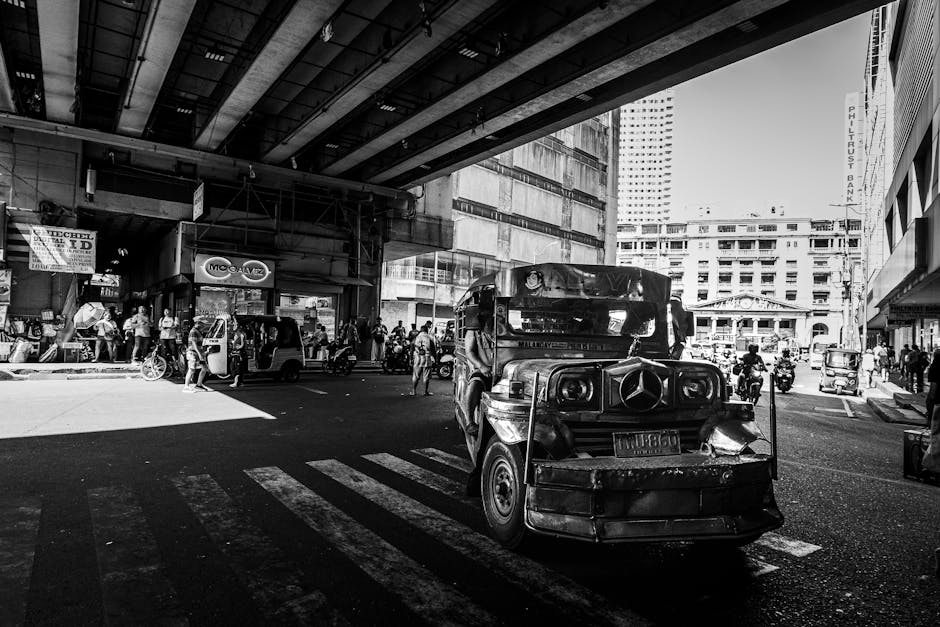
Grab is the dominant ride-hailing app in the Philippines, covering Metro Manila (including Cavite, Rizal, Pampanga), Cebu, Bacolod, Iloilo, Davao, Cagayan de Oro, Baguio, and about a dozen more provincial cities. It replaced Uber when Uber exited Southeast Asia and is the recommended option by both the Australian Government’s Smartraveller and the UK FCDO.
Both specifically advise against using unaccredited taxis due to robbery incidents. Prices are fixed before you book, which removes the metered-taxi dispute risk entirely.
From NAIA Terminal 3, a dedicated centralised ride-hailing hub opened in December 2024 inside the multi-level parking building, with 401 parking slots and 18 loading bays for Grab and other TNVS operators. At Mactan-Cebu International Airport, Grab is available at both MCIA Terminal 1 and Terminal 2 with designated pickup zones. The Ube Express P2P airport bus from NAIA is the cheapest option at around ₱150, 200, running direct routes to Makati and Pasay, but it requires no app and has fixed stops.
Outside major cities, transport is a negotiated, cash-based affair. On Siargao, getting around means habal-habal motorbike taxis from the airport to General Luna (the main tourist hub), tricycles for short hops, and rented scooters for day trips.
On Bohol, the provincial tourism board notes there are no standard taxi services. Accommodation pickups and privately arranged vans are the norm.
In Manila and Cebu, Angkas motorbike taxi operates in NCR and Metro Cebu and is a fast way to beat gridlock traffic, with fares visible in-app before you book.
Manila’s rail network. LRT-1, LRT-2, and MRT-3. Runs through the heart of the metro and is the fastest way to cross the city during rush hour.
All three lines use the contactless Beep card, which you buy at station windows for around ₱100 (including a ₱20 initial load). Tap in at entry turnstiles, tap out at exit.
Beep cards can also be used on P2P buses and select modernised jeepneys. The LRT/MRT does not reach the airport.
You still need Grab or a bus to get from NAIA to any rail station.
Money: How Payments Actually Work
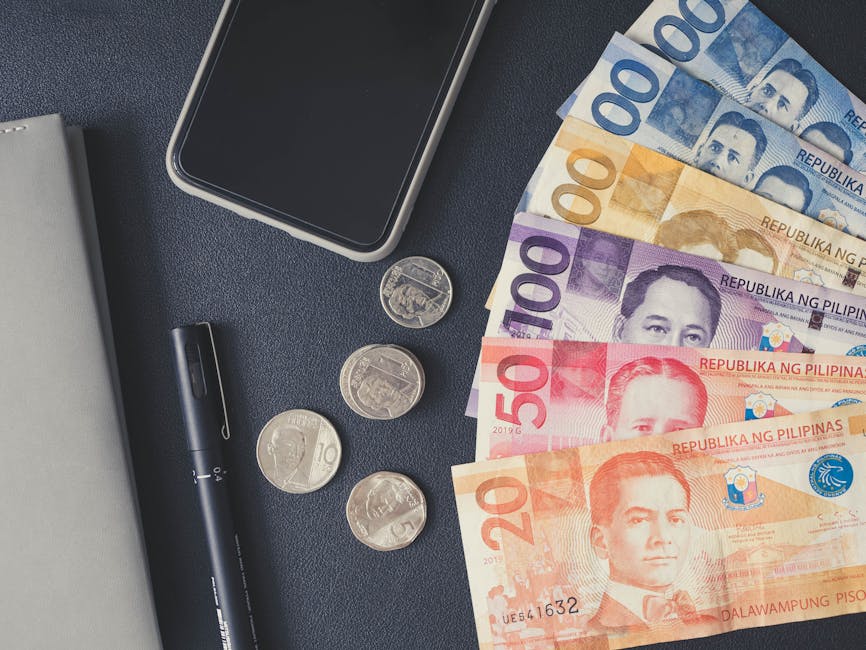
The Philippines runs on cash outside major cities and tourist resorts. El Nido has only 3, 4 ATMs (BDO, Metrobank, Landbank) that frequently run dry on weekends and during peak season, with withdrawal limits of ₱10,000, 20,000 per transaction and fees of ₱200, 250 per withdrawal.
The single most important money tip for visiting El Nido or any remote island is to withdraw a full trip budget in Puerto Princesa (the nearest large town) before travelling. Mid-range and upscale resorts accept Visa/Mastercard, but tours, markets, tricycles, and small restaurants are cash-only.
In Manila, Cebu, and Boracay, card payments are widely accepted at hotels, large restaurants, and malls. The two dominant e-wallets are GCash (via the GTourist tier for tourists) and Maya (formerly PayMaya).
Both display QR codes at markets, pharmacies, convenience stores, and street stalls. Scanning the code from your phone and entering an amount replaces cash.
Maya allows foreigners to register with a passport and a local Philippine SIM card, making it an alternative to GCash GTourist for longer stays.
Most Philippine restaurants already include a 10% service charge on the bill. Check before leaving an extra tip.
If no service charge appears, 10% is the accepted amount. Hotel bellhops typically expect ₱20, 50, housekeepers ₱20, 50 per day, and tour guides ₱50, 100 per person in cash handed directly to them (not added to the agency bill).
Jeepney and tricycle drivers are not tipped. Tipping is not deeply embedded in Filipino culture outside tourist areas, and overtipping can create social awkwardness.
Keep amounts modest and always hand gratuities directly to the individual.
Currency exchange is best done in Manila or Cebu before heading to islands. there are no official money exchange offices in El Nido, and hotel rates are poor.
Authorised money changers in Manila’s shopping malls offer competitive rates without commission. Dollar, euro, and Australian dollar notes are all accepted by money changers, but your notes must be in excellent condition.
Old, torn, or heavily marked USD bills are routinely rejected. Exchange enough to cover your entire island itinerary before leaving the city.
Apps to Install Before You Leave
| App | Why | Cost | Platform |
|---|---|---|---|
| Grab | The only reliable ride-hailing option across the Philippines. Use for airport transfers at NAIA (T3 hub) and MCIA, city rides in Manila, Cebu, and other covered cities. Fare shown upfront, no meter disputes. | Free (pay per ride) | iOS / Android |
| GCash (GTourist) | Philippines’ most widely accepted e-wallet. GTourist tier lets tourists activate a 30-day account using their passport and selfie verification. Use for Scan to Pay at markets, pharmacies, restaurants, and convenience stores. | Free | iOS / Android |
| Klook | Best platform for booking island-hopping tours, Chocolate Hills packages, snorkelling, and transfers in the Philippines. Prices are typically lower than on-the-spot booking and include basic insurance. | Free (pay per booking) | iOS / Android |
| Angkas | App-based motorbike taxi operating in Metro Manila and Metro Cebu. Fastest way through gridlock. Fare shown before booking. Helmets provided. Not available in islands or provinces. | Free (pay per ride) | iOS / Android |
| Google Maps (with offline areas downloaded) | The most reliable navigation in the Philippines. Download offline maps for each island you are visiting before you leave Wi-Fi. Signal is patchy in El Nido, the Bohol countryside, and at sea during island-hopping. Covers jeepney routes in Manila and ferry ports. | Free | iOS / Android |
| Maps.me | Fully offline OpenStreetMap-based navigation. Useful for hiking trails, rural Bohol roads, and any area with zero mobile signal. Download the Philippines region (~300MB) before departing. | Free | iOS / Android |
| Waze | Recommended by Manila locals for driving in Metro Manila. Community-sourced real-time traffic and police checkpoint alerts make it superior to Google Maps for navigating gridlock. Less useful on islands. | Free | iOS / Android |
| Foodpanda | The most-used food delivery app in the Philippines. 42.9% market share . Works in Manila, Cebu, Davao, and other major cities. Useful for hotel nights and self-catering stays. GrabFood is the main alternative. | Free (delivery fee per order) | iOS / Android |
| Surfline (formerly MSW / Magicseaweed) | Essential for surfers visiting Siargao. The old MSW app has merged into Surfline, which has dedicated Philippines surf forecasts including Cloud 9 and surrounding breaks. Download forecasts on Wi-Fi as connectivity at General Luna can be unreliable. | Free (premium tier optional) | iOS / Android |
| beep app | The official app for loading and managing your Beep card. Used on LRT-1, LRT-2, MRT-3, and select P2P buses and modernised jeepneys in Manila. Also supports QR-code payment on beep-enabled modernised jeepneys. | Free | iOS / Android |
| Maya (formerly PayMaya) | Second major e-wallet after GCash. Foreigners can register with a passport and a local Philippine SIM. Accepted at many of the same merchants as GCash via QR code. Useful if GTourist account setup fails or as a backup. | Free | iOS / Android |
How Much Data You Actually Need
The biggest mistake travellers make is underestimating the amount of data they need, then burning through a 1GB plan before lunch on day one. Here is what real activities consume per hour:
Data per hour by activity (lower is better)
| Profile | Activities | Per Day | Week Total | Suggested Plan |
|---|
Activating Your eSIM on Arrival
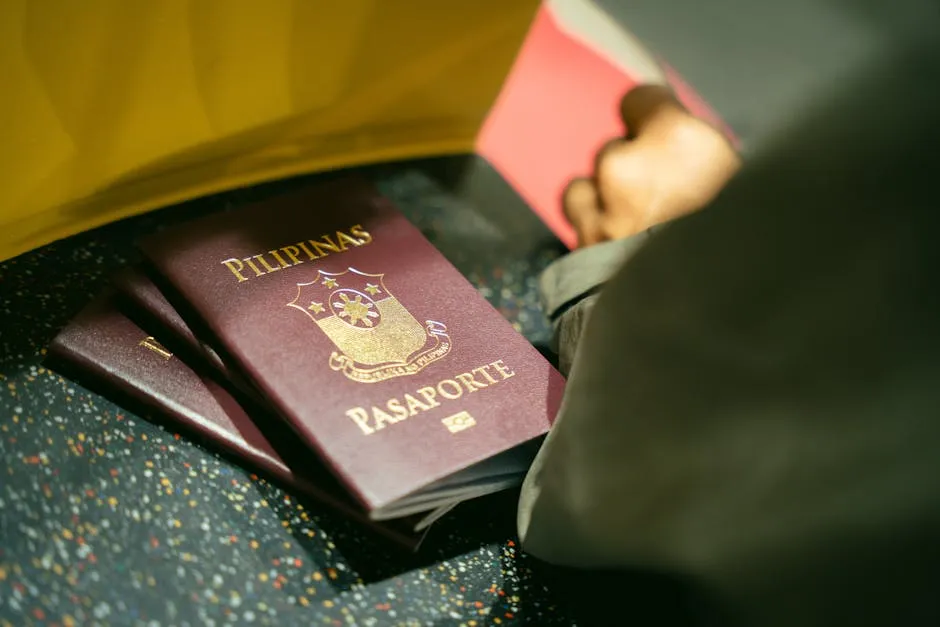
NAIA (Ninoy Aquino International Airport) handles most international arrivals into Manila across three active terminals. T1, T2, and T3. Most international carriers (excluding Philippine Airlines and its codeshares, which use T2) arrive at Terminal 3, which is the largest and best-served terminal.
Globe and Smart both have SIM card kiosks in the arrivals areas at T1 and T3, so you can buy a local prepaid SIM (₱99, 350 for a tourist data bundle) immediately after clearing immigration. For a foreign eSIM you arrive with already activated, the terminal Wi-Fi is available but congested. Connect to your eSIM’s data immediately if possible.
If you need a local Philippine SIM for OTP/GCash registration, buy it here rather than waiting for the city. The T3 ride-hailing hub (operational from December 2024) is inside the multi-level parking building. Follow the green Grab signage from the arrivals hall.
Grab fares from T3 to Makati start around ₱280, 400 depending on traffic. Mactan-Cebu International Airport (MCIA) is the gateway to Cebu, Bohol, and Siargao connections.
It has two terminals: T1 (older domestic terminal) and T2 (international and select domestic). Grab is available at both MCIA terminals with designated pickup zones after baggage claim. Globe SIM kiosks are present at MCIA arrivals as well.
Davao’s Francisco Bangoy International Airport is smaller and has one terminal. Globe and Smart resellers operate inside arrivals, and Grab is available in Davao City. All three airports have free Wi-Fi in arrivals, but speeds are inconsistent.
If you are activating a QR-code eSIM, do it before landing. Airport Wi-Fi is not reliable enough for smooth eSIM provisioning on arrival.
Phone Numbers and SMS
The most practical phone strategy for the Philippines is to run two lines simultaneously: your foreign travel eSIM for data (installed before you leave home) plus a local prepaid Philippine SIM (Globe or Smart, from ₱99 at any airport kiosk or 7-Eleven) for receiving SMS OTPs. Philippine banks, GCash Standard, and most local services only send OTPs to +63 Philippine numbers.
Your home number on roaming will not receive them. The GCash GTourist tier sidesteps this by using in-app selfie verification, but a local SIM remains the cleanest solution for anyone staying longer than a few days or wanting access to Maya and other services.
Most modern phones (iPhone XS and later, most Android flagships from 2019 onward) support dual SIM via eSIM + physical SIM tray simultaneously. The Philippines does not block WhatsApp, Facebook Messenger, iMessage, or any major VoIP/messaging apps. the country has no blanket social media blocks, unlike China or Iran.
Calling home via WhatsApp, FaceTime, or Messenger on your travel eSIM data works normally throughout the Philippines. Internet freedom is rated ‘partly free’ (Freedom House 2024) but no services tourists typically need are restricted.
The local emergency number is 911 (introduced and now operational nationwide). For the Australian Embassy in Manila: +63 2 5317 7900.
UK Embassy Manila: +63 2 8858 2200. US Embassy Manila: +63 2 5301 2000.
Where You Will Actually Use Your eSIM
- ManilaMobile data earns its keep immediately at NAIA. You need it to book a Grab from the T3 hub, navigate to your hotel, and get oriented. In the city, Waze is the local navigation standard for anyone in a car, while Google Maps is better for public transport routes. Foodpanda dominates food delivery in Manila (42.9% market share ), with GrabFood as the main alternative. Hotel Wi-Fi in Manila is generally decent at 3-star and above, but you will want data for Grab throughout the day. Manila traffic is notorious and even short trips require real-time navigation.
- BoracayGrab operates on Boracay for van transfers and airport runs from Kalibo (the nearest airport), but on the island itself transport is mostly tricycles. No app, negotiate the fare. Boracay’s White Beach is divided into Station 1 (upscale), Station 2 (central), and Station 3 (budget). Google Maps offline download for Boracay is essential for locating restaurants and bars along the beachfront. Resort Wi-Fi in Boracay is generally reliable at the main tourist strip but gaps exist away from White Beach.
- Palawan / El NidoMobile data is critical here but coverage is patchy. Globe and Smart 4G reach El Nido town, but signal disappears entirely once you are at sea on an island-hopping tour. Download offline Google Maps for Palawan and the El Nido area before arriving. El Nido’s ATM count is just 3, 4 machines that frequently run dry, so GCash GTourist or Maya are genuinely useful as backup payment at QR-accepting restaurants. Use data for booking Klook tours and coordinating boat pickup times with operators.
- CebuGrab operates well across Cebu City and Lapu-Lapu City on Mactan Island. Use data for Grab every time. Metered taxis at MCIA have a history of overcharging. The Mactan Channel crossing (between Mactan and Cebu City) is via bridge, and Grab handles the full route. For diving research around Moalboal and Malapascua, the dive operators’ own websites load fine on Philippine 4G. Cebu City centre has consistent 4G/5G coverage across Globe and Smart networks.
- SiargaoData is used differently here. there are no ride-hailing apps on the island, so Grab and Angkas are useless. Your phone data is needed for Surfline surf forecasts (Cloud 9 is world-famous), Google Maps to navigate between General Luna, Dapa, and surf breaks, and for researching which GCash-accepting restaurants exist. GCash/Maya QR codes are accepted at major General Luna spots but island-hopping and remote areas are cash-only. ATMs are limited to General Luna and Dapa. Withdraw before leaving Cebu.
- BoholMobile data is used mainly for Google Maps offline navigation to the Chocolate Hills complex and rural areas where coverage drops. Wi-Fi is limited in Chocolate Hills country. Download offline maps and entertainment before heading inland from Tagbilaran. Grab does not operate in Bohol. Transport is via arranged hotel vans, rental scooters, or habal-habal. Use data to book Klook tours in advance (Tarsier Sanctuary, Chocolate Hills) rather than paying premium walk-up rates. The Tagbilaran port and airport both have 4G coverage for coordination on arrival.
Our Methodology
We built this guide by verifying carrier network assignments directly from each provider’s live Philippines country page, not from marketing copy. Where a provider’s site showed a specific carrier (Globe or Smart), we recorded that. Where no country-specific page existed, we noted the network as multi-network.
Pricing was captured from each provider’s checkout flow in May 2026. Plan structures were compared on a like-for-like basis: per-GB cost, duration, and whether unlimited options were available for the Philippines. ESIM4’s strikethrough pricing reflects the platform’s built-in discount system.
Coverage assessments are based on published network maps from Globe Telecom and Smart Communications, cross-referenced with traveller reports from r/Philippines and r/travel. We do not claim personal on-the-ground testing of every island route.
Frequently Asked Questions
What’s the best eSIM for the Philippines?
eSIM4 is the best eSIM for Philippines travel for most travellers. It runs on Globe, the country’s largest carrier, with plans from $2.98 for 1 GB and unlimited plans starting at $9.98 for 3 days. For budget multi-country trips across Southeast Asia, Roamless is worth considering as a single-profile alternative.
How do I get an eSIM for Philippines?
Purchase your Philippines eSIM online from a provider like eSIM4 before you fly. You’ll receive a QR code by email. On iPhone, go to Settings > Cellular > Add eSIM > Use QR Code. On Android, go to Settings > Network and Internet > SIMs > Add eSIM. Install on home Wi-Fi, label it “Philippines,” and the plan activates automatically when you land.
What carrier supports eSIM in the Philippines?
Both of the Philippines’ major carriers, Globe Telecom and Smart Communications (PLDT), support eSIM technology. Globe has the broader island coverage for tourist destinations in Palawan and the Visayas.
Smart has strong coverage in Manila, Cebu City, and northern Luzon. Most international eSIM providers route through Globe or Smart depending on their partnership agreements.
How much is Globe eSIM in the Philippines?
Globe’s own tourist eSIM sold at NAIA airport starts at PHP 299-399 (around $5-7) for a 7-day plan with limited data. International eSIM providers that use Globe’s network, like eSIM4, start from $2.98 for 1 GB / 7 days and offer unlimited data plans that Globe’s tourist SIM does not. Purchasing an eSIM online before you fly is consistently cheaper than buying at the airport.
Does a Philippines eSIM work on all islands?
Your Philippines eSIM will work well in Metro Manila, Cebu, Davao, Boracay, and main tourist areas of Siargao and Bohol. El Nido and Coron in Palawan have 4G signal in town, but coverage drops on open-water routes between lagoons. Download offline maps via Google Maps or Maps.me before heading to remote islands where signal is limited.
Can I use WhatsApp and social media with a Philippines eSIM?
Yes. The Philippines does not block any social media platforms or messaging apps.
WhatsApp, Instagram, Facebook, TikTok, and YouTube all work normally across the Philippines on any eSIM. VPN use is also unrestricted.
The main connectivity challenge is coverage on remote islands and at sea between destinations.
Is it better to use multiple eSIMs or one eSIM for a Southeast Asia trip?
For a single-country Philippines trip, buy the best eSIM for the Philippines specifically. If your itinerary covers the Philippines as well as Singapore, Thailand, or Indonesia, a multi-country eSIM like Roamless lets you use a single eSIM for multiple destinations. Unlike buying data plans for the Philippines separately for each country, a regional eSIM simplifies the process. The trade-off is that single-country plans are usually cheaper per GB and offer unlimited data esims that multi-country profiles often lack.
Can I use a Philippines eSIM as a hotspot or tethering for a laptop?
Yes. All eSIM providers reviewed here support mobile broadband sharing via hotspot. You can tether a laptop or tablet to your Philippines eSIM for internet access on the go. This is useful for remote workers in BGC co-working spaces or travellers connected in the Philippines between resort Wi-Fi zones. Cellular network speeds on Globe and Smart in Manila and Cebu City are typically fast enough for video calls and cloud work.
Do I need to purchase my eSIM before arriving in the Philippines?
You do not have to, but it is strongly recommended. You can activate an eSIM before departure and install an eSIM profile on home Wi-Fi so the plan is ready before you land. Prices for Philippines eSIMs are lower online than at airport kiosks. If you order an eSIM at the airport after landing, you will pay SIM card prices and face a queue. When you purchase your eSIM, set up your new eSIM at home. Use the eSIM for your trip from day one and use the data for navigation from the moment you exit customs.
About the Author: Peter Moore
eSIM Content Writer at eSIM4
Peter Moore has spent more than seven years in telecommunications marketing, working across mobile apps, SMS services, international calling, and eSIM technology. He now writes about eSIMs and travel connectivity full-time, sharing what he has learned to help travellers cut through provider marketing and pick what actually works.
Philippines eSIM from $2.98
