













eSIM Singapore
Best eSIM For Singapore: Top eSIMs Ranked
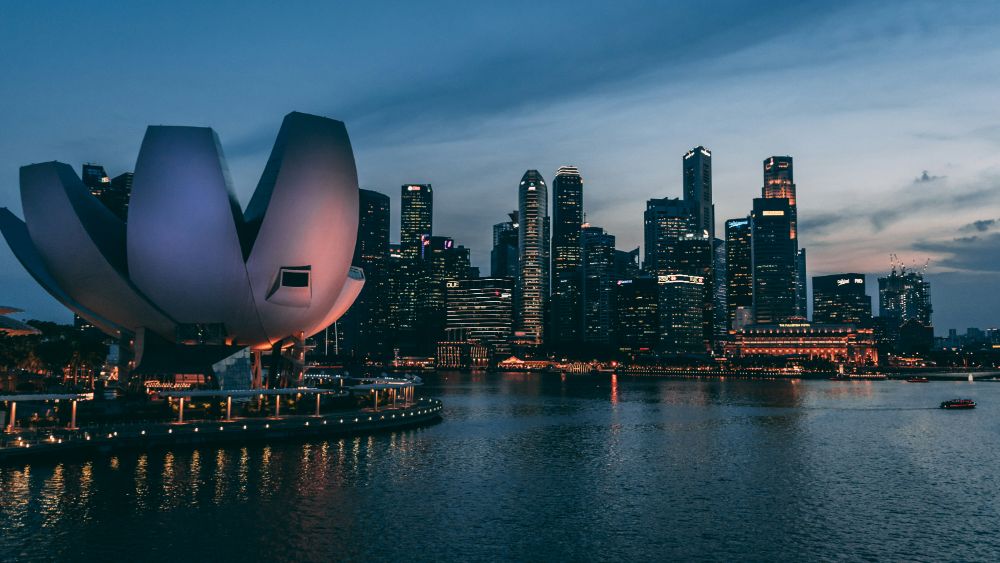
Dec
If you’re planning a trip to Singapore, you likely know that navigating the city without reliable internet is tough. Stay connected with maps, ride-hailing apps, and translations all without paying excessive roaming charges.
 Written by Peter Moore
Finding the Perfect eSIM for Your Singapore Trip
Gone are the days of hunting for a tourist SIM at the airport or worrying about swapping out your physical card. With a digital SIM profile, you can roam the city freely and get connected the moment your plane touches down at Changi Airport.
We’ve analyzed the leading providers, comparing their coverage, data packages, pricing, and activation experience to help you find the right option for your trip.
What Makes a Great Travel eSIM?
- Network Reliability: Does the provider connect to a major Singaporean carrier (like Starhub or Singtel) for fast, consistent speeds, ideally with 5G support?
- Plan Flexibility: Are there options for weekend layovers as well as extended stays? Look for prepaid packages that match your itinerary.
- Cost Efficiency: Compare the cost per gigabyte. Heavy streamers need different plans than travelers who just want maps and messaging.
- Activation Speed: The best providers deliver your QR code instantly and let you connect within minutes, without requiring passport uploads or identity verification.
Quick Comparison: Top Providers
Traveling to Singapore without a local SIM card means paying expensive roaming rates. An eSIM eliminates that. Unlike a physical SIM card, an eSIM is installed digitally before you fly and activates on landing. You prepay for your data allowance upfront; no roaming surprises, no prepay top-ups at the airport. The best eSIMs for Singapore give you a local SIM’s data speeds at a fraction of the roaming cost.
Snapshot of the leading options for Singapore in. Use this table to shortlist your best fit.
| Rank | Provider | Rating | Starting Price |
Duration | Top Feature |
|---|---|---|---|---|---|
| 1 | ⭐ eSIM4 | 4.9/5 | $2.98 | 7-30 Days | Lowest Price & Starhub Network |
| 2 | Saily | 4.7/5 | $3.79 | 7-30 Days | Security & Privacy |
| 3 | Airalo | 4.7/5 | $4.00 | 3-30 Days | Regional Plan Variety |
| 4 | Jetpac | 4.5/5 | $1.00 | 4-30 Days | Lounge Access Perks |
| 5 | aloSIM | 4.4/5 | $4.50 | 7-30 Days | Phone Number Included |
| 6 | Nomad | 4.3/5 | $3.46 | 7-30 Days | Business Management |
Things to Consider Before Choosing
Before making a purchase, evaluate these key factors to ensure the service matches your travel style.
| Factor | What to Consider | Why It Matters |
|---|---|---|
| Local Network | Starhub vs. Singtel coverage. | Connecting to a major carrier ensures reliable speeds across the island, from Marina Bay to Sentosa. |
| Regional Coverage | Single-country vs. Asia-wide plans. | Visiting Malaysia or Thailand on the same trip? Some providers offer multi-country packages that save money. |
| Data Needs | 1GB vs. Unlimited. | Light users checking maps need far less than remote workers on video calls. Calculate your typical daily usage. |
| Verification Requirements | KYC vs. Instant activation. | Some providers require passport uploads or identity checks, adding delays. Others let you purchase and activate immediately. |
| Device Compatibility | Check your phone settings. | Verify your device supports digital SIMs before purchasing. Most phones fromonward do. |
Top eSIM Providers
Detailed reviews with verified pricing and carrier-specific notes.

eSIM4
Best value Singapore eSIM with unlimited plans from $9.98

eSIM4 delivers the best value eSIM for Singapore, with unlimited plans starting from $9.98 and coverage on Singtel, Singapore’s largest 5G network. Plans run from 1 GB short-stay options all the way to 30-day unlimited, so whether you’re spending three days at Marina Bay or a month exploring the island from Changi, there’s a tier that fits. The Yabb companion app adds a routable Singapore virtual number if you need calls and SMS beyond WhatsApp.
Coverage
eSIM4 routes through Singtel, which blankets all six MRT lines, the CBD, Orchard Road, Sentosa, and the industrial corridors of Jurong with sustained 5G speeds typically hitting 200-400 Mbps in downtown areas. Suburban zones like Woodlands and Tampines sit comfortably in the 80-150 Mbps 4G range. Indoor penetration at Changi Airport Terminal 4 and the Marina Bay Sands convention centre is strong enough that you won’t need the airport Wi-Fi.
Activation Process
Install the eSIM profile at home before departure: open Settings > Cellular (iOS) or Settings > Network & Internet > SIMs (Android), scan the QR code, and label the profile ‘Singapore’ so switching between lines is one tap. The plan stays dormant until you turn on data roaming in Singapore, so you won’t burn any of your allowance mid-flight. Most profiles attach to Singtel within 30 seconds of landing at Changi.
Price
eSIM4 starts at $2.98 for 1 GB over 7 days, cheaper than a single Changi airport coffee. The most popular pick for a typical week-long trip is the 10 GB / 30-day plan at $14.98, which undercuts Airalo’s equivalent by $1.02 and beats the Changi airport SIM kiosk packs by 40-50%. Unlimited data plans start at $9.98 for 3 days and reach $70.98 for a full 30-day unlimited tier.
Data Plans
| Data | Duration | Price | Savings |
|---|---|---|---|
| 1GB | 7 Days | $7.20 $2.98 | Save $4.22 |
| 2GB | 15 Days | $16.20 $7.98 | Save $8.22 |
| 3GB | 30 Days | $12.60 $5.98 | Save $6.62 |
| 5GB | 30 Days | $18.00 $8.98 | Save $9.02 |
| 10GB | 30 Days | $28.80 $14.98 | Save $13.82 |
| 20GB | 30 Days | $41.40 $21.98 | Save $19.42 |
| Unlimited | 3 Days | $20.70 $9.98 | Save $10.72 |
| Unlimited | 5 Days | $34.20 $17.98 | Save $16.22 |
| Unlimited | 7 Days | $48.60 $25.98 | Save $22.62 |
| Unlimited | 10 Days | $63.00 $33.98 | Save $29.02 |
| Unlimited | 15 Days | $88.20 $47.98 | Save $40.22 |
| Unlimited | 30 Days | $130.50 $70.98 | Save $59.52 |
Pros
- Runs on Singtel, Singapore’s fastest 5G network
- Widest plan range: 1 GB to 30-day unlimited
- Unlimited plans from $9.98. Cheapest unlimited in this comparison
- Plans stay dormant until first use. You control the clock
- 24/7 email, chat, and WhatsApp support
Cons
- Calls and SMS require the separate Yabb app (paid add-on)

Saily
NordVPN’s eSIM with unlimited Singapore option and cashback rewards

Saily is NordVPN’s eSIM brand, and Singapore is one of its strongest markets. It offers the only unlimited-data Singapore plan in the sub-$50 bracket from a major provider (15 days, $48.99).
Every purchase earns 3% back in Saily credits, which stacks nicely if you travel frequently across Asia. The app manages plan top-ups and shows live data usage without leaving the browser.
Coverage
Saily connects to Singtel in Singapore, giving you the same premium 5G backbone used by most local residents. Expect 200 Mbps+ in Orchard Road, Bugis, and around Marina Bay Sands, with reliable 4G in the Housing Development Board townships and the outlying islands. Coverage inside the MRT tunnels is consistent from City Hall to Jurong East.
Activation Process
Download the Saily app, buy the plan, and scan the QR code from within the app. The profile installs directly without leaving to your system settings.
First-time users occasionally hit a carrier check prompt on iPhones; dismiss it and re-enable mobile data to clear it. Allow 60-90 seconds for the profile to register on Singtel after landing.
Price
Plans run from $3.99 for 1 GB (7 days) up to $48.99 for unlimited (15 days), with the 10 GB / 30-day tier at $15.99 representing the sweet spot for most visitors. The 3% credit-back makes Saily notably cheaper over repeat trips to Singapore. After five purchases you’ve effectively earned a free 1 GB plan.
Data Plans
| Data | Duration | Price |
|---|---|---|
| 1GB | 7 Days | $3.99 |
| 3GB | 30 Days | $6.99 |
| 5GB | 30 Days | $9.99 |
| 10GB | 30 Days | $15.99 |
| 20GB | 30 Days | $22.99 |
| Unlimited | 15 Days | $48.99 |
Pros
- 3% cashback credits on every purchase
- Unlimited Singapore plan under $50
- Clean app with live usage tracking
Cons
- Marginally pricier than eSIM4 at most volume tiers
- Credits expire if account is inactive

Nomad eSIM
Short unlimited burst plans ideal for business trips and conferences

Nomad is the provider to consider when you need a short unlimited burst. Its 5-day and 10-day unlimited Singapore plans ($15 and $25) are the only fixed-term unlimited options outside eSIM4 at competitive pricing.
The platform also offers multi-country APAC bundles if Singapore is one stop on a wider Southeast Asia trip. Data runs through StarHub, Singapore’s second-largest carrier.
Coverage
Nomad routes Singapore traffic through StarHub, which holds a solid 4G/5G footprint across the island. Coverage at Changi Airport, the CBD, and Sentosa is excellent; the 5G layer is expanding but currently thinner than Singtel’s, so expect 4G LTE at 50-120 Mbps in most tourist zones. The connection is rock-solid on the MRT Circle Line and Downtown Line.
Activation Process
Purchase through the Nomad website or app, download the QR code to your camera roll, and scan it in your phone’s cellular settings before boarding. Android users should confirm ‘LTE/5G preferred’ in the eSIM profile settings after install. The default on some handsets is 4G only, which works fine but leaves 5G speeds on the table in central Singapore.
Price
Nomad’s 1 GB / 7-day plan starts at $4.00 and the 20 GB / 30-day plan hits $17, making it one of the cheaper volume-tier providers in the market. The unlimited 5-day plan at $15 is the headline deal. Useful for conference delegates or long-weekend travellers who stream a lot and don’t want to count gigabytes.
Data Plans
| Data | Duration | Price |
|---|---|---|
| 1GB | 7 Days | $4.00 |
| 3GB | 30 Days | $6.50 |
| 5GB | 30 Days | $9.00 |
| 10GB | 30 Days | $13.00 |
| 20GB | 30 Days | $17.00 |
| 50GB | 30 Days | $29.00 |
| Unlimited | 5 Days | $15.00 |
| Unlimited | 10 Days | $25.00 |
Pros
- Unlimited 5-day plan at $15. Great for short conferences
- Large data tiers (50 GB) for heavy users
- Multi-country APAC bundles available
Cons
- StarHub 5G coverage thinner than Singtel’s
- No unlimited option beyond 10 days

GigSky
Premium multi-network eSIM for corporate and frequent business travellers

GigSky targets premium business travellers, and its Singapore pricing reflects that. Plans are noticeably more expensive than the field, with 1 GB costing $10.49 vs $2.98 on eSIM4. You get 24/7 support and global multi-country coverage from a single eSIM, which justifies the premium if Singapore is one leg of a frequent multi-region itinerary managed through a corporate travel platform.
Coverage
GigSky uses a multi-network arrangement in Singapore, typically landing on Singtel or M1 depending on signal conditions. Coverage quality is comparable to the other major-network providers; the practical difference is that corporate-managed handsets with locked SIM slots sometimes work with GigSky where consumer eSIM providers fail. Speeds are typically 4G LTE at 50-150 Mbps across the island.
Activation Process
GigSky eSIMs are purchased and managed through the GigSky World app. The app guides you through QR install step-by-step and lets you buy additional data top-ups without a new QR scan. Corporate users can link the profile to an expense account within the app, which is the main reason enterprises choose GigSky over cheaper alternatives.
Price
GigSky’s 1 GB / 7-day plan costs $10.49. More than triple eSIM4’s equivalent. The 3 GB / 15-day plan is $23.37 after a 15% promotional discount. For a leisure traveller the cost premium is hard to justify; for business users who need consolidated billing and enterprise support, it’s a legitimate choice.
Data Plans
| Data | Duration | Price |
|---|---|---|
| 1GB | 7 Days | $10.49 |
| 3GB | 15 Days | $23.37 |
| 5GB | 30 Days | $39.09 |
| 10GB | 30 Days | $72.24 |
Pros
- Multi-network flexibility suits locked corporate devices
- Enterprise billing and expense integration
- Established global brand with long APAC track record
Cons
- Significantly more expensive than all competitors
- No unlimited plan available for Singapore

aloSIM
Canadian eSIM favourite with the best cost-per-GB in Singapore

aloSIM is a Canadian-built eSIM marketplace that consistently offers competitive Singapore pricing via its StarHub network connection. It’s a favourite among Canadian and Australian travellers because of its clean app and transparent pricing with no hidden top-up fees. The 3 GB / 30-day Most Popular plan at $7.00 makes it one of the cheapest per-GB options in this comparison.
Coverage
aloSIM runs on StarHub in Singapore, covering all major tourist corridors: Orchard Road, Chinatown, Little India, Clarke Quay, Marina Bay, and Sentosa. StarHub 4G speeds average 60-120 Mbps in central Singapore, with 5G rolling out in business districts. The network is reliable on the MRT and inside major shopping malls like ION Orchard and VivoCity.
Activation Process
Buy the plan in the aloSIM app, tap Install eSIM, and follow the guided QR scan flow. The app prompts you to enable data roaming after install.
Leave it on for Singapore or the eSIM won’t pass any data. IPhone users should also disable Wi-Fi Assist to prevent accidental SIM switching.
Price
aloSIM’s cheapest Singapore plan is 1 GB for $4.50 (7 days). The 3 GB / 30-day plan at $7.00 delivers the best cost-per-GB at $2.33 per gigabyte. The 20 GB / 30-day tier at $23.00 is labelled Best Value in the app, good for heavy streamers on longer stays.
Data Plans
| Data | Duration | Price |
|---|---|---|
| 1GB | 7 Days | $4.50 |
| 2GB | 15 Days | $6.00 |
| 3GB | 30 Days | $7.00 |
| 5GB | 30 Days | $10.00 |
| 10GB | 30 Days | $16.00 |
| 20GB | 30 Days | $23.00 |
Pros
- Best cost-per-GB at the 3 GB tier ($2.33/GB)
- No hidden top-up fees or auto-renewal surprises
- Streamlined app with straightforward install flow
Cons
- StarHub 5G rollout still behind Singtel
- No unlimited plan option for Singapore

Airalo
The world’s most recognised eSIM marketplace with 12 Singapore plan options

Airalo is the most widely recognised eSIM marketplace globally and Singapore is one of its best-covered destinations, with 12 plan options spanning 1 GB short-stay all the way to 50 GB. As the dominant market player it commands a slight price premium over newer competitors, but the app polish, family-plan support, and Airmoney cashback system make it a solid choice for first-time eSIM buyers who want a name they recognise.
Coverage
Airalo connects Singapore users to Singtel, delivering the full 5G experience across the island. Downtown Singapore, Changi Airport, and the main tourist districts all run at 200 Mbps+ 5G on supported handsets. The Singtel network is also the one that Grab uses for its real-time routing, so you’ll be on the same backbone the city’s infrastructure depends on.
Activation Process
Install via the Airalo app or scan the QR code from the website. The app stores the QR code in your purchase history in case you need to reinstall.
First-time Airalo users on older iOS builds occasionally see a Not Available error. Update to iOS 16.4+ before installing.
The plan activates on first data use in Singapore, not on install date.
Price
Airalo’s cheapest Singapore option is 1 GB for $4.00 (3 days), but the 5 GB / 7-day plan at $4.00 is the standout value. Same price as the 1 GB tier. The 10 GB / 30-day plan sits at $16.00, marginally more expensive than eSIM4’s equivalent at $14.98. Airmoney credits (3-5%) partially offset the higher base price over repeat trips.
Data Plans
| Data | Duration | Price |
|---|---|---|
| 1GB | 3 Days | $4.00 |
| 3GB | 3 Days | $6.50 |
| 3GB | 7 Days | $9.50 |
| 5GB | 7 Days | $4.00 |
| 5GB | 15 Days | $15.00 |
| 5GB | 30 Days | $10.00 |
| 10GB | 7 Days | $7.00 |
| 10GB | 15 Days | $15.50 |
| 10GB | 30 Days | $16.00 |
| 20GB | 15 Days | $22.00 |
| 20GB | 30 Days | $23.00 |
| 50GB | 30 Days | $48.00 |
Pros
- Singtel 5G. Same premium network as eSIM4
- 12 plan options to match any trip length
- Airmoney cashback rewards for frequent travellers
Cons
- Slightly pricier than eSIM4 at most data tiers
- No unlimited plan for Singapore

Roamless
Cheapest entry price in this comparison at $3.95 for 1 GB

Roamless differentiates itself with a pay-as-you-go model: you buy a data balance and spend it across 150+ countries at variable per-MB rates, which suits travellers who are Singapore-primary but making side trips to Malaysia or Indonesia. For a Singapore-only stay the fixed plans (1-20 GB, all 30-day) are the better pick. The 3 GB plan at $6.95 is among the cheapest fixed-plan options in this comparison.
Coverage
Roamless uses Singtel in Singapore for its fixed Singapore plans, ensuring premium 5G coverage in the CBD and tourist zones. Speeds for fixed-plan users are comparable to Airalo and Saily on the same Singtel backbone, with 200 Mbps+ available in central Singapore and 80-140 Mbps in suburban areas.
Activation Process
Roamless uses an app-only flow: no external QR code needed, the profile is pushed directly to your phone from within the app. Enable eSIM support in your Roamless account, tap Add eSIM, and approve the carrier-bundle install prompt.
The whole process takes under 3 minutes. Note that Roamless’s provisioning method does not work on some locked corporate devices.
Price
Roamless’s Singapore plans start at $3.95 for 1 GB (30 days). The cheapest entry point in this comparison.
The 3 GB / 30-day plan at $6.95 is one of the lowest-priced options at this tier. The 10 GB / 30-day plan at $14.95 is essentially price-matched with eSIM4, making Roamless a natural alternative if you prefer the pay-as-you-go flexibility.
Data Plans
| Data | Duration | Price |
|---|---|---|
| 1GB | 30 Days | $3.95 |
| 2GB | 30 Days | $6.45 |
| 3GB | 30 Days | $6.95 |
| 5GB | 30 Days | $9.95 |
| 10GB | 30 Days | $14.95 |
| 20GB | 30 Days | $22.45 |
Pros
- Cheapest entry price ($3.95 for 1 GB)
- Pay-as-you-go option spans 150+ countries
- App-only install is frictionless
Cons
- App-push provisioning fails on some locked corporate devices
- No unlimited plan for Singapore
Travel Tips For Singapore: Stay Connected and Know What to Expect Before You Leave
The pricing comparison above tells you which eSIM to buy. This part tells you how to actually use it once you land. And the things first-time visitors consistently get wrong.
Researched and verified against live sources. Every non-obvious claim links to its primary source.
Chewing gum is genuinely illegal to import
Singapore’s chewing gum ban dates toand covers import, sale, and manufacture. Not just casual chewing.
Customs can flag even a few sticks in your bag. The only exception is therapeutic gum prescribed by a doctor or dentist.
Leave your Wrigley’s at home.
You must tap OUT of the MRT. Every single time
Singapore’s distance-based fare system requires you to tap your card both when entering and when exiting every MRT station and bus. Miss the exit tap and you’re charged the maximum possible fare for that line.
Critically, you must also tap out and in again on buses if you transfer. The system gives you a 45-minute transfer window with the same card.
Eating or drinking on the MRT carries a S$500 fine
This applies to everything, including water. transit officers patrol daily and the fine is S$500. Durian (a pungent local fruit) is also banned outright from all trains and buses regardless of packaging; attempting to bring it on board when requested to leave can result in a maximum S$500 penalty. Signs inside every station show the prohibited items clearly.
Littering carries a minimum S$300 fine. NEA officers patrol hawker centres
Singapore’s National Environment Agency officers patrol hawker centres, parks, and public spaces daily; dropping a cigarette butt or candy wrapper is a S$300 fine for first-time offenders, rising to S$1,000 for repeat offenders. More serious littering can result in a Corrective Work Order.
Community service in a high-visibility vest. Do not feed pigeons or ducks (also S$300, S$1,000).
Jaywalking is enforced with a S$50 fine near MRT exits
Officers issue jaywalking fines during peak hours, particularly near MRT station exits where pedestrian crossings are clearly marked. The first-offence fine ranges from S$50 to S$150.
Singapore pedestrians genuinely wait for the green man. Following locals is the easiest way to stay compliant.
Restaurant bills include 10% service charge AND 9% GST. Tipping on top is unnecessary
Full-service restaurants in Singapore automatically add a 10% service charge before then calculating 9% GST on the combined total. So the real effective surcharge on your food price is roughly 19%.
Additional tipping is not customary and can occasionally cause awkwardness. Hawker centres, food courts, and fast-food counters have no service charge.
The ‘++’ notation on menus signals that both service charge and GST will be added.
Single-use paper MRT tickets no longer exist
Since early, single-trip paper tickets were phased out across the entire MRT network. You must use a contactless Visa/Mastercard/AMEX, a mobile wallet (Apple Pay, Google Pay), an EZ-Link stored-value card, or a Singapore Tourist Pass. Cash is not accepted at fare gates.
PayNow QR codes at hawker centres are effectively off-limits for most foreign tourists
PayNow requires a Singapore bank account, so tourists generally cannot scan merchant QR codes directly. However, NETS QR (Hawker SGQR) accepts GrabPay wallet and ShopeePay.
Both of which foreigners can top up using a foreign Visa or Mastercard. Pre-load S$20, S$30 onto GrabPay before heading to a hawker centre and you can pay cashlessly like a local.
Vaping and e-cigarettes carry a S$1,000 fine and confiscation
Singapore implemented a full ban on e-vaporisers and vaping products in. Possession or use results in a S$1,000 fine for a first offence, rising to S$2,000 and potential jail time for repeat offenders.
Items are confiscated at airport customs. Do not bring vapes, pods, or nicotine pouches into Singapore.
Tap water is WHO-standard safe to drink straight from the tap
Singapore’s national water agency PUB confirms that tap water meets World Health Organization drinking water guidelines and requires no further filtration. You do not need to buy bottled water.
Carry a reusable bottle and fill it anywhere. This is a genuine money-saver in a city where restaurant bottled water can cost S$3, S$5.
Power adapters: Type G (British 3-pin, 230V). The same as UK and Australia
Singapore uses Type G plugs at 230V 50Hz, identical to the UK and Australia. UK and Australian travellers need no adapter at all.
US and Canadian visitors need a Type G adapter and should check their devices support 100, 240V (most modern electronics do. Check the label on the power brick).
Hawker centre prices vs restaurant prices. A genuine 3x to 10x gap
A full meal at a hawker centre. Rice with two dishes, or a bowl of laksa or chicken rice.
Typically costs S$3 to S$8. The same protein and sides at a sit-down restaurant in Clarke Quay or Orchard Road can run S$25, S$40 plus the 19% service-charge-and-GST stack.
Locals eat at hawker centres for most weekday meals; the difference in quality is negligible and the cultural experience is better.
GST Tourist Refund Scheme. Claim back 9% on retail spending above S$100
Tourists can reclaim Singapore’s 9% Goods and Services Tax on eligible retail purchases of S$100 or more made at participating shops. Claims are processed electronically at Singapore Customs eTRS kiosks at Changi Airport before departure. Keep your receipts and look for the GST refund logo in shops.
VPNs are legal and widely used; no meaningful internet censorship for tourists
Singapore does not restrict or throttle mainstream services. WhatsApp, FaceTime, Google, all major streaming platforms, and social media all work without interference.
VPN use is legal and common for accessing home-country content (UK BBC iPlayer, US Netflix library). There are no blocked apps relevant to tourists from the US, UK, or Australia.
The ‘same card’ rule on MRT. Switching between phone and card mid-journey charges twice
Singapore’s SimplyGo system treats each card or mobile wallet token as a separate account. If you tap in with Apple Pay and tap out with your physical Visa card, the system cannot link the two trips and charges maximum fare on both. Always use the same card or device for the entire journey from entry to exit.
Bus etiquette: wave to flag it down, or it will drive past
Singapore public buses do not automatically stop at every bus stop if no one is flagging them. You must extend your arm to signal the driver, just as you would hail a taxi.
Inside the bus, press the bell button before your stop. The driver will not stop if no bell has been pressed and no one is waiting at the stop.
E-scooters banned on footpaths. S$2,000 fine
Personal mobility devices including e-scooters are prohibited on footpaths with a S$2,000 fine. They may only be used on dedicated cycling paths.
Rental e-scooters from platforms targeting tourists are not available on public footpaths. Use bicycle-sharing apps (Anywheel, HelloRide) if you want to cover ground on two wheels.
How To Travel Around Singapore
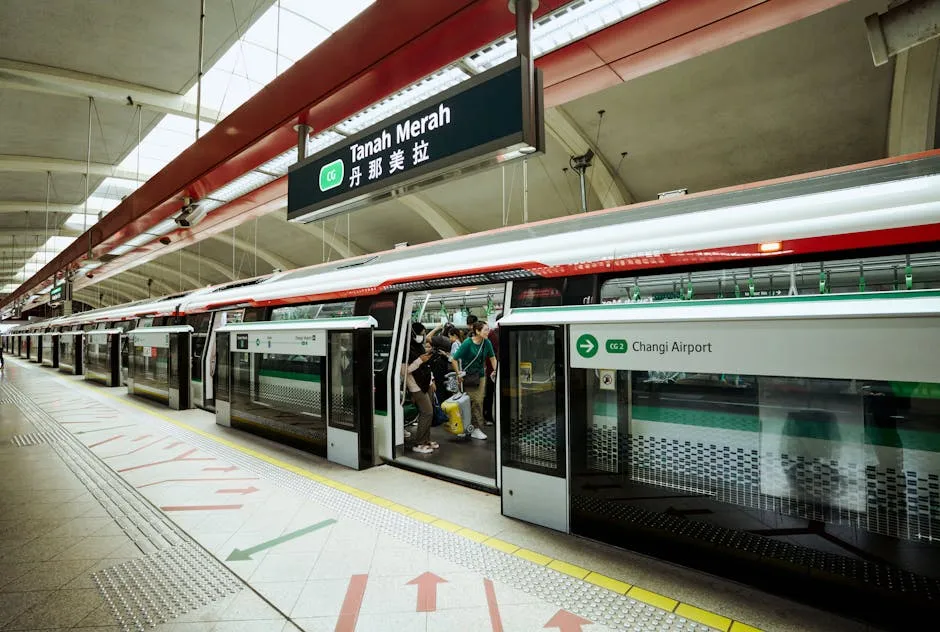
The simplest way to use Singapore’s MRT for a short visit is to tap your existing contactless Visa or Mastercard directly at the fare gate. No setup required.
This is the SimplyGo system, accepted across all MRT lines, LRT, and public buses. Foreign cards incur a flat S$0.60 administrative fee per calendar day regardless of how many trips you take, which means anyone taking more than one trip a day pays less per ride with a contactless card than they would buying an EZ-Link card (S$5 non-refundable card fee on top of the loaded balance).
The Singapore Tourist Pass gives unlimited rides on all MRT lines, LRT, and basic bus services for S$17 (1 day), S$24 (2 days), or S$29 (3 days). With a refundable S$10 deposit returned when you hand the card back within five days of purchase.
Note that the pass does NOT cover the Sentosa Express, RWS8 bus, or premium express bus services. For lighter itineraries.
Fewer than five MRT/bus trips per day. Your own contactless bank card will likely work out cheaper.
From Changi Airport to the city centre, the MRT costs approximately S$2 and takes around 30, 45 minutes to City Hall. You must board the Changi Airport Branch Line shuttle from the airport station, change to the East-West Line mainline at Tanah Merah station (take the escalator down to the concourse, then back up to the correct platform), and ride towards Joo Koon.
Grab from the airport to the CBD runs S$25, S$50 depending on time and surge, making MRT 10, 20x cheaper. Note that Terminal 4 has no MRT station.
A free shuttle bus runs from T4 to T3 before you can access the MRT.
For ride-hailing, Singapore has five apps: Grab, Gojek, Ryde, TADA, and CDG Zig. Gojek tends to undercut Grab during peak hours, though pricing flips based on driver availability.
The Straits Times tested all five apps and found no single winner. The smartest move is to have both Grab and Gojek installed and compare quoted prices before booking.
During surge pricing (weekday evenings, rain, public holidays), fares can be 1.5x or more the standard rate. Uber does not operate in Singapore.
MRT trains run from approximately 5:30am to midnight. Night bus services were discontinued, so late-night travel requires a Grab, Gojek, or metered taxi.
Taxis can be flagged from designated taxi stands or booked via the CDG Zig app; credit card payment incurs a 10% surcharge in metered cabs, so having some cash for taxis avoids the surcharge. The Early Bird discount of S$0.50 applies when you tap into any MRT station before 7:45am on weekdays.
Worth knowing for early-morning departures to the airport.
Citymapper is the navigation app most recommended by Singapore locals and long-term expats for planning MRT and bus routes, with real-time arrival data and multi-modal routing. Google Maps handles MRT directions adequately but can be less accurate on bus timings.
The official MyTransport.SG app shows real-time carriage crowding levels per train. Useful for avoiding crushes during peak hours.
Money: How Payments Actually Work
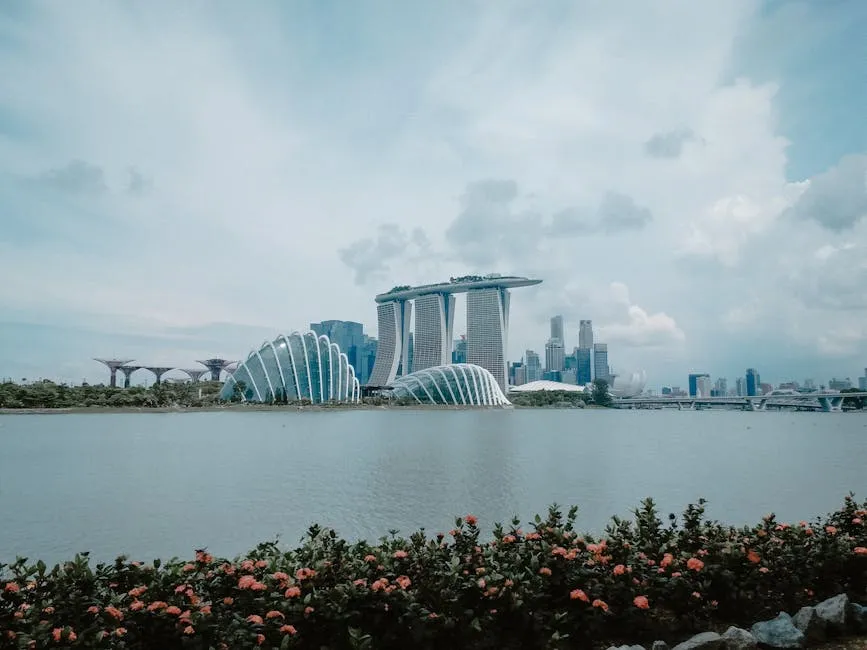
Singapore is one of the most card-friendly countries in Asia. Visa and Mastercard are accepted almost everywhere: restaurants (if air-conditioned, almost certainly), shops, tourist attractions, MRT and buses, and most taxis.
American Express works at larger venues but not on public transport. Hawker centres and some traditional neighbourhood coffee shops remain the main cash holdout, though this is changing quickly.
Cash remains essential for hawker centres and some taxis. Carry S$50, S$100 per person to cover hawker meals and any taxi surcharges.
ATMs are available at all MRT stations and in major shopping malls; DBS, UOB, and OCBC ATMs accept foreign Visa and Mastercard reliably. Singapore dollars cannot easily be spent elsewhere, so avoid changing more than you’ll use.
PayNow. Singapore’s instant bank-transfer QR system.
Is the dominant cashless method for locals but requires a Singapore bank account linked by mobile number. Tourists cannot use PayNow directly.
However, GrabPay wallet and ShopeePay both work on the NETS Hawker SGQR codes found at most hawker stalls. Top these up with your foreign Visa/Mastercard before visiting a hawker centre.
GrabPay accepts foreign card top-ups (a 1% convenience fee applies in some cases); the funds sit in your SGD GrabPay wallet for use at SGQR merchants.
Apple Pay and Google Pay work broadly across Singapore, including on the MRT, buses, convenience stores, and most modern retail terminals. Contactless wallet payments are treated the same as the underlying Visa or Mastercard for acceptance purposes.
Some older restaurant payment terminals do not support contactless. These are increasingly rare but worth having a physical card as backup.
Samsung Pay also works at contactless terminals.
Cross-border QR payment is available for visitors from Malaysia (DuitNow), Thailand (PromptPay), and Indonesia (QRIS apps). These travellers can scan Singapore’s PayNow SGQR codes as if at home.
For US, UK, and Australian visitors, GrabPay remains the most practical QR option for hawker markets, while contactless card is the fallback for everywhere else. Multi-currency cards (Wise, Revolut, YouTrip) work on the Visa/Mastercard networks and are good for keeping exchange rates in check.
Apps to Install Before You Leave
| App | Why | Cost | Platform |
|---|---|---|---|
| Grab | Ride-hailing, GrabPay wallet for cashless hawker payments, GrabFood for delivery. The single most useful app for a Singapore trip. Install before you land and link a foreign credit card to the wallet. | Free | iOS / Android |
| Gojek | Ride-hailing alternative to Grab. Often cheaper during peak hours. Always compare both Grab and Gojek prices before booking a ride. | Free | iOS / Android |
| Citymapper | Best transit navigation app for Singapore. Real-time MRT and bus arrivals, multi-modal routing, faster and more accurate than Google Maps for buses. Preferred by locals over the official LTA app. | Free | iOS / Android |
| Google Maps (with offline Singapore map) | Download Singapore offline before departure for walking navigation and backup MRT routing without data. Reliable for walking and landmark searches even in areas with spotty signal. | Free | iOS / Android |
| SimplyGo app (EZ-Link) | Top up your EZ-Link card remotely, check transit balance and journey history, and pay Hawker SGQR codes via EZ-Link Wallet. Links to a foreign card for top-ups. Use the app to set up auto top-up so your transit card never runs dry mid-journey. | Free | iOS / Android |
| MyTransport.SG | Official LTA app. Shows real-time train crowding per carriage, bus arrival times, and a full MRT map. Useful for avoiding packed trains during rush hour. | Free | iOS / Android |
| Standard messaging in Singapore. Locals, businesses, tour operators, and restaurant reservations all use WhatsApp. Works over data with no restrictions whatsoever. | Free | iOS / Android | |
| Wireless@SGx | Access Singapore’s free government Wi-Fi hotspot network available across MRT stations, libraries, shopping malls, and community centres. Foreign visitors register using their foreign mobile number via SMS OTP. No Singpass required. | Free | iOS / Android |
| iChangi (Changi Airport app) | Essential for Changi layovers. Flight tracking, terminal maps, shop listings, and the free transit tour registration. Travellers with a local number can unlock extended WiFi@Changi access (up to 24 hours) through the app. | Free | iOS / Android |
| Foodpanda / GrabFood | Food delivery apps widely used across Singapore including to most hotel rooms. GrabFood is part of the Grab app. Useful when hawker centres are closed (they typically close 9, 10pm) or for late-night meals. | Free | iOS / Android |
| TADA | Commission-free ride-hailing alternative to Grab. Claims fairer pricing for drivers and often competitive fares for passengers. Worth having installed alongside Grab and Gojek to compare. | Free | iOS / Android |
| CDG Zig | Official ComfortDelGro taxi booking app. The main platform for booking traditional metered taxis. Useful when ride-hailing surge pricing is high since metered taxi fares can be lower during peak demand. | Free | iOS / Android |
| Gardens by the Bay App | The official app provides indoor maps of Flower Dome and Cloud Forest, timed show schedules (the OCBC Garden Rhapsody Supertree light show), and digital tickets. Useful for avoiding queues. | Free | iOS / Android |
| Anywheel | Bicycle-sharing app with bike racks across Singapore’s Park Connector Network. Costs around S$1 per 30 minutes. End rental at any yellow-box zone or incur a S$5 improper parking fee. | From S$1 / 30 min | iOS / Android |
How Much Data You Actually Need
The biggest mistake travellers make is underestimating the amount of data they need, then burning through a 1GB plan before lunch on day one. Here is what real activities consume per hour:
Data per hour by activity (lower is better)
| Profile | Activities | Per Day | Week Total | Suggested Plan |
|---|
Activating Your eSIM on Arrival
⚠ Heads up: Most eSIM plans start counting from first data use, not from purchase. Activate a 3-day unlimited plan at Changi and a third of it is already gone by the time you reach your hotel. Install the profile at home on Wi-Fi and the plan stays dormant until you switch to it in Singapore; you control the clock.
Install Before You Fly: 3 Simple Steps
Save it to email, your camera roll, and a screenshot folder while you are on home Wi-Fi. Having it in three places means a dead battery or app login failure at the airport won’t strand you.
iPhone: Settings > Cellular > Add eSIM > Use QR Code. Android: Settings > Network & Internet > SIMs > Add eSIM. Label the profile “Singapore” so switching between your home SIM and travel eSIM is one tap.
Turn off airplane mode at Changi, go to Settings > Cellular, and set the Singapore eSIM as your primary data line. The plan activates automatically on first data use. You’re connected before you reach the MRT.
If You Haven’t Set It Up Yet: Changi Airport Guide
Changi Airport Main Terminals
#WiFi@Changi covers all terminals 24/7 with no registration required. Initial sessions last 3 hours and renew manually; download the iChangi app for extended 24-hour access if you have a local Singapore SIM number.
StarHub manned booths operate in T1, T2, and T3 arrival halls. Changi Recommends counters in all four terminals sell Singtel and StarHub prepaid SIMs and tourist eSIMs. 7-Eleven stores also carry prepaid SIMs.
Fallback: The Singtel hi! Tourist eSIM from S$12 (500 GB, 30 days) is available at Changi Recommends if you need an instant local data option without a pre-purchased plan.
Changi Terminal 4 (T4)
Terminal 4 handles Budget Aviation Hub flights (Cathay Pacific, Korean Air, AirAsia X, Jetstar Asia) but has no direct MRT connection. After clearing customs you must take the free Terminal Shuttle to T3 before accessing the train network. Allow 20-30 extra minutes.
#WiFi@Changi covers T4 but the SIM retail footprint is lighter than T1-T3. Changi Recommends has a counter in the T4 arrival hall.
Tip: If arriving at T4, install your eSIM before boarding. The T4 Wi-Fi is fine for the QR scan but the queue management kiosks and transit signage compete for bandwidth during peak arrivals.
Phone Numbers and SMS
WhatsApp and FaceTime both work without any restriction in Singapore, operating over your data connection as normal. If you are using a dual-SIM phone with your home SIM in one slot and a Singapore travel eSIM in the other, your home WhatsApp number remains active and receives messages via the data connection. never re-register WhatsApp with a temporary travel number, as this overwrites your account history.
FaceTime on iPhone works identically, tied to your Apple ID rather than your SIM. Two-factor authentication (2FA) from your home bank is the most common connectivity headache for travellers.
If your bank sends OTP codes via SMS to your home number, you need that number to remain reachable. Dual-SIM phones handle this automatically. Keep your home SIM active for SMS while using the Singapore eSIM for data.
Single-SIM phone users should consider moving time-sensitive accounts to an authenticator app (Google Authenticator, 1Password, Aegis) before travelling. ESIM4 users who need a Singapore-based number for services requiring local verification can access a virtual Singapore number via the Yabb companion app.
Available as a paid add-on within Yabb, separate from the base eSIM plan. Emergency numbers in Singapore: Police 999, Ambulance and Fire Brigade 995.
Both operators are English-speaking. The Singapore Tourism Board’s visitor centre hotline can assist with general queries if you are lost or need referrals.
Where You Will Actually Use Your eSIM
- Marina Bay / CBDThe Marina Bay waterfront is where data use peaks for most visitors who have visited Singapore before and know to spend evenings here. Real-time navigation between MBS, the Helix Bridge, Gardens by the Bay, and the ArtScience Museum, plus the Spectra light show schedule on the Gardens by the Bay app. 4G/5G coverage from all three major carriers is strong throughout the CBD. Use Google Maps offline here as a backup for the inevitable moment your phone gets distracted by the view and burns through its battery.
- Sentosa IslandAll three major Singapore carriers cover Sentosa well, including the beaches, Universal Studios Singapore, and S.E.A. Aquarium. Data uses here include booking timed entry slots for attractions, navigating the Sentosa Express (note: not covered by the Tourist Pass. You pay separately), and Grab for the ride from Harbourfront MRT to specific beach areas. Download attraction maps before arrival as some indoor areas of Universal Studios have patchy signal.
- Orchard RoadSingapore’s main shopping corridor has excellent 4G/5G coverage throughout, including inside all major malls (ION, Ngee Ann City, Paragon). Data use focuses on comparing prices, checking restaurant reviews, and navigation between mall entrances. The malls along Orchard are connected by underground walkways that are genuinely confusing without a map. Google Maps’ indoor mapping works in most Orchard malls.
- Chinatown / Little India / Kampong GlamAll three heritage districts have full 4G coverage. These areas are where GrabPay or ShopeePay on NETS QR codes are most useful. Many hawker stalls and small shops in Chinatown Complex, Tekka Centre (Little India), and the Arab Street area accept SGQR payments. Navigation apps are helpful for finding specific hawker stalls whose addresses are less obvious than their Google Maps pin.
- Changi AirportCovered above under activation tips. The most data-intensive uses at Changi are downloading the iChangi app if you haven’t already, checking onward flight status, and navigating the Jewel Changi indoor attractions. #WiFi@Changi covers the entire airport including transit areas, making it the one location where you can confidently rely on free airport Wi-Fi if your SIM has run out.
- Gardens by the BayFull signal coverage throughout the outdoor Supertree Grove and inside both domes (Flower Dome and Cloud Forest). The Gardens by the Bay app provides real-time show times and indoor navigation. Data is useful for the OCBC Garden Rhapsody light show schedule (free, nightly at 7:45pm and 8:45pm). Arrive early as the viewing area fills quickly and you may want to Grab back to the hotel immediately after.
- Jurong / West SingaporeWestern Singapore is a largely residential and industrial zone that most tourists only visit for the Singapore Science Centre, Snow City, or the Jurong Bird Park area. 4G coverage is consistent across HDB estates and major transport hubs, though speeds can dip in older suburban buildings. Jurong East MRT is the main interchange for the west and has full connectivity. This part of the island is where locals eat. Hawker prices can be slightly lower than tourist-area counterparts, and Citymapper is essential for navigating the bus network here.
Verdict: eSIM4.com
After reviewing all seven Singapore eSIM providers, eSIM4 is the strongest pick for most visitors. It runs on Singtel, the fastest 5G network on the island, offers the widest plan range from 1 GB day-trip packs to 30-day unlimited, and starts at $2.98, cheaper than any comparable option in this comparison. The Yabb add-on means you’re not data-only if you need a local number.
Why We Chose eSIM4
- Best Network: Singtel 5G, the fastest carrier in Singapore with island-wide coverage.
- Real Phone Number: Optional Yabb app adds calls and SMS on a routable number.
- Widest Plan Range: 1 GB to unlimited 30-day, starting from $2.98.
- Instant Setup: Install before you fly, auto-connect on landing.
- 24/7 Support: Email, chat, and WhatsApp support around the clock.
Frequently Asked Questions
Does my phone support digital SIMs?
Most smartphones released since-include this capability. To check:
iPhone: Settings → Cellular → Add eSIM (if the option exists, you’re compatible)
Android: Settings → Network & Internet → SIMs → Add eSIM
If you don’t see these options, your device may not support the technology, or it may be carrier-locked.
Can I still use WhatsApp with my regular number?
Yes. WhatsApp is tied to your phone number, not your SIM.
Once verified, it works over any internet connection. Use your travel data plan for messaging and calls through the app while keeping your original number.
When should I purchase and set up my plan?
Buy your plan 1-2 days before departure. Complete the QR code scanning and configuration while you’re still at home on Wi-Fi. This ensures you can troubleshoot any issues before you’re in transit, and guarantees instant connectivity when you land.
What happens if I run out of data?
Most providers let you purchase additional data through their app. With eSIM4, you can buy a top-up package that activates immediately. Alternatively, you can purchase a second plan and install it as a new profile.
Can I use the same plan if I travel to Malaysia?
Singapore-specific plans typically only work in Singapore. If you’re visiting multiple countries, consider:
, A regional Asia plan from Airalo or Jetpac
, Purchasing separate country-specific plans from your provider
, eSIM4’s Malaysia packages for the next leg of your trip
Can I use eSIM instead of a physical SIM card for Singapore?
Yes. An eSIM works exactly like a physical SIM card but is installed digitally. You scan a QR code, the profile loads, and your phone connects to the Singtel or StarHub network as if you had a local SIM. Physical SIM cards are still available at Changi Airport kiosks for travellers with older handsets that are not eSIM compatible, but any iPhone XS or later and most Android phones from 2020 onward support eSIM.
Does Holafly work in Singapore?
Holafly sells unlimited data eSIMs for Singapore, typically priced between $19 and $28 for 5-15 day plans. It is a legitimate provider. However, Holafly does not appear in our top picks because it does not offer capped data plans at lower price points, so it is only cost-effective for very heavy data users. For most visitors, eSIM4 or Saily deliver better value for Singapore travel.
How do I buy and activate an eSIM for Singapore?
Buy an eSIM from your chosen provider before you travel. You receive a QR code by email. Install the eSIM by going to Settings > Cellular > Add eSIM on iPhone, or Settings > Network & Internet > SIMs on Android, then scan the QR code. The profile installs in under two minutes. To activate an eSIM, switch it to your primary data line after landing in Singapore; the plan begins on first data use, not on install date.
Make sure your handset is carrier-unlocked and eSIM compatible before purchasing. Most phones bought outright are unlocked; contract handsets from some carriers may be locked to the home network.
Which network is best for eSIM in Singapore?
Singtel is the strongest network in Singapore for most travel use cases. It has the widest 5G footprint, the best indoor coverage at Changi Airport and shopping malls, and consistent performance on the MRT. StarHub is a reliable eSIM alternative used by Nomad, aloSIM, and others; it covers the same tourist corridors at slightly lower 5G density. M1 is Singapore’s third carrier and is used by some multi-network providers. For a reliable eSIM for Singapore, choose a provider that routes through Singtel.
Can I make calls with a Singapore eSIM?
Data-only eSIMs let you make calls using apps like WhatsApp, FaceTime, Telegram, and Skype over your data connection; WhatsApp and FaceTime both work without restriction in Singapore. If you need to make calls to local Singapore landlines or businesses, eSIM4 users can add the Yabb app (paid add-on) to get a routable Singapore virtual number. For SMS two-factor authentication from your home bank, keep your home SIM active in a dual-SIM slot while using the Singapore eSIM for data.
Is Singapore eSIM worth it?
Yes. Singapore hotel and airport Wi-Fi exists but is unreliable for navigation, Grab bookings, and real-time transit updates. A Singapore eSIM with unlimited data plans or a 10 GB capped plan is the easiest way to stay connected in Singapore. It covers everything a typical visitor needs for S$15-25. That is less than one airport taxi fare and far cheaper than activating international roaming on your home plan. Singapore’s eSIM with unlimited data starts at $9.98 on eSIM4 for a 3-day stay.
What eSIM options work for an Asia trip that includes Singapore?
If Singapore is one stop on a broader Asia itinerary, consider a regional eSIM for Asia rather than separate country plans. Airalo offers multi-country Asia packages covering Singapore, Thailand, Malaysia, Japan, and other destinations on a single eSIM profile. Nomad offers multi-country APAC bundles. Roamless lets you buy a single data balance that works across 150+ countries. For Singapore-only visits, country-specific plans from eSIM4 consistently offer better value than regional alternatives.
What are the best eSIMs for Singapore in terms of value?
The best eSIMs for Singapore on value are eSIM4 (cheapest per-GB, Singtel network, unlimited options), Roamless (lowest entry price at $3.95), and Nomad (cheapest short unlimited burst at $15 for 5 days). Best eSIMs for coverage quality are eSIM4 and Airalo, both on Singtel 5G. For travelers visiting Singapore on a stopover, the 1 GB / 7-day plans from eSIM4 ($2.98) or Saily ($3.99) are the most cost-effective options.
About the Author: Peter Moore
eSIM Content Writer at eSIM4
Peter Moore has spent more than seven years in telecommunications marketing, working across mobile apps, SMS services, international calling, and eSIM technology. He now writes about eSIMs and travel connectivity full-time, sharing what he’s learned to help travellers cut through provider marketing and pick what actually works.
Disclosure: This guide is published by eSIM4. While we believe our product offers excellent value, we’ve included competitor information to help you make an informed decision.
