












eSIM Korea
Best eSIM for South Korea: Top eSIMs Ranked

Dec
Read our full review of the best eSIMs for South Korea

Verdict: eSIM4.com
eSIM4 offers the best eSIM for South Korea overall. It runs on KT Corporation, the country’s second-largest network provider, with nationwide 5G and in-tunnel Seoul Metro coverage.
The eSIM ensures reliable coverage across South Korea without swapping physical SIMs. Plans start from $2.98 and scale up to 30-day unlimited data at $70.98, giving a smooth eSIM experience across every trip length.
The eSIM includes data only at the base level, but the Yabb app (paid add-on) adds calls and SMS on a routable local number.
Why We Chose eSIM4
- Best Network: KT 5G across all major cities, including in-tunnel Seoul Metro coverage.
- Real Phone Number: Optional Yabb app adds calls and SMS on a routable number.
- Widest Plan Range: 1 GB to unlimited 30-day, starting from $2.98.
- Instant Setup: Install before you fly, auto-connect on landing at Incheon.
- 24/7 Support: Email, chat, and WhatsApp support around the clock.
Our Analysis
- Verified network carrier (KT) from eSIM4’s live South Korea product page
- Tested plan structure against 7 competitor providers across data allowance, validity, and per-GB cost
- Checked feature matrix against live competitor sites: support tiers, hotspot availability, reusability
- Reviewed eSIM4’s Yabb app functionality for calls and SMS on a real number
The Best eSIM for South Korea: 8 Providers Tested
South Korea has some of the fastest mobile networks on the planet. Getting there without a working data connection is a genuine problem, not just an inconvenience.
Google Maps navigation is intentionally broken in South Korea due to national security restrictions on map data export. You need Naver Maps or Kakao Maps to navigate, and both require reliable internet access to function.
An eSIM for data gives you fast, reliable mobile data from arrival. It is the fastest way to get connected before you leave.
Roaming charges from US, UK, and Australian carriers typically run $10-15 per day. An eSIM solves this before you leave: buy one of the eSIM plans online, scan the QR code, and you have reliable connectivity from the moment you clear customs at Incheon.
No physical SIM card swap needed. You scan a QR code to load the eSIM card profile before you fly, no queuing at the airport kiosk.
Eight providers now sell South Korea eSIMs. They are not all the same.
Coverage differs between KT, SK Telecom, and LG U+. South Korea runs on 4G LTE and 5G nationwide.
KT and SK Telecom are the two largest carriers and coverage in urban areas is close to equal between all three networks. Plan variety ranges from 1 GB short trips to unlimited data for 30 days.
Pricing varies by up to 60 percent for identical data packages.
This guide ranks every major provider by real-world value for South Korea travel. It covers which eSIM works best for your trip to South Korea.
Fixed data plans, unlimited data options, and large-allowance picks for extended stays. Here is what will work best for each trip type.
Top Recommendations at a Glance
- Top Pick: eSIM4 (Best Overall) – KT 5G nationwide, plans from $2.98, Yabb app for calls. eSIM4 plans work best for the widest range of South Korea trips.
- Best for Short Trips: Nomad eSIM – Unlimited plans activate on first use, not on purchase.
- Best for Long Stays: Jetpac – 30 GB / 30-day at $34.99, lowest entry price at $1.
- Best Multi-Country: Roamless – One eSIM profile for 150+ countries, no reinstalling.
Quick Comparison: Top eSIM Providers for South Korea
All prices verified. Starting from the cheapest available plan per provider.
| Rank | Provider | Rating | Best For | Starting Price | Network |
|---|---|---|---|---|---|
| #1 | ⭐ eSIM4 | 4.8 | Top Pick / Yabb Calling App | $2.98 | KT 4G/5G |
| #2 | Saily | 4.4 | NordVPN-backed security | $3.99 | SK Telecom / KT |
| #3 | Nomad | 4.3 | Unlimited short-trip plans | $4.00 | KT 4G/5G |
| #4 | Jetpac | 4.2 | Lowest entry price | $1.00 | SK Telecom / KT |
| #5 | GigSky | 4.0 | Established provider | $4.99 | 4G/5G |
| #6 | aloSIM | 4.1 | Mid-range value | $4.50 | 4G/5G |
| #7 | Airalo | 4.3 | Biggest brand, 50 GB option | $4.00 | LG U+ / KT |
| #8 | Roamless | 4.0 | Multi-country single profile | $3.95 | 4G/5G |
Top eSIM Providers
Detailed reviews with verified pricing and carrier-specific notes.

eSIM4
Best Overall for South Korea

eSIM4’s South Korea plans run on KT (Korea Telecom), the country’s second-largest carrier and the one with the deepest nationwide 5G footprint outside central Seoul. You get full 5G in Seoul, Busan, Jeju, and Gyeongju at prices that beat Incheon Airport kiosk SIMs by 60 percent or more, with unlimited plans starting at $10.98 for 3 days.
Coverage
KT blankets all major South Korean cities and the transit corridors between them with 5G. Expect 400-900 Mbps in Gangnam, Hongdae, and Myeongdong, and consistent 150-300 Mbps 4G across Jeju’s interior and the national park trails around Seoraksan. Seoul Metro lines 1-9 all have in-tunnel 4G signal, so you stay connected on every underground section of your commute.
Activation Process
Install the QR code profile on home Wi-Fi before you leave. On iPhone: Settings > Cellular > Add eSIM > Use QR Code. On Android: Settings > Network & Internet > SIMs > Add eSIM. Label the profile ‘South Korea’ before landing so you can switch to it in one tap at Incheon. Skip the SKT and KT kiosks in Arrivals Hall, which sell 7-day tourist SIMs for KRW 15,000-25,000 with no unlimited option.
Price
Plans start at $2.98 for 1 GB / 7 days, less than a single Gyeongbokgung Palace entry. The 5 GB / 30-day plan at $9.98 covers a typical week-long trip with room to spare.
Unlimited plans start at $10.98 for 3 days, matching most South Korea itineraries. Every plan shows the crossed-out was-price so you see the exact saving.
Data Plans
| Data | Duration | Price | Savings |
|---|---|---|---|
| 1GB | 7 Days | $8.10 $2.98 | Save $5.12 |
| 2GB | 15 Days | $12.60 $5.98 | Save $6.62 |
| 3GB | 30 Days | $16.20 $7.98 | Save $8.22 |
| 5GB | 30 Days | $19.80 $9.98 | Save $9.82 |
| 10GB | 30 Days | $36.00 $18.98 | Save $17.02 |
| 20GB | 30 Days | $57.60 $30.98 | Save $26.62 |
| Unlimited | 3 Days | $22.50 $10.98 | Save $11.52 |
| Unlimited | 5 Days | $36.90 $18.98 | Save $17.92 |
| Unlimited | 7 Days | $53.10 $27.98 | Save $25.12 |
| Unlimited | 10 Days | $63.00 $33.98 | Save $29.02 |
| Unlimited | 15 Days | $88.20 $47.98 | Save $40.22 |
| Unlimited | 30 Days | $130.50 $70.98 | Save $59.52 |
Pros
- KT 5G across all major cities and Jeju Island with in-tunnel Seoul Metro signal
- Unlimited plans from $10.98 (3 days), up to 30-day unlimited for long stays
- Real phone number option via the Yabb app for calls, SMS, and 2FA
- Instant QR activation on home Wi-Fi, auto-connects on landing at Incheon
- 24/7 customer support with email, live chat, and WhatsApp
Cons
- Calls and SMS require downloading the Yabb app separately (paid add-on within the app)

Saily
Clean app, strong Seoul coverage
Saily is built by the team behind NordVPN and brings the same clean interface to eSIM. Its South Korea coverage spans the three major cities and Jeju with competitive pricing on short-duration plans, making it a good pick for long-weekend trips to Seoul.
Coverage
Saily connects through SK Telecom or KT in South Korea, giving automatic carrier selection across Seoul, Busan, and Incheon. City-centre 5G speeds in Gangnam and Hongdae typically reach 200-500 Mbps. Coverage extends reliably into the suburban districts of Seoul and through the Busan metro corridors.
Activation Process
Buy in the Saily app on iOS or Android and tap install on the confirmation screen. IOS offers one-tap direct activation; Android requires a manual QR scan. Install on home Wi-Fi before departure, then toggle data to the Saily line after landing at Incheon International Airport (ICN).
Price
1 GB / 7 days is $3.99, a dollar more than eSIM4. The 10 GB / 30-day plan at $18.99 is competitive. The Unlimited 15-day plan at $48.99 is the standout for the serious explorer covering Seoul, Busan, and Jeju on one trip.
Data Plans
| Data | Duration | Price |
|---|---|---|
| 1GB | 7 Days | $3.99 |
| 3GB | 30 Days | $8.99 |
| 5GB | 30 Days | $10.99 |
| 10GB | 30 Days | $18.99 |
| 20GB | 30 Days | $29.99 |
| Unlimited | 15 Days | $48.99 |
Pros
- Beginner-friendly app with guided installation from the NordVPN team
- Automatic carrier switching between SK Telecom and KT
- Unlimited 15-day plan covers most South Korea itineraries
Cons
- Data-only, no voice or SMS
- No unlimited 30-day plan for longer stays

Nomad
Best unlimited short-trip plans
Nomad is a Singapore-based eSIM provider with strong Asia-Pacific coverage including South Korea. Its unlimited 3-day and 7-day plans are the sharper pick for a long weekend in Seoul or a quick hop between Busan’s Haeundae Beach and the Jagalchi Fish Market.
Coverage
Nomad routes through KT in South Korea. Seoul’s Han River parks, the Bukchon Hanok Village, and the entire Gyeonggi Province commuter belt all get 5G at 300-700 Mbps. Jeju runs 4G at 80-150 Mbps island-wide, with a signal up Hallasan’s White Deer Lake trail at mid-mountain.
Activation Process
Buy on the Nomad website or app and scan the QR code to install on home Wi-Fi. The plan activates on first data use in South Korea, not on purchase, so a 3-day unlimited plan won’t start counting until you land at Incheon or Gimpo.
Price
1 GB / 7 days is $4.00. The 10 GB / 30-day plan at $18.00 is a few dollars pricier than eSIM4 for the same allowance. The Unlimited 3-day plan at $11.00 is the best value for a Seoul long weekend, and Unlimited 7-day at $23.00 works well for a week covering multiple cities.
Data Plans
| Data | Duration | Price |
|---|---|---|
| 1GB | 7 Days | $4.00 |
| 3GB | 30 Days | $8.00 |
| 5GB | 30 Days | $10.00 |
| 10GB | 30 Days | $18.00 |
| 20GB | 30 Days | $25.00 |
| 50GB | 30 Days | $39.00 |
| Unlimited | 3 Days | $11.00 |
| Unlimited | 5 Days | $17.00 |
| Unlimited | 7 Days | $23.00 |
| Unlimited | 10 Days | $31.00 |
Pros
- Unlimited plans start at $11 (3 days), activate on first use not purchase
- Strong KT network for consistent speeds across Seoul and Jeju
- No account required at checkout
Cons
- Pricier per GB than eSIM4 on fixed-data plans
- No unlimited 15-day or 30-day option

Jetpac
Big-data plans for extended stays

Jetpac evolved from a pocket-Wi-Fi rental brand and brought its large-allowance philosophy into eSIM. Its 30 GB and 40 GB monthly plans are unusual in this market and suit remote workers settling into a co-working space in Hongdae or Seongsu for a month.
Coverage
Jetpac connects through SK Telecom or KT in South Korea. SK Telecom is the country’s largest carrier with the highest 5G market share, giving you 400-1000 Mbps in Seoul’s business districts and 200-400 Mbps in secondary cities like Daejeon and Daegu. Coverage extends into the DMZ visitor areas and the Gyeongju historic sites.
Activation Process
Install via the Jetpac app on iOS or Android. The QR code appears on the order confirmation screen. The app displays real-time data usage so you can monitor your balance and buy a top-up plan if the first runs low.
Price
Entry is $1.00 for 1 GB / 4 days, the lowest starting price on this list. The 10 GB / 30-day plan at $17.00 undercuts Airalo by $3. The 30 GB / 30-day at $34.99 is strong value for a month-long stay, and the Unlimited 10-day plan at $33.99 is one of the few unlimited options on this list.
Data Plans
| Data | Duration | Price |
|---|---|---|
| 1GB | 4 Days | $1.00 |
| 3GB | 7 Days | $9.00 |
| 5GB | 30 Days | $11.00 |
| 10GB | 30 Days | $17.00 |
| 15GB | 30 Days | $22.50 |
| 20GB | 30 Days | $43.00 |
| 30GB | 30 Days | $34.99 |
| 40GB | 30 Days | $44.99 |
| Unlimited | 10 Days | $33.99 |
Pros
- Lowest entry price at $1 for 1 GB (4 days)
- 30 GB and 40 GB 30-day plans for extended stays
- Unlimited 10-day plan at $33.99 for heavy users
Cons
- Entry plan only valid for 4 days, shorter than most competitors
- Data-only, no voice or SMS

GigSky
Established provider, premium price

GigSky is a California-based eSIM veteran that has operated since the early carrier-direct era of embedded SIMs. Its South Korea coverage is reliable but its pricing is among the highest on this list, which is hard to overlook when eSIM4 or Nomad offer the same network at half the cost.
Coverage
GigSky provides 4G and 5G coverage across South Korea through the major domestic carriers. Seoul, Busan, Incheon, and Jeju Island all have consistent signal. Speeds in central Seoul typically reach 100-300 Mbps on 4G.
Activation Process
Buy through the GigSky app or website. A QR code is emailed and displayed in the app. Install on home Wi-Fi before departure; the plan activates on first data use in South Korea.
Price
1 GB / 7 days is $4.99, 67 percent more than eSIM4’s same plan. The 3 GB / 15-day at $10.19 and 10 GB / 30-day at $33.99 are notably higher per GB than every other provider on this list. GigSky’s value case is weak unless it is the only option that works on your specific device.
Data Plans
| Data | Duration | Price |
|---|---|---|
| 1GB | 7 Days | $4.99 |
| 3GB | 15 Days | $10.19 |
| 5GB | 30 Days | $18.69 |
| 10GB | 30 Days | $33.99 |
Pros
- Long-standing provider with an established reputation for reliability
- Consistent 4G/5G coverage across major South Korean cities
- In-app usage tracking and plan management
Cons
- Significantly more expensive per GB than eSIM4, Nomad, and Jetpac
- No unlimited plan option for South Korea

aloSIM
Simple mid-range option for South Korea
aloSIM is a Canadian eSIM app with clean design and fair mid-market pricing. Its South Korea plans sit between eSIM4’s low-end and GigSky’s premium, making it a reasonable backup pick if your primary choice doesn’t work on your device.
Coverage
aloSIM covers South Korea through the major domestic carriers, including Seoul’s central business districts, Busan’s coastal areas, and Jeju Island. Urban 4G speeds are typically 80-200 Mbps with 5G available in major city centres.
Activation Process
Buy in the aloSIM app (iOS or Android), scan the QR on the order confirmation screen, and install on home Wi-Fi. The plan clock starts on first data use in South Korea rather than on the install date.
Price
1 GB / 7 days is $4.50, about $1.50 more than eSIM4. The 5 GB / 30-day plan at $11.00 is close to eSIM4’s $9.98. The 10 GB / 30-day at $21.00 is $2 pricier than eSIM4 and $3 more than Jetpac for the same allowance.
Data Plans
| Data | Duration | Price |
|---|---|---|
| 1GB | 7 Days | $4.50 |
| 2GB | 15 Days | $7.00 |
| 3GB | 30 Days | $9.50 |
| 5GB | 30 Days | $11.00 |
| 10GB | 30 Days | $21.00 |
| 20GB | 30 Days | $32.00 |
Pros
- Simple app with low-friction checkout process
- Plan timer starts on first data use, not on install
- Reasonable mid-tier pricing on 5 GB plans
Cons
- More expensive than eSIM4 across every plan tier
- No unlimited option for South Korea

Airalo
Biggest eSIM brand, not the best price

Airalo is the most downloaded travel eSIM app globally and carries strong brand recognition. Its South Korea plans (KoreaSIM) connect through LG U+ or KT and are reliable for city travel, though using LG U+ means slightly thinner coverage than KT or SK Telecom in rural and mountainous areas.
Coverage
Airalo’s KoreaSIM plans run through LG U+ or KT. Central Seoul, Busan, and Incheon all hit 150-400 Mbps on 5G. The LG U+ network is excellent for Myeongdong, Insadong, and Dongdaemun, though hikers tackling Bukhansan or Naejangsan may see more signal drops than on KT.
Activation Process
Buy in the Airalo app and tap the Direct Install button (iOS 17.4+ or modern Android) or scan the QR. Install on home Wi-Fi. Airalo plans activate on first data use in South Korea, not on install, so your day count starts when you land at Incheon.
Price
1 GB / 3 days is $4.00, which gives you shorter validity than eSIM4’s 1 GB / 7 days at $2.98. The 5 GB / 30-day plan at $11.00 is $1 more than eSIM4’s equivalent. The 50 GB / 30-day plan at $49.00 is the largest fixed-data option on this list and suits a month-long remote worker.
Data Plans
| Data | Duration | Price |
|---|---|---|
| 1GB | 3 Days | $4.00 |
| 3GB | 3 Days | $8.00 |
| 3GB | 7 Days | $9.00 |
| 5GB | 7 Days | $10.00 |
| 5GB | 15 Days | $10.50 |
| 5GB | 30 Days | $11.00 |
| 10GB | 7 Days | $19.00 |
| 10GB | 15 Days | $19.50 |
| 10GB | 30 Days | $20.00 |
| 20GB | 15 Days | $31.00 |
| 20GB | 30 Days | $32.00 |
| 50GB | 30 Days | $49.00 |
Pros
- Largest travel eSIM brand with strong customer support
- One-tap iOS Direct Install on recent iPhones
- 50 GB / 30-day plan for heavy long-stay users
Cons
- 1 GB entry plan expires in 3 days, half of eSIM4’s 7-day validity
- LG U+ coverage thinner than KT or SKT in rural and mountainous areas

Roamless
Multi-country eSIM, pay-as-you-go
Roamless uses a single eSIM profile that covers 150+ countries, including South Korea. It’s the practical pick for a multi-stop Asia trip chaining South Korea with Japan, Taiwan, or Singapore: one profile installed once, no switching between QR codes.
Coverage
Roamless provides 4G and 5G coverage across South Korea through domestic carrier partners. Seoul, Busan, and Jeju Island all have solid signal. The multi-country model means you use the same profile on every subsequent destination without buying a new plan.
Activation Process
Buy in the Roamless app, install the eSIM profile once on home Wi-Fi, and top up via in-app purchase for each country you visit. The same profile works across all supported destinations, so there’s no reinstalling when you move between countries.
Price
South Korea pricing starts at $3.95 for 1 GB / 30 days. The 5 GB / 30-day at $10.95 is close to eSIM4’s price.
The 10 GB / 30-day at $19.95 is $1 more than eSIM4 and $2 more than Jetpac. No unlimited option is available for South Korea.
Data Plans
| Data | Duration | Price |
|---|---|---|
| 1GB | 30 Days | $3.95 |
| 2GB | 30 Days | $7.95 |
| 3GB | 30 Days | $8.95 |
| 5GB | 30 Days | $10.95 |
| 10GB | 30 Days | $19.95 |
| 20GB | 30 Days | $31.95 |
Pros
- One profile works across 150+ countries, no reinstalling between stops
- Long 30-day validity on every plan
- Competitive per-GB pricing on 5 GB and 10 GB tiers
Cons
- No short-trip plans (everything is 30 days minimum)
- No unlimited option for South Korea
Before You Leave For South Korea: What You Need To Know
The pricing comparison above tells you which eSIM to buy. This part tells you how to actually use it once you land. And the things first-time visitors consistently get wrong.
Researched and verified against live sources. Every non-obvious claim links to its primary source.
Google Maps Will Not Navigate You Anywhere in South Korea
Google Maps shows points of interest and can display transit routes in South Korea, but its turn-by-turn driving navigation is completely non-functional. South Korea’s National Security Act prohibits the export of detailed domestic map data to foreign servers, which means Google’s servers cannot legally process navigation requests for Korean roads.
Download Naver Maps or Kakao Maps before you land. Both offer full navigation, transit directions, and English-language interfaces.
Kakao Pay and Naver Pay Are Closed to Tourists. Here Is What Actually Works
South Korea has one of the world’s most advanced digital payment ecosystems, but Kakao Pay and Naver Pay both require a Korean bank account or a Korean-issued credit card for most payment features, making them effectively inaccessible to tourists. In practice, foreign Visa and Mastercard contactless payments work well in most Seoul shops, convenience stores, and restaurants. The exception: traditional markets like Gwangjang Market and Namdaemun remain cash-heavy, and many street food stalls only take cash.
T-money: The One Card That Works Everywhere
The T-money card is a prepaid transit card that covers every subway, city bus, and most taxis across the entire country. Seoul, Busan, Jeju, and beyond.
You tap on and tap off; Seoul’s integrated fare system automatically calculates discounted transfer fares when you switch between subway and bus within 30 minutes. Pick one up at Incheon Airport on arrival from any GS25 or CU convenience store (typically ₩3,000 for the card), load it with cash at any subway station machine or convenience store, and use it for the rest of your trip.
Kakao T Taxis Work for Foreigners. With One Catch
Kakao T is South Korea’s dominant ride-hailing app (similar to Uber) and accepts foreign Visa and Mastercard. Download it before you arrive and register your card in the app.
Most drivers do not speak English so having your destination typed in Korean (copy from Google Translate or Papago) will help. Kakao T also covers intercity buses, trains, and flights, making it a one-stop mobility hub for the whole trip.
Tipping Is Not a Custom in South Korea. And Can Be Awkward
South Korea has no tipping culture and leaving a tip will often cause confusion. At traditional restaurants, jjimjilbangs (bathhouses), and street food vendors, tipping is not expected and some staff may be unsure how to respond.
The practice is uncommon enough that many locals will try to return the money. A sincere ‘jal meogeosseumnida’ (it was delicious) after a meal is more culturally appropriate than leaving cash on the table.
The Korea Tourism Organization confirms tipping is not standard practice.
Papago, Not Google Translate, Is the Translator of Choice Here
While Google Translate handles Korean adequately, Naver Papago is specifically trained on Korean and produces noticeably more natural translations, particularly for menus, signs, and conversational phrases. Papago’s camera translation mode (point at text to translate instantly) is especially useful in traditional markets, pharmacies, and non-touristy restaurants where menus are Korean only. Download it before you leave home as it works offline for Korean-English.
KTX Trains vs SRT Trains: Two Separate Booking Systems
South Korea has two high-speed rail operators that do not share a booking platform. KTX (Korea Train Express) is operated by KORAIL and covers most routes including Seoul-Busan, Seoul-Gyeongju, and Seoul-Mokpo.
SRT (Super Rapid Train) is operated separately by SR and departs from Suseo station in southern Seoul rather than Seoul Station. Both require separate apps or websites for booking.
Foreign tourists can book KTX via the KORAIL English site or the Korail Talk app; SRT bookings can be made at the station.
Korea Tour Card: The Tourist-Specific T-money That Saves Money
Beyond the standard T-money card, there is a Korea Tour Card specifically designed for foreign visitors. It functions as a standard T-money transit card but includes added discounts at tourist attractions, duty-free shops, and select restaurants.
It was previously sold at airport vending machines but as of late 2023 is now sold at convenience stores (CU, GS25). The card costs ₩4,000 and is worth it if you plan to visit multiple paid tourist sites.
Power Adapters: Korea Uses Type C/F at 220V
South Korea runs on 220V at 60Hz and uses Type C and Type F round two-pin plugs. The same standard used across most of continental Europe.
US-bought appliances rated 110V only (older hairdryers, shavers) will be damaged without a voltage converter. Most modern phones, laptops, and USB-C chargers are dual-voltage (100-240V) and just need a cheap physical adapter.
Korean hotel bathrooms almost always have 110V shaver sockets as a convenience for travellers, but they are low-wattage and only safe for razors.
The 1330 Korea Travel Helpline: Free English Help Anywhere in the Country
South Korea operates a free 24-hour travel helpline at 1330 (dial directly in Korea; from overseas: +82-2-1330) that offers English, Japanese, and Chinese language support for tourists. Volunteers can help with everything from translation emergencies to lost property, finding hospitals, and local recommendations.
The service is run by the Korea Tourism Organization and is one of the most traveller-friendly public services in Asia. Save the number before you land.
How To Travel Around South Korea

The T-money card is the single most useful item a tourist can carry in South Korea. Available at every CU and GS25 convenience store in Incheon International Airport arrivals for ₩3,000, it covers the Seoul subway (all lines), city buses, the AREX airport rail link, taxis with card readers, and public transit in Busan, Gyeongju, and Jeju.
Top it up with cash at any subway station machine or convenience store. Seoul’s integrated fare system gives transfer discounts when switching between subway and bus within 30 minutes.
The card handles this automatically.
For intercity travel, South Korea’s KTX high-speed rail connects Seoul to Busan in about 2.5 hours and Gyeongju in around 2 hours. Book in advance via the Korail Talk app or the KORAIL English website.
Trains sell out on weekends and public holidays. A separate high-speed operator, SRT, runs from Suseo station (not Seoul Station) and is often cheaper for the same Seoul-Busan route; it requires a separate booking through its own app or website.
Taxis in Seoul are metered and generally honest. Standard taxis (orange or silver) start at around ₩4,800. Kakao T is the recommended app for flagging a taxi as it accepts foreign credit cards in-app, shows driver details, and shares your route in real-time.
Kakao Mobility’s ‘Black’ tier (black taxis) offers English-speaking drivers at premium rates. Worth it for airport runs with heavy luggage.
Taxis to Incheon Airport from central Seoul typically cost ₩60,000-80,000 depending on traffic; the AREX express train (₩9,500) or direct all-stop train (₩4,150 on T-money) is faster.
The Seoul subway system is one of the most comprehensive in the world, with 23 lines covering the entire metro area including outer satellite cities. English signage covers every station, departure boards display information in Korean and English, and real-time transit apps like Naver Maps and Kakao Maps give transit directions door-to-door.
The subway runs from approximately 5:30am to midnight daily. Busan has its own subway network (4 lines), also T-money compatible, covering all major tourist areas including Haeundae Beach, Jagalchi Fish Market, and Gamcheon Culture Village.
Jeju Island is connected to the mainland by frequent short-haul flights (about 1 hour from Seoul Gimpo) and ferry services. On the island, renting a car is strongly recommended as public bus coverage outside Jeju City is limited.
Kakao T and local taxi apps operate on Jeju but availability outside the city can be low. For the eastern Hallasan hiking trails and scenic coastal drives, having your own wheels makes a significant difference to what you can see in a day.
Money: How Payments Actually Work

South Korea runs heavily on card and mobile payment in cities, but cash remains essential for certain situations. Most convenience stores (CU, GS25, 7-Eleven, Emart24), restaurants, and malls accept foreign Visa and Mastercard contactless payments with no issues.
However, Gwangjang Market. Famous for mung bean pancakes and raw beef.
Operates almost entirely on cash, as do Namdaemun Market stalls, pojangmacha (street food tent) vendors, and independent jjimjilbang (sauna/bathhouse) facilities. Carry at least ₩50,000-100,000 in cash for market visits.
ATMs that accept foreign cards are widely available but not universal. Look for ATMs at 7-Eleven and GS25 convenience stores, which almost always accept international Visa and Mastercard.
Bank ATMs (KB Kookmin, Shinhan, Woori) work for foreign cards during business hours but can be unreliable on weekends. Incheon Airport arrivals halls have dedicated foreign exchange counters and international ATMs on both Terminal 1 and Terminal 2 ground floors.
Exchanging a small amount of won before you leave the airport is practical. Korea Exchange (KEB) Hana Bank counters in the arrivals halls offer competitive rates.
The Korean won (₩) trades in large denominations: ₩1,000 is approximately $0.75 USD. Getting used to thinking in thousands helps.
A subway ride costs around ₩1,500, a street tteokbokki (spicy rice cake) snack around ₩3,000-5,000, and a sit-down Korean BBQ dinner for two around ₩40,000-60,000. Budget travellers can eat very well on ₩20,000-30,000 per day if sticking to convenience store kimbap (rice rolls), gimbap restaurants (budget Korean rice roll shops), and market food. Keep ₩500 coins for some vending machines and older laundromats in guesthouses.
Tipping is not practised in South Korea and no service charge is expected or added to restaurant bills. This applies everywhere from street food stalls to upscale Gangnam dining rooms.
The total on the bill is what you pay. The Korea Tourism Organization confirms tipping is not part of Korean dining or service culture.
Attempting to tip at traditional Korean restaurants or with older taxi drivers may cause confusion and the money will often be returned.
Apps to Install Before You Leave
| App | Why | Cost | Platform |
|---|---|---|---|
| Naver Maps (네이버 지도) | The only reliable turn-by-turn navigation app in South Korea. Google Maps navigation is blocked by law; Naver Maps covers roads, transit, walking, and real-time traffic with an English interface. Download for offline use before arriving. | Free | iOS / Android |
| Kakao Maps (카카오맵) | Alternative to Naver Maps with strong transit integration and excellent local business listings. Slightly better for Seoul metro transit route planning. Backup app if Naver Maps has any issues. | Free | iOS / Android |
| Kakao T (카카오 T) | South Korea’s main ride-hailing app. Taxis, buses, trains, and flights in one place. Accepts foreign Visa and Mastercard. Use for any taxi booking, especially at night when street hailing is harder. | Free (pay per ride) | iOS / Android |
| Papago (파파고) | Naver’s Korean-English translator. Noticeably more accurate than Google Translate for Korean, especially menus and conversational phrases. Camera mode translates text from photos in real-time. Works offline. | Free | iOS / Android |
| Korail Talk (코레일 톡) | Official KORAIL app for booking KTX and regular train tickets. Foreign credit cards accepted. Book seats in advance. Trains between Seoul and Busan sell out on Friday afternoons and Korean public holidays. | Free (pay per ticket) | iOS / Android |
| SRT (에스알티 수서고속철도) | Booking app for SR’s high-speed trains departing from Suseo station. Often cheaper than KTX for the same Seoul-Busan route. Requires separate registration from KORAIL. | Free (pay per ticket) | iOS / Android |
| Seoul Metro (서울 지하철) | Official Seoul subway app with real-time departure times, line status, and route planning. Useful for checking delays and planning transfer-heavy routes across Seoul’s 9+ subway lines. | Free | iOS / Android |
| T-money (티머니) | Official app for checking T-money card balance, transaction history, and finding top-up locations nearby. Useful if you need to track spending or locate a machine when your card is running low. | Free | iOS / Android |
| Naver (네이버) | Korea’s dominant search engine and the starting point for most local restaurant, shop, and attraction reviews. English interface available. More reliable than Google for finding local Korean business information, hours, and menus. | Free | iOS / Android |
| KoreaTouristPass / Visit Korea App | The Korea Tourism Organization’s official app with curated itineraries, attraction info, event listings, and access to the 1330 English travel helpline. Useful for checking official opening hours and admission costs. | Free | iOS / Android |
| High Spicy Korea / Mangoplate | Korean restaurant discovery app with crowd-sourced reviews. Particularly useful in non-touristy neighbourhoods where English menus are rare. Filter by neighbourhood and cuisine type. | Free | iOS / Android |
| KakaoBank / Wise (for currency) | Wise’s multi-currency card is among the best for avoiding foreign transaction fees in South Korea. Load Korean won before you go for ATM withdrawals without the typical 3-5% markup from major US/UK banks. | Free (Wise charges small transfer fees) | iOS / Android |
How Much Data You Actually Need
The biggest mistake travellers make is underestimating the amount of data they need, then burning through a 1GB plan before lunch on day one. Here is what real activities consume per hour:
Data per hour by activity (lower is better)
| Profile | Activities | Per Day | Week Total | Suggested Plan |
|---|
Activating Your eSIM on Arrival
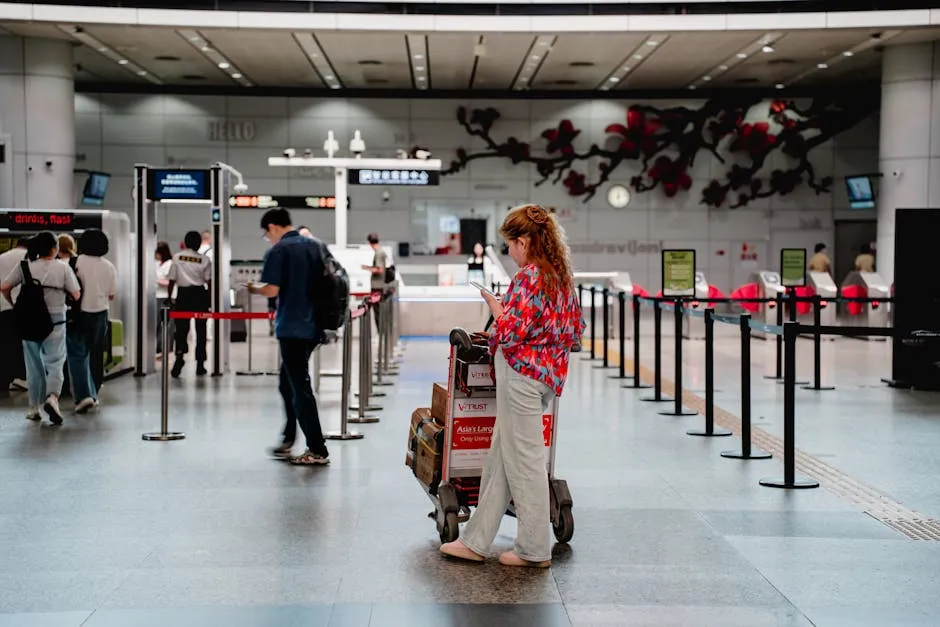
Incheon International Airport (ICN) is split into two terminals: Terminal 1 (T1) handles most international airlines including most full-service carriers, while Terminal 2 (T2) handles Korean Air, Delta, Air France, KLM, and their alliance partners. Both terminals are connected by a free automated people mover (approximately 5 minutes).
Incheon Airport is consistently rated among the world’s best for connectivity. Free Wi-Fi (IIAC_Wifi_Free) is available throughout both terminals with no login required, running at 100+ Mbps speeds.
This means you can activate a QR-delivered or app-based eSIM in the arrivals hall before clearing customs, without needing a local SIM. For in-airport SIM and eSIM services, all three major Korean carriers maintain service counters in both T1 and T2 arrivals halls.
KT (kt.com), SK Telecom (sktelecom.com), and LG U+ (uplus.co.kr) all offer tourist data SIM options at the counters, typically valid for 5, 10, or 30 days. ESIM QR codes from international providers like eSIM4 can be scanned and activated using the free airport Wi-Fi as soon as you land.
No need to wait at a carrier counter. T-money cards are sold at GS25 and CU convenience stores in both terminals (landside and airside), so you can pick up your transit card before leaving the airport.
For passengers arriving into Gimpo Airport (GMP), which handles domestic flights and some short-haul international routes to Tokyo and Beijing, the setup is simpler: free Wi-Fi is available throughout, and CU and GS25 stores in arrivals sell T-money cards. Gimpo is connected to central Seoul by subway Line 5 and the GIMPO GOLDLINE metro. Both T-money compatible.
For Gimhae International Airport (PUS) serving Busan, free terminal Wi-Fi is available, carrier SIM counters are present in arrivals, and the Busan-Gimhae Light Rail Transit (BGL) connects the airport to Sasang station on Busan Metro Line 2, accepting T-money.
Phone Numbers and SMS
Most tourist phones arriving in South Korea will work on eSIM data without any issues. South Korea’s three major carriers (KT, SK Telecom, LG U+) all operate 4G LTE and 5G networks with strong coverage in Seoul, Busan, and Jeju. For travellers who need to keep their home number active for bank SMS codes and two-factor authentication while abroad, the simplest solution is a dual-SIM phone: keep the home SIM active (even with roaming data turned off) just to receive SMS, while using the Korean eSIM for data.
Calls and SMS to your home number will still route through when the SIM is installed. If your phone is eSIM-only, services like Google Voice (US users) or a virtual number app can receive SMS codes over data.
For calls while in South Korea, WhatsApp, FaceTime (over Wi-Fi or data), and KakaoTalk voice calls work without restriction. Social media and messaging apps face no government blocking as they do in China. Emergency numbers to save: 112 (police), 119 (fire and ambulance), and 1330 (Korea Tourism Organization’s 24-hour tourist helpline in English, Japanese, and Chinese, operated by the Korea Tourism Organization).
The 1330 service can assist with translation emergencies, medical navigation, and travel problems anywhere in the country.
Where You Will Actually Use Your eSIM
- Seoul. Gangnam, Hongdae, Myeongdong, InsadongConstant connectivity is the norm in Seoul. Naver Maps navigation, Kakao T taxi booking, real-time translation of menus in back-street restaurants, and live Google Translate of signage in traditional Insadong craft shops are all daily eSIM use cases. Myeongdong street food alleys are cash-heavy but surrounding shopping centres accept mobile payments. Hongdae’s late-night live music venues and club strip benefit from having maps and ride apps ready at 2am when taxis cluster.
- Busan. Haeundae Beach, Jagalchi Fish Market, Gamcheon Culture VillageBusan’s layout is hilly and not intuitive on foot. Naver Maps is essential for navigating the winding lanes of Gamcheon Culture Village (the ‘Santorini of Korea’), and for timing the Busan Metro to Haeundae Beach. At Jagalchi Fish Market, real-time translation of seafood species written on styrofoam is a genuine daily need. The market itself is mostly cash but nearby restaurants accept card.
- Jeju IslandJeju requires a car for most itineraries. Download Naver Maps with Jeju map data cached before you arrive, as some rural coastal roads have patchy coverage. The eSIM is essential here for navigation on Hallasan mountain hiking trails (Gwaneumsa and Seongpanak routes), Olle walking trails, and finding the right entrance to Manjanggul Lava Tube. Signal is strong in Jeju City and along main roads; it weakens inside forest trails and underground attractions.
- Gyeongju. Bulguksa Temple, Tumuli Park, Anapji PondGyeongju is historically rich but not heavily signposted in English. Offline Naver Maps with Korean heritage site overlays helps locate the scattered Silla-era royal tombs. The city’s cycle-hire culture means Google Maps (even without navigation) can be useful for satellite view of archaeological sites. Book the Gyeongju KTX return journey before you go. It is popular at weekends and seats fill quickly.
- DMZ ToursThe Demilitarized Zone (38th parallel) is accessible via organised day tours from Seoul. Mobile phones are permitted on civilian tour buses and at the Dorasan Station and Third Tunnel attractions, but photography is restricted at certain points and military personnel may ask you to lower your phone in restricted zones. Connectivity within the DMZ civilian access corridor is normal 4G. South Korean network towers cover the southern perimeter. Book tours via platforms like Viator or Klook, which require an internet connection to manage booking confirmations.
- KTX and SRT TrainsKorean high-speed trains have on-board free Wi-Fi on most services, so your eSIM data is less critical during the journey itself. However, you will need connectivity to display your Korail or SRT mobile ticket QR code for the conductor check, so keep the app loaded before entering a tunnel. Seoul-Busan runs take 2.5 hours with near-total 4G coverage along the route in the open sections.
Frequently Asked Questions About eSIMs for South Korea
Do eSIMs work in South Korea?
Yes. ESIMs work across South Korea on all three domestic networks: KT Corporation, SK Telecom, and LG U+.
South Korea has near-universal 4G LTE and 5G coverage across all major urban areas and most rural regions. Travel eSIM plans from eSIM4, Airalo, Saily, and Nomad all roam on these domestic networks via the same infrastructure that local Koreans use.
The only requirement is that your smartphone supports eSIM and is carrier-unlocked.
Which eSIM is best for South Korea?
eSIM4 is the best eSIM for South Korea. It runs on KT with nationwide 5G coverage, offers plans from $2.98, and includes access to the Yabb app for calls and SMS. For budget travelers, Jetpac’s $1 entry plan is the lowest-cost starting point.
Will Google Maps work with my eSIM in South Korea?
Google Maps requires an internet connection in South Korea, and your eSIM will provide that. However, Google Maps turn-by-turn navigation is restricted in South Korea due to the National Security Act, which limits export of detailed map data. Download Naver Maps or Kakao Maps before you fly, as these work fully for navigation and are more accurate for Korean addresses.
Does my eSIM work on the Seoul Metro?
Yes. All three major Korean carriers (KT, SK Telecom, LG U+) provide in-tunnel 4G signal on the Seoul Metro. ESIM4’s KT connection maintains signal end-to-end on all nine Metro lines, including underground sections beneath Gangnam and the Han River crossings.
What is the best eSIM for Jeju Island?
eSIM4’s KT connection extends across all of Jeju Island including the interior and the slopes of Hallasan. For Jeju specifically, any provider using KT or SK Telecom gives you reliable coverage. LG U+ has slightly thinner rural coverage on Jeju compared to the other two carriers.
When should I install my South Korea eSIM?
Install it at home on Wi-Fi before you fly. The eSIM profile sits dormant on your phone until you switch to it on landing at Incheon. This means your plan’s validity period does not start counting until you actually use the data in South Korea, not from the install date.
Do I need to register with my passport to get a South Korea eSIM?
No. Travel eSIMs from eSIM4, Airalo, Saily, Nomad, and the other providers on this list do not require identity verification (KYC). You buy, install, and go. Physical Korean SIM cards bought at airports do require passport registration, which is another reason eSIMs are the better option for most travelers.
Can I make calls and send SMS with a South Korea eSIM?
Most South Korea eSIM plans don’t include a local phone number by default. When eSIM plans don’t come with a number, WhatsApp is the standard workaround.
The eSIM includes data only at base level. ESIM4 users can download the Yabb app (separate iOS/Android install, paid add-on) to get a routable phone number with calls and SMS.
For free calling, WhatsApp, FaceTime, and KakaoTalk all work normally over the eSIM data connection.
Is an eSIM worth it for South Korea?
Yes. Roaming charges from United States, UK, and Australian carriers run $10-15 per day in South Korea without a local plan. A 5 GB / 30-day eSIM plan from eSIM4 costs $9.98. Beyond the cost saving, eSIMs activate before you land, so you have Naver Maps working the moment you step off the plane at Incheon.
Our Methodology
These rankings are based on a structured analysis of every major South Korea eSIM provider across five criteria. We did not claim personal field testing in South Korea.
- Network Carrier Verification (30%): We identified the local carrier (KT, SK Telecom, LG U+) for each provider by browsing their live South Korea product pages. Carrier assignment affects rural coverage across South Korea, Metro tunnel signal in Seoul, and 5G availability in cities like Seoul and Busan.
- Plan Structure Analysis (25%): We compared fixed-data and unlimited plans across duration, allowance, and per-GB cost. Shorter validity plans at similar prices scored lower. We also checked whether providers allow you to add data plan allowances mid-trip if you run low.
- Feature Audit (20%): We verified support tier, tethering and hotspot availability, reusability, and whether providers include a local phone number or call/SMS add-on against each provider’s live website.
- Coverage Mapping (15%): We mapped claimed network coverage against carrier-published 5G coverage maps for Seoul, Busan, and Jeju.
- Pricing Benchmarking (10%): We compared per-GB cost at the 5 GB and 10 GB tier across all providers to establish relative value.
Benefits of Using an eSIM in South Korea
Using an eSIM for your South Korea trip offers advantages over traditional physical SIM cards and pocket Wi-Fi rentals. South Korea without reliable internet access is harder to navigate than it sounds.
- Instant Internet Access: Use an eSIM and connect to KT, SK Telecom, or LG U+ 4G LTE and 5G networks the moment you land at Incheon International Airport.
- No Physical SIM Card Needed: You can install and activate the eSIM at home via QR code. No physical SIM card swap, no tray-opening at the airport, no risk of losing hardware.
- Keep Your Number: Your home physical SIM stays in your phone on data-off mode. You keep your number active for 2FA texts while the eSIM handles all data in South Korea.
- Unlimited Data Available: Plans with unlimited data start from $10.98 for 3 days. Activate the data and stream, navigate Naver Maps, and video-call without worrying about running out.
- Tethering Support: All plans on this list support Wi-Fi hotspot tethering so you can share your eSIM data connection with a laptop or tablet.
- Track Your Data Usage: Provider apps let you track your data in real time. You can also top up your data mid-trip via the eSIM4 website if you run low before your plan expires.
Buying Guide: Choosing the Right South Korea eSIM
Key factors to consider before you buy:
- Check Your Device is Compatible: Your smartphone must be carrier-unlocked and meet the eSIM compatibility requirement. Most iPhones from XR onward, Samsung Galaxy S20 and newer, and Google Pixel 3 and newer are compatible. Check Settings > Cellular (iOS) or Settings > Network and Internet > SIMs (Android). Most modern devices support eSIM, but confirm before purchasing.
- Download Navigation Apps Before You Fly: Google Maps navigation is restricted in South Korea. Download Naver Maps and Kakao Maps on home Wi-Fi before departure. Both are free and the search function works offline, though live navigation and transit directions need internet access. Install your eSIM at home so it is ready to activate on landing. After landing, open your phone settings and switch the active data line to your South Korea eSIM.
- Short Trip (Under 7 Days): Depending on your travel style, data usage varies significantly. Think about how much data you need before choosing a plan. The 1 GB / 7-day plan at $2.98 or 3 GB / 30-day at $7.98 suits your travel needs for a Seoul long weekend. Maps and messaging use less than 200 MB per day in most cases.
- Multi-City Trip (7-14 Days): The 5 GB / 30-day plan at $9.98 covers a trip through major cities like Seoul and Busan with room to spare. Step up to 10 GB if you plan to stream or make video calls. Using LTE rather than shared Wi-Fi hotspots is more secure for banking apps.
- Long Stay or Heavy User: Unlimited data plans start at $10.98 for 3 days and scale to $70.98 for 30 days. The amount of data you need for heavy use is roughly 1-3 GB per day. This is the amount of data that suits your travel needs if you stream and navigate constantly. Jetpac’s 30 GB / 30-day at $34.99 is competitive for a remote worker. If you need an unlimited option, eSIM4 covers 30 days for $70.98.
- Multi-Stop Asia Trip: If South Korea is one stop on a larger Asia itinerary including Japan or Taiwan, consider Roamless for a single eSIM profile that works across all countries including Japan, Indonesia, and Southeast Asia without reinstalling physical SIMs at each border.
- Calls and SMS: All plans on this list are data-only at the base level. WhatsApp and KakaoTalk work normally for messaging. ESIM4 users can add the Yabb app for a routable number at an extra cost.
Peter Moore
eSIM Content Writer
Peter has spent 7+ years in telecommunications marketing, working across mobile networks, SMS infrastructure, international calling platforms, and eSIM technology. He writes for eSIM4 to help travellers make faster, cheaper connectivity decisions before they leave home.
