














Tajikistan
Tajikistan
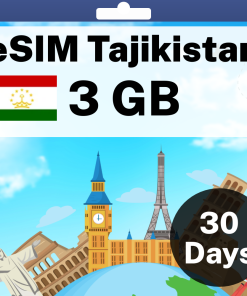
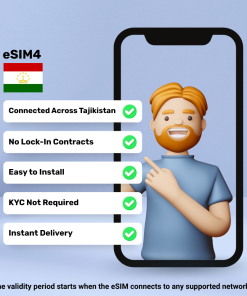
Tajikistan
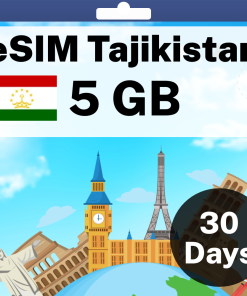
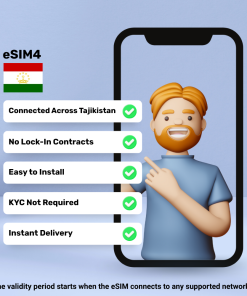
Tajikistan
How Do eSIM Plans Work?
Step 1: Purchase Your eSIM Data Pack
You'll receive an email with your eSIM after purchase, no matter where you are in the world.
Step 2: Receive Activation Details
You'll get a QR code or manual installation instructions via email and WhatsApp to activate your eSIM.
Step 3: Install And Activate Your New eSIM
Set up your eSIM before your trip, and once you reach your destination, enable the data plan to start using the internet.
Is My Mobile Phone eSIM Compatible?
- iPhone XR, XS, XS Max
- iPhone 11, 11 Pro, 11 Pro Max
- iPhone SE (2nd & 3rd gen)
- iPhone 12, Mini, Pro, Pro Max
- iPhone 13, Mini, Pro, Pro Max
- iPhone 14, Plus, Pro, Pro Max
- iPhone 15, Plus, Pro, Pro Max
- iPhone 16, Plus, Pro, Pro Max, 16e
- iPhone 17, 17 Pro, 17 Pro Max, 17e
- iPhone Air (eSIM only, no SIM tray)
- iPhone 18 Pro, 18 Pro Max
- iPhone Duo (foldable, eSIM only, no SIM tray)
- iPad Pro 11″ (2018+) & 12.9″ (2018+)
- iPad Air (2019+)
- iPad (2019+)
- iPad Mini (2019+)
- iPad 10th Gen (2022)
*Two eSIMs can be active at the same time on iPhone 13 and later. *iPhones from mainland China do not support eSIM. *Hong Kong/Macao models (except 13 mini, 12 mini, SE 2020, XS) lack eSIM. *US models of iPhone 14 and later do not have a physical SIM tray. *iPhone 18 Pro and 18 Pro Max are eSIM only in the US, Canada, Japan, Mexico, Guam, Bahrain, Kuwait, Oman, Qatar, Saudi Arabia and the UAE. *iPhone Air and iPhone Duo have no SIM tray in any country. They run on eSIM only.
Explore Tajikistan

Tajikistan eSIM: Landed at Dushanbe, Online Before the Taxi to Rudaki Avenue
A prepaid tourist eSIM for Tajikistan travel, paid once, from USD 9.98 for a week of high-speed mobile data on an eSIM-ready iPhone or Android phone. Land at Dushanbe from Istanbul, Dubai or Almaty, or cross in from Uzbekistan at the Samarkand border, switch on data roaming and your phone is online before the taxi reaches Rudaki Avenue, with no roaming fees from home and no passport registration at a carrier counter. It runs on the Tacom LLC network, so your phone should automatically pick the strongest signal wherever you are, the QR code arrives by email within minutes and there is no physical SIM card to buy, register or swap. Install your eSIM on Wi-Fi at home and it activates the moment it connects in Tajikistan.
Coverage across Tajikistan
Coverage on the Tacom LLC network takes in Dushanbe and the bazaars, Hisor fortress, Khujand and the Syr Darya, Panjakent and the road in from Samarkand, Iskanderkul and the Fann Mountains gateway towns, with 4G in the cities and along the main valleys between them. Connectivity thins on the Pamir Highway beyond Khorog, in the Wakhan valley and on the high passes, as it does on every network, so save the offline map and the homestay list before the long drive and let the hostel Wi-Fi handle the big photo backups.
Which Tajikistan eSIM plan to choose
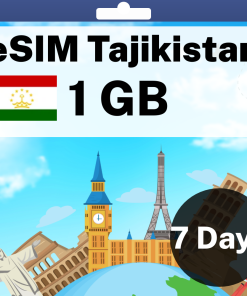
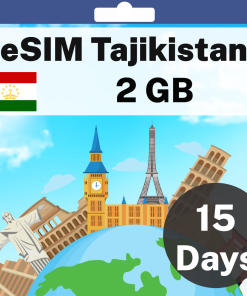
A week in Dushanbe and the Fann Mountains runs on the 1 GB for 7 Days data plan at USD 9.98. Two weeks of maps, WhatsApp and driver bookings fits 2 GB for 15 Days at USD 17.98, and 5 GB for 30 Days at USD 34.98 covers a month of mountain photos to the cloud. Activation happens the first time the eSIM connects in Tajikistan, the clock on the days starts then, and if the data allowance runs low a top-up takes a minute online.
Uzbekistan and Kyrgyzstan on the same trip
Carrying on to Samarkand, Bukhara or Osh on the same Silk Road loop? The World eSIM covers Tajikistan along with Uzbekistan, Kyrgyzstan and the rest of the globe on one install, so one QR code carries you from Dushanbe to Samarkand. Based in Tajikistan the whole time? The Tajikistan plan is the better value.
Choose a plan, check out and the QR code is in your inbox before the packing is finished; switch on data roaming at the gate and stay connected from the arrivals hall.
Frequently Asked Questions
Yes in the city, but every SIM in Tajikistan is registered against your passport at an official carrier office, the airport has no reliable counter for the overnight arrivals from Istanbul and Dubai, and the shops keep daytime hours. The eSIM needs none of that: it is installed on Wi-Fi at home with nothing to register, and the hostel address is loading before the luggage belt starts.
Only on the way in: Dushanbe, Khujand, Panjakent, Khorog and the gateway towns carry a signal, and your phone should automatically pick the strongest mast along the main valleys. Beyond Khorog on the Pamir Highway, in the Wakhan valley and above the Fann Mountains lakes, connectivity thins to nothing for days, as it does on every network, so save the offline map, the homestay list and the driver number before you leave the city and treat the high road as time off the grid.
An eSIM is a digital SIM built into your phone. Instead of swapping a plastic card, you scan a QR code, or tap one link on a recent iPhone, and the plan installs in about a minute alongside your existing SIM. Your home number stays exactly as it is, and you can switch between plans in Settings whenever you like.
You pay once, from a few dollars, instead of a daily roaming charge, and there is no airport kiosk, no ID check and no card to swap. Buy it at home, install it on Wi-Fi, and you land with maps, ride apps and WhatsApp already working in the arrivals hall. If plans change, every eSIM tops up online in about a minute.
As a guide: 1 GB covers a week of maps, messaging and a few photos a day; 5 GB over a month suits social media and daily browsing; 20 GB or unlimited suits streaming, video calls and working on the road. If in doubt, start small: every plan tops up online in about a minute, so you never pay for data you will not use.
Yes. Our regional plans cover many destinations on one eSIM, so a multi-stop trip needs nothing new at each border: Europe, Asia, Latin America, North America, Africa, Oceania and a World eSIM for trips that cross regions. The countries included are listed on each regional plan page, and you can combine a regional plan with a country plan for the best value.
No. Most people are done in under two minutes: scan the QR code from the activation email, or on iPhone with iOS 17.4 or later simply tap the Direct Installation link in the same email and the eSIM installs itself. Step-by-step guides are here for iPhone guide and Android guide, our support team is on hand, and a refund guarantee covers you if the eSIM cannot be installed on your device.
Most phones from the last five years support eSIM, including every iPhone from the XR onwards and recent Samsung Galaxy and Google Pixel models. Check your model in our compatibility guide before you buy. If your phone was bought on a carrier contract it may need to be unlocked first, which your carrier can do.
Open the activation email, then on iPhone go to Settings, Cellular, Add eSIM and scan the QR code, or tap the Direct Installation link on iOS 17.4 or later. On Android go to Settings, Connections, SIM Manager and scan. Most phones can scan the QR code straight from a screenshot in your photo gallery, so no second phone is needed. Once the eSIM appears in your cellular settings it is installed and ready. Full walkthroughs: iPhone guide and Android guide.
Install it any time before you travel, on Wi-Fi at home: the eSIM does not expire while it sits on your phone. When you land, switch it on and enable data roaming, and your days start counting from that first connection abroad, not from the day you bought it. You can also install on arrival, as long as you have Wi-Fi to download the eSIM.
Yes. Your phone runs as a dual SIM, with your home SIM and the travel eSIM side by side, and most phones store several eSIMs at once with one active for data at a time. Keep a plan for each country on your trip and switch between them in Settings as you cross borders.
Yes. Tethering is included on every plan, so your laptop or a second phone can share the connection whenever you need it.
Your connection pauses rather than charging you more. Top up online in about a minute using the link in your activation email, or in the Yabb app, and you are back online with the same eSIM.
The activation email includes a link to a live usage page for your eSIM, so you can see exactly how much data is left at any time and top up before it runs out.
Top local carriers at up to 5G speeds. The network for this destination is shown above the plans on this page, and the eSIM connects to it automatically when you land.
Choose a 90-day plan where one is offered, or top up your existing plan as you go. Either way the eSIM stays on your phone for the whole trip.
Travel eSIMs are data only, which is exactly why there is no ID or address check to buy one. Everything you normally use runs on the data: WhatsApp, FaceTime, iMessage, Uber, maps and your bank app. If you want a real phone number for calls and SMS abroad, our Yabb app gives you calls, texts and a temporary local number without roaming charges. In a few countries we also sell plans that include a local number, minutes and texts, shown in the plan name; those minutes and texts are for local calls and local texts within that country only.
Yes. WhatsApp, iMessage and Signal stay on your existing number with every chat intact; there is nothing to re-register. The eSIM simply supplies the data they run on.
Yes, with your home SIM left in the phone. The eSIM carries all your data, and most carriers deliver incoming text messages to your home number abroad at no charge, so one-time codes from your bank, Google, Airbnb and the rest arrive exactly as they do at home. Keep the home SIM switched on with data roaming turned off, and only the eSIM uses data. Two things to know before you fly: making a call or sending a text from the home SIM is what triggers roaming charges on most carriers, so leave calling and texting to WhatsApp and the like, and a few carriers do charge for incoming texts or block them abroad, so a quick check with your carrier before you leave settles it.