














United States
United States
United States
United States
United States
United States
United States
United States
How Do eSIM Plans Work?
Step 1: Purchase Your eSIM Data Pack
You'll receive an email with your eSIM after purchase, no matter where you are in the world.
Step 2: Receive Activation Details
You'll get a QR code or manual installation instructions via email and WhatsApp to activate your eSIM.
Step 3: Install And Activate Your New eSIM
Set up your eSIM before your trip, and once you reach your destination, enable the data plan to start using the internet.
Is My Mobile Phone eSIM Compatible?
- iPhone XR, XS, XS Max
- iPhone 11, 11 Pro, 11 Pro Max
- iPhone SE (2nd & 3rd gen)
- iPhone 12, Mini, Pro, Pro Max
- iPhone 13, Mini, Pro, Pro Max
- iPhone 14, Plus, Pro, Pro Max
- iPhone 15, Plus, Pro, Pro Max
- iPhone 16, Plus, Pro, Pro Max, 16e
- iPhone 17, 17 Pro, 17 Pro Max, 17e
- iPhone Air (eSIM only, no SIM tray)
- iPhone 18 Pro, 18 Pro Max
- iPhone Duo (foldable, eSIM only, no SIM tray)
- iPad Pro 11″ (2018+) & 12.9″ (2018+)
- iPad Air (2019+)
- iPad (2019+)
- iPad Mini (2019+)
- iPad 10th Gen (2022)
*Two eSIMs can be active at the same time on iPhone 13 and later. *iPhones from mainland China do not support eSIM. *Hong Kong/Macao models (except 13 mini, 12 mini, SE 2020, XS) lack eSIM. *US models of iPhone 14 and later do not have a physical SIM tray. *iPhone 18 Pro and 18 Pro Max are eSIM only in the US, Canada, Japan, Mexico, Guam, Bahrain, Kuwait, Oman, Qatar, Saudi Arabia and the UAE. *iPhone Air and iPhone Duo have no SIM tray in any country. They run on eSIM only.
Explore United States

USA eSIM: Landed at JFK, Uber Booked Before the AirTrain
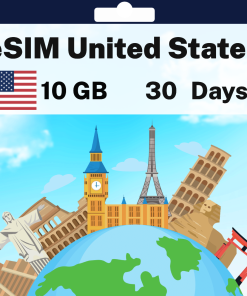
A prepaid tourist eSIM for the United States, paid once, from USD 2.98 for a week of high-speed mobile data on an eSIM-ready iPhone or Android phone. Land at New York JFK, Los Angeles, Miami, San Francisco or Las Vegas, switch on data roaming and your phone is online before the immigration queue clears, with no roaming fees from home and no local SIM to find in a pharmacy aisle. It runs on the T-Mobile network, so your phone should automatically pick the strongest signal wherever you are, the QR code arrives by email within minutes and there is no physical SIM to buy or swap. Travel eSIMs like this one are a digital SIM: phones that support eSIM take the install in a minute on Wi-Fi at home, it activates the moment it connects in the US, and the eSIM plan shows data usage in your account from the first day.
Coverage across the United States
Coverage on the T-Mobile network takes in New York and Boston, Washington, Chicago, Miami and Orlando, Austin and Nashville, Las Vegas, Los Angeles, San Diego, San Francisco and Seattle, Honolulu and the Hawaiian islands, with 5G in every big city and strong 4G along the interstates between them. Connectivity thins deep inside the national parks and on the emptiest desert stretches of Utah and Nevada, as it does on every network, so save the offline map before the Yellowstone loop or the drive out to Death Valley and let the hotel Wi-Fi handle the big photo backups.
Which USA eSIM plan to choose
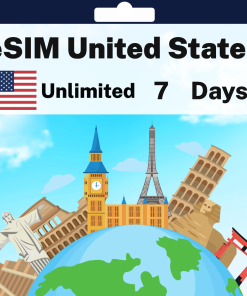
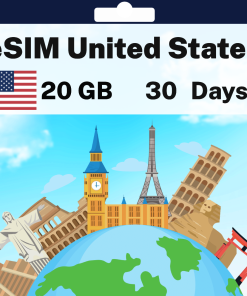
A long weekend in New York runs on the 1 GB for 7 Days data plan at USD 2.98. Two weeks of maps, Uber, WhatsApp and ticket apps fits 5 GB for 30 Days at USD 11.98, and 20 GB for 30 Days at USD 34.98 covers a month of photos to the cloud on a coast-to-coast road trip. The unlimited plan runs from 3 to 30 days of unlimited data, with 7 days at USD 23.98 for the trip where the phone doubles as the hotspot for a laptop. Want a US number as well? The plans whose name shows minutes and SMS add local calls and SMS to the high-speed data, with 5 GB, 50 SMS and 50 minutes over 7 days at USD 15.98. Activation happens the first time the eSIM connects in the US, the clock on the days starts then, and if the allowance runs low a top-up of eSIM data takes a minute online, so you can use data freely from the first day to the last.
Beyond the US on the same trip
Adding Canada or Mexico to the same ticket, for Niagara, Vancouver or Cancun? The North America eSIM covers the United States on the same network along with Canada and Mexico, from USD 4.98 for 1 GB over 7 days, so one install carries you from Seattle to Vancouver. Based in the US the whole time? The USA plan is the better value.
Choose a plan, check out and the QR code is in your inbox before the packing is finished; switch on data roaming at the gate and stay connected from the arrivals hall.
Frequently Asked Questions
Yes, if you pick one of the plans whose name shows minutes and SMS: those carry a US number for local calls and local texts within the United States, which is what a restaurant booking line, a car rental desk or a ride-share driver needs. The data-only plans carry no number and cost less, and on either plan anything international runs over WhatsApp, FaceTime or iMessage on the data, so the family at home is a free call away.
Yes, but it is not the quick counter it is elsewhere: US airports have few SIM kiosks, the prepaid cards hang in pharmacy and supermarket aisles with an activation to do online and a US card or address wanted at checkout, and the big carriers sell monthly plans built for residents. The eSIM is installed on Wi-Fi at home, comes alive when the wheels touch down, and the Uber is booked before the AirTrain.
Yes on the roads and in the park towns, with 5G in every city along the way and strong 4G on the interstates, and your phone should automatically pick the strongest signal between them. Inside Yellowstone, Yosemite and the Grand Canyon connectivity thins past the visitor centres, as it does on every network, so save the offline map, the lodge address and the trail notes before you leave the gateway town and treat the canyon floor as a day off the grid.
An eSIM is a digital SIM built into your phone. Instead of swapping a plastic card, you scan a QR code, or tap one link on a recent iPhone, and the plan installs in about a minute alongside your existing SIM. Your home number stays exactly as it is, and you can switch between plans in Settings whenever you like.
You pay once, from a few dollars, instead of a daily roaming charge, and there is no airport kiosk, no ID check and no card to swap. Buy it at home, install it on Wi-Fi, and you land with maps, ride apps and WhatsApp already working in the arrivals hall. If plans change, every eSIM tops up online in about a minute.
As a guide: 1 GB covers a week of maps, messaging and a few photos a day; 5 GB over a month suits social media and daily browsing; 20 GB or unlimited suits streaming, video calls and working on the road. If in doubt, start small: every plan tops up online in about a minute, so you never pay for data you will not use.
Yes. Our regional plans cover many destinations on one eSIM, so a multi-stop trip needs nothing new at each border: Europe, Asia, Latin America, North America, Africa, Oceania and a World eSIM for trips that cross regions. The countries included are listed on each regional plan page, and you can combine a regional plan with a country plan for the best value.
No. Most people are done in under two minutes: scan the QR code from the activation email, or on iPhone with iOS 17.4 or later simply tap the Direct Installation link in the same email and the eSIM installs itself. Step-by-step guides are here for iPhone guide and Android guide, our support team is on hand, and a refund guarantee covers you if the eSIM cannot be installed on your device.
Most phones from the last five years support eSIM, including every iPhone from the XR onwards and recent Samsung Galaxy and Google Pixel models. Check your model in our compatibility guide before you buy. If your phone was bought on a carrier contract it may need to be unlocked first, which your carrier can do.
Open the activation email, then on iPhone go to Settings, Cellular, Add eSIM and scan the QR code, or tap the Direct Installation link on iOS 17.4 or later. On Android go to Settings, Connections, SIM Manager and scan. Most phones can scan the QR code straight from a screenshot in your photo gallery, so no second phone is needed. Once the eSIM appears in your cellular settings it is installed and ready. Full walkthroughs: iPhone guide and Android guide.
Install it any time before you travel, on Wi-Fi at home: the eSIM does not expire while it sits on your phone. When you land, switch it on and enable data roaming, and your days start counting from that first connection abroad, not from the day you bought it. You can also install on arrival, as long as you have Wi-Fi to download the eSIM.
Yes. Your phone runs as a dual SIM, with your home SIM and the travel eSIM side by side, and most phones store several eSIMs at once with one active for data at a time. Keep a plan for each country on your trip and switch between them in Settings as you cross borders.
Yes. Tethering is included on every plan, so your laptop or a second phone can share the connection whenever you need it.
Your connection pauses rather than charging you more. Top up online in about a minute using the link in your activation email, or in the Yabb app, and you are back online with the same eSIM.
The activation email includes a link to a live usage page for your eSIM, so you can see exactly how much data is left at any time and top up before it runs out.
Top local carriers at up to 5G speeds. The network for this destination is shown above the plans on this page, and the eSIM connects to it automatically when you land.
Choose a 90-day plan where one is offered, or top up your existing plan as you go. Either way the eSIM stays on your phone for the whole trip.
Travel eSIMs are data only, which is exactly why there is no ID or address check to buy one. Everything you normally use runs on the data: WhatsApp, FaceTime, iMessage, Uber, maps and your bank app. If you want a real phone number for calls and SMS abroad, our Yabb app gives you calls, texts and a temporary local number without roaming charges. In a few countries we also sell plans that include a local number, minutes and texts, shown in the plan name; those minutes and texts are for local calls and local texts within that country only.
Yes. WhatsApp, iMessage and Signal stay on your existing number with every chat intact; there is nothing to re-register. The eSIM simply supplies the data they run on.
Yes, with your home SIM left in the phone. The eSIM carries all your data, and most carriers deliver incoming text messages to your home number abroad at no charge, so one-time codes from your bank, Google, Airbnb and the rest arrive exactly as they do at home. Keep the home SIM switched on with data roaming turned off, and only the eSIM uses data. Two things to know before you fly: making a call or sending a text from the home SIM is what triggers roaming charges on most carriers, so leave calling and texting to WhatsApp and the like, and a few carriers do charge for incoming texts or block them abroad, so a quick check with your carrier before you leave settles it.